RADWIN2000+SeriesUserManual Release4.2.40 6‐28
ConfigurationwithTelnet
6.4ConfigurationwithTelnet
6.4.1TelnetAccesstoEitherODU
ATelnetterminalcanbeusedtoconfigureandmonitortheRADWIN2000+Seriesradiounits.
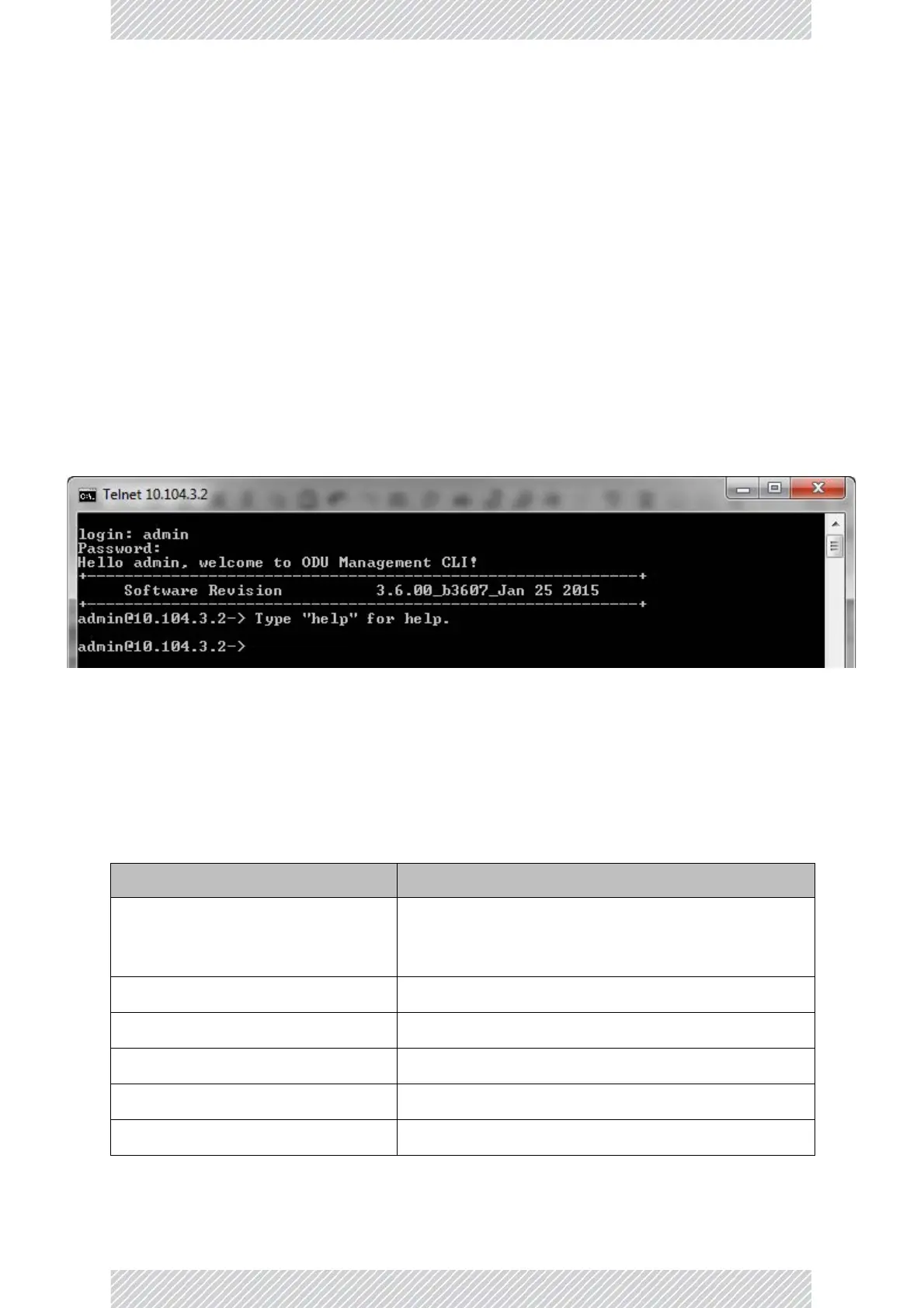
TostartaTelnetsessionontheRT‐A(HBS),usetelnet<ODU_IP>.
Forexample,ifyourunTelnetasfollows,
telnet10.104.3.2
youwillbeaskedforausernameandpassword.
TheTelnetlogonusernameisthepasswordthatyouusedtoentertheRADWIN Manager
(forexample,thedefault:admin).TheTelnetpasswordisthecorrespondingCommunity
string(default:netman).
Figure6‐14:TelnetsessionlogontotheRT‐A(HBS)
ARead‐OnlyCommunitystringallowsyoutousedisplaycommandsonlywhereasaRead‐
WriteCommunitystringallowsyoutousedisplaycommandsandexecutesetcommands.
Supportedradiounit(ODU)TelnetcommandsareshowninTable 6‐2toTable 6‐4.Theyapply
tobothRT‐A(HBS)andRT‐B(HSU)
Table6‐2:ODUTelnet‐DisplayCommands
Command Explanation
displayinventory
Displaysradiounitproductname,Name,Location,
hardwareandsoftwarerevisions,uptime,MAC
address.
displaymanagement DisplaysIP,subnet,Gateway,Trapstable
displaylink Displaysallstaticdetailsaboutthelink
displayethernet DisplaysPorttable(State,Statusandaction)
displayethernet_errors DisplaysCablestatistics
displayntp DisplaysTime,ServerandOffset


 To Next Page