SERVICE PROGRAM MODE
SM 5-51 C262/C265
Service
Tables
9. Printer Controller
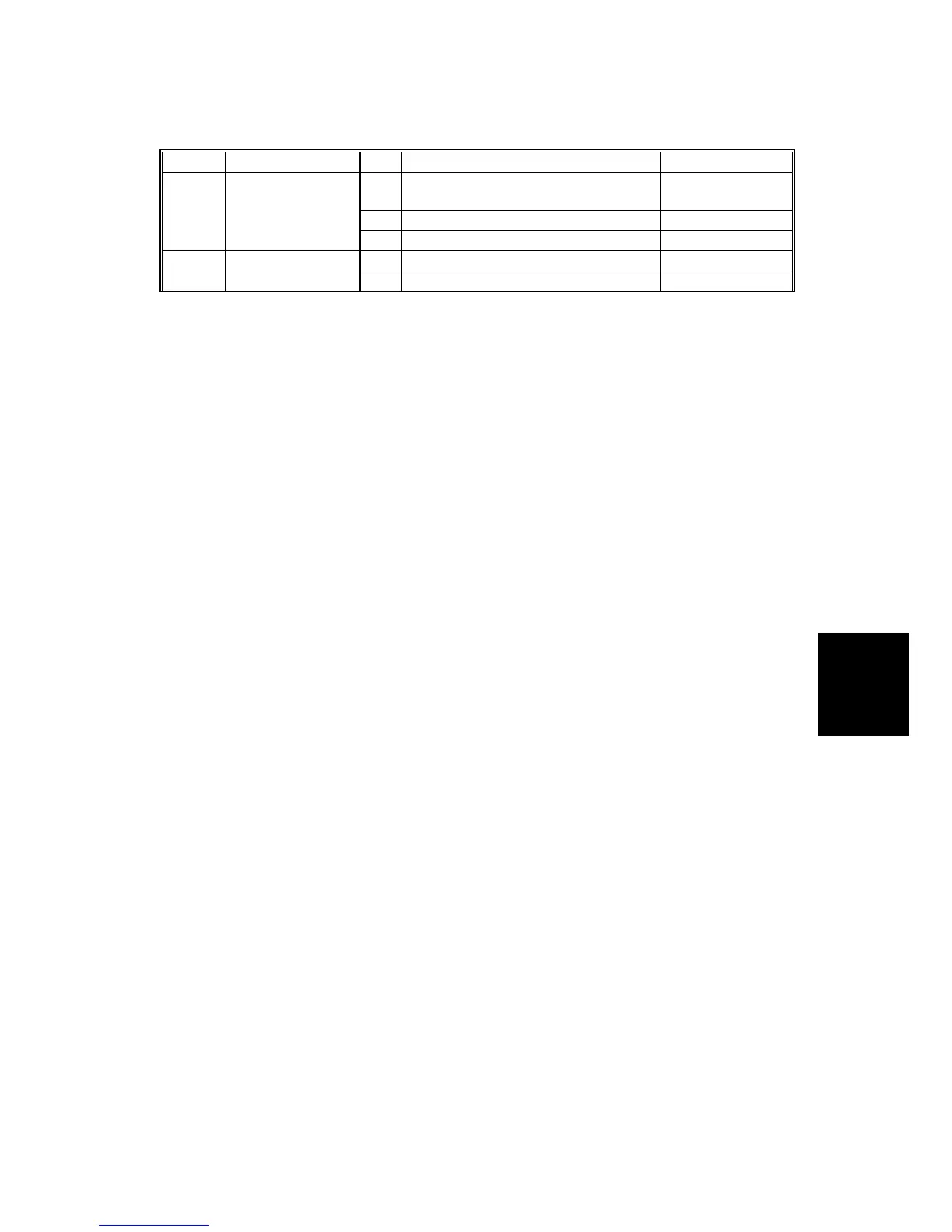
SP No. Display No. Menu Setting
1
Output Data Print
Normal/HexDump/
SD card
2
Service Summary Print
-
9-1 Test Mode
3
NIB Summary Print
-
1 Clear Printer Settings - 9-2 Clear Mode
2 NIB NVRAM -
Notes
1: 9-1-1 (Output Data Print)
In normal operation, an image that is sent from the computer is printed out. But
with this SP mode, the image is changed to hex data and then output on paper or
to an SD card.
There are three settings:
0: Normal (Default setting)
1: HexDump
2: SD card
HexDump
The image is changed to hex data, and the hex data is printed out on paper.
CAUTION:
1) This mode continues until main power is shut off.
2) In some cases, there will be a large quantity of data, and many
masters will be consumed to print out the hex dump. Be careful
when you use this mode.
SD card
The image is changed to hex data, and the hex data is transferred to an SD card
on the ACU board.
Procedure:
1. Turn off the main switch.
2. Set the SD card.
3. Turn on the main switch.
4. Set SP9-1-1 to “SD card” and get out from the SP mode.
5. Send the data from a computer.
The ‘data in’ LED on the machine blinks during the data transfer, and the LED
turns off when the data transfer is finished (the transfer takes a few seconds).
6. Set SP9-1-1 to “Normal”.
7. Turn on the main switch
8. Remove the SD card from the machine.
CAUTION: Do not take out the SD card before you turn off the main switch and set
the SP mode to “Normal”.


 To Next Page