64 57 498 D3543
D3543.201.01.05.02 08.2016
159
Sirona Dental Systems GmbH 4Operation
Operating Instructions INTEGO 4.7Water unit
båÖäáëÜ
4.7.4.2.2 Switching to stand-alone water supply with the EasyTouch
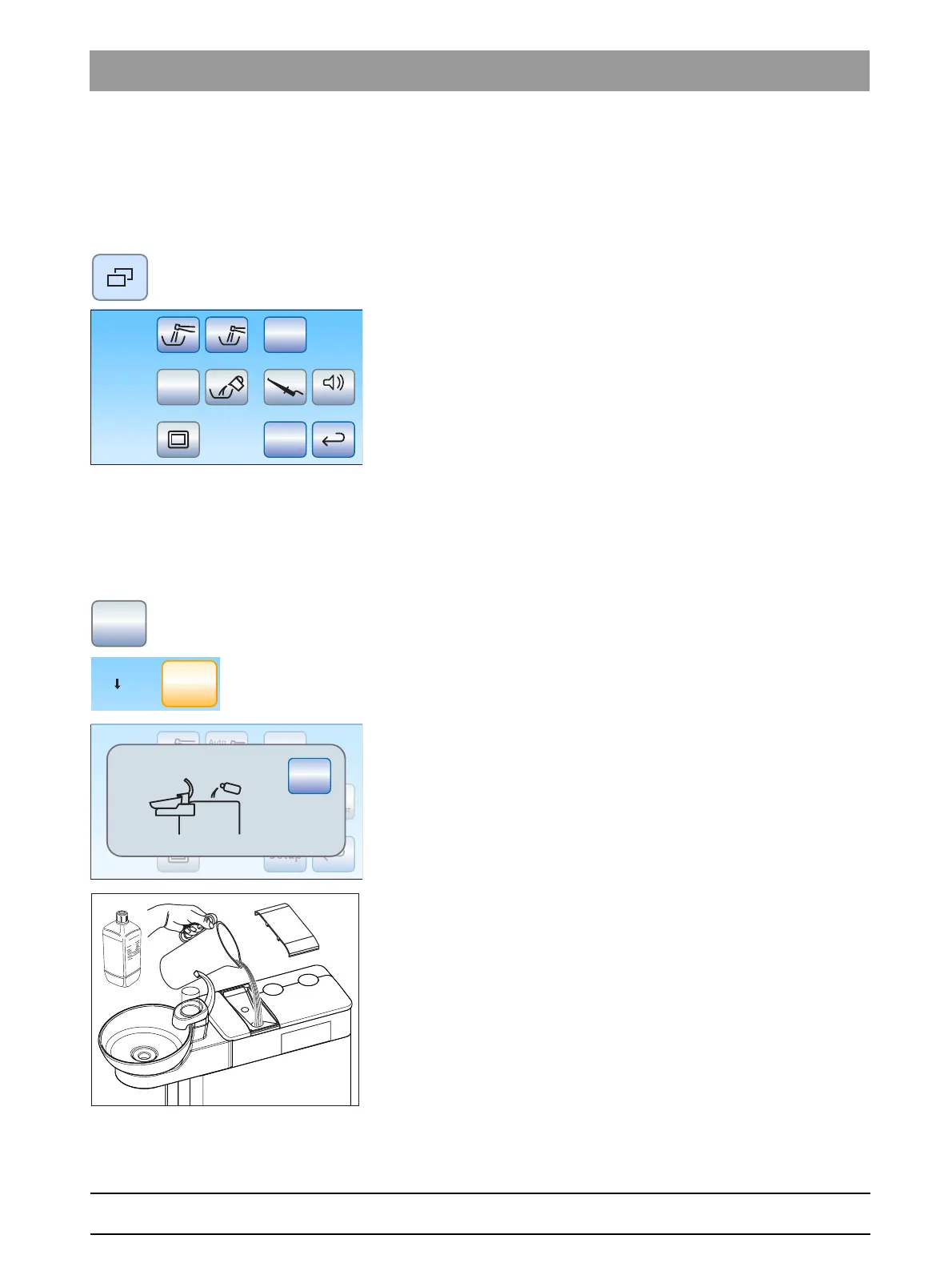
Opening the Start sub-screen
✔ All instruments are in their holders.
✔ The
Start dialog
is displayed on the touchscreen.
➢ Press the
Sub-dialog
fixed key.
The
Start
sub-dialog is displayed.
Changing disinfection system to stand-alone water supply
If the
Aqua
key is displayed gray in the
Start
sub-dialog, the treatment
center obtains water from the public water supply (municipal water). If the
key is highlighted orange, the treatment center is switched to stand-alone
water supply. To change the mode of operation, proceed as follows:
1. Press and hold the
Aqua
key (> 2 s).
The
Aqua
key flashes orange until the disinfectant tank is
emptied. Moreover, the
Changing to self-sufficient water supply
display appears.
If there is still disinfectant in the tank, it is rinsed down the drain.
This can take up to 6 minutes. The
Refill water
display then
appears on the touchscreen.
2. Mix distilled water with the DENTOSEPT P disinfectant at a ratio of
100:1 (1 liter of water, 10 ml DENTOSEPT P) and fill this into the
disinfectant tank of the water unit. The tank has a capacity of approx.
1.3 liters. It is full when the water surface is visible on the filter of the
filling funnel.
Setup
San
Aqua
Apex Dist
Auto
Setup
San
Aqua
Auto
Apex Dist
Stop
Aqua



 To Next Page