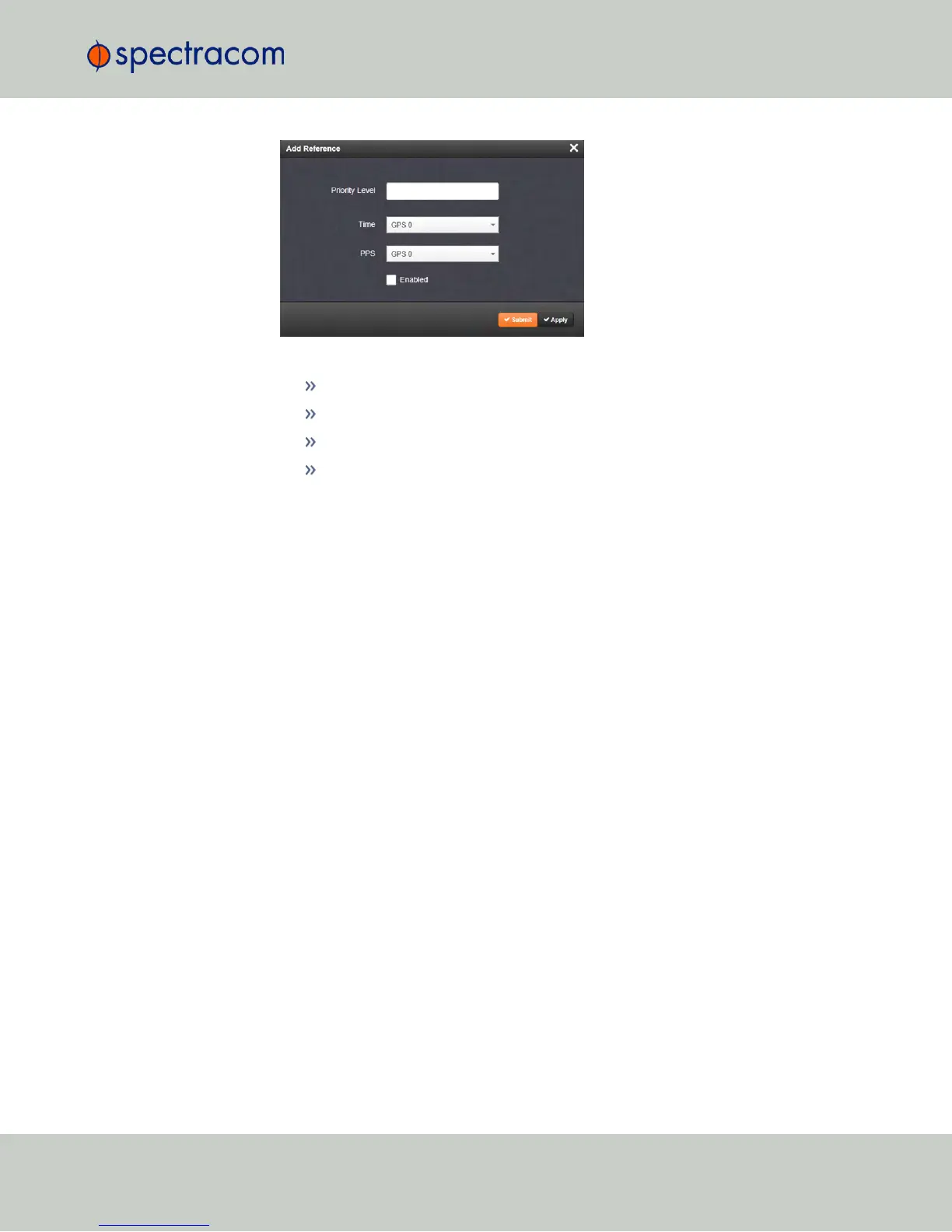
4.
In the Add Reference window, enter:
Priority Level: Assign a priority to the new reference.
Time: Select the time reference.
PPS: Select the PPS reference.
Enabled: Check this box to enable the new reference.
5.
Click Apply or Submit. (Submit will close the window.)
Deleting a Reference Entry
To delete an entry from the Reference Status table:
1.
Navigate to the Configure Reference Priorities screen via MANAGEMENT > OTHER:
Reference Priority.
2.
In the Configure Reference Priorities table click the Delete button on the right-hand side
of the entry you wish to delete.
3.
In the pop-up window that opens click OK to confirm.
Reordering Reference Entries
To reorder the priority of a reference entry:
1.
Navigate to the Configure Reference Priorities screen via MANAGEMENT > OTHER:
Reference Priority.
2.
Click and hold on the item whose priority you wish to reorder.
3.
Drag the item up or down to the desired place.
3.3 Managing Input References
CHAPTER 3 • NetClock User Reference Guide Rev. 16
165



 To Next Page