Note: The eth0 port is the built-in NetClock Ethernet port (i.e., stand
ard, not optional).
3.
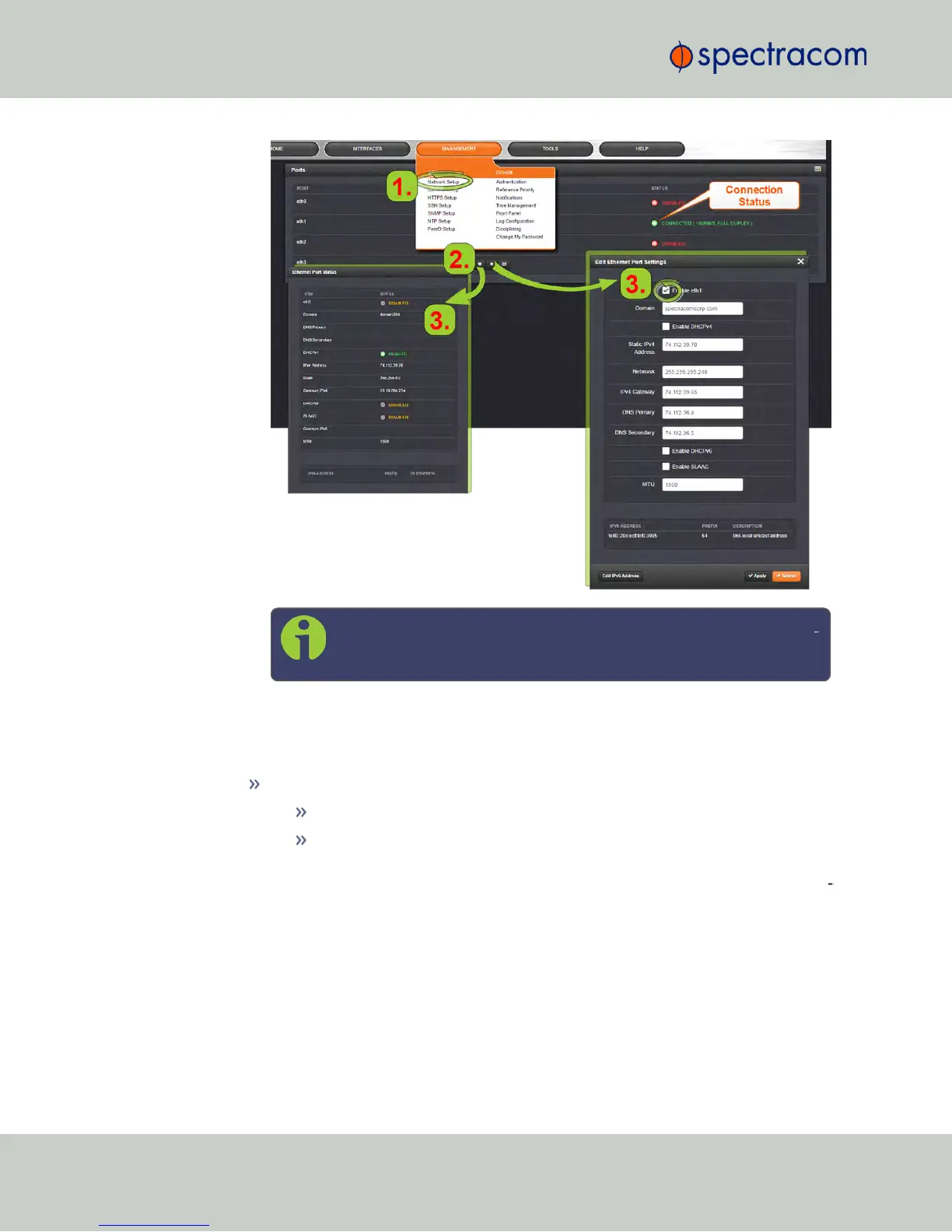
If the port is not already enabled, in the Edit Ethernet Ports Settings window, click the
Enable check box. The Edit Ethernet Ports Settings window will expand to show the
options needed to complete the port setup.
Fill in the fields as required:
Domain: This is the domain name to be associated with this port.
Enable DHCPv4: Check this box to enable the delivery of IP addresses
from a DHCP Server using the DHCPv4 protocol. This box is checked by
default. Should you disable (uncheck) DHCPv4, the following fields will dis
play and must be completed:
60
CHAPTER 2 • NetClock User Reference Guide Rev. 16
2.14 Configuring Network Settings



 To Next Page