Vista 1 Digital Mixing System
4-138 GC Operation
Document generated: 18.04.17
SW V5.3
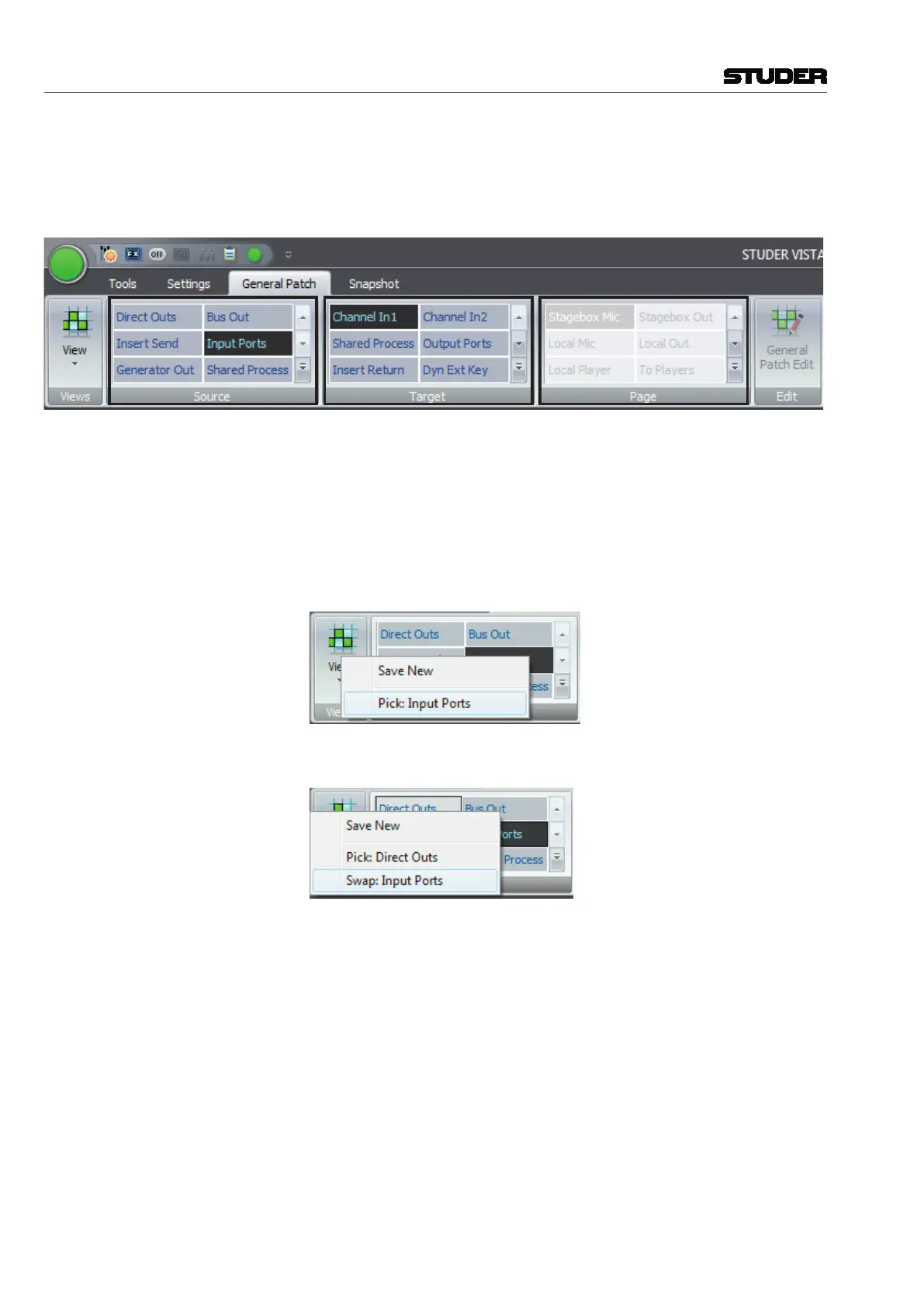
Here the three areas where the Source groups,Target groups and the Page
groups are found :
Source Groups Target Groups Page Groups
Source Groups Are patch groups that navigate the source side of the genereal patch only.
Target Groups Are patch groups that navigate the target side of the genereal patch only.
Page Groups Are patch groups that can navigate both sides of the genereal patch.
Change the place of a patch group Right-click on the group that you would like to change its place, and select
‹Pick: Input Ports›
Then go to the desired new position and right-click again.
Now, select ‹Swap: Input Ports›. The two groups then swap their position.
Create or edit User Patch Groups When in “General Patch Edit” mode, the General Patch view changes to Edit
View. In addition to the vertical source list on the left side and the horizontal
target list at the bottom of the matrix, the patch grid (matrix) disappears and
is replaced by additional horizontal source- and target lists with search text-
boxes on top. The content of these additional source / target lists matches the
Patch Groups selected in the ribbon’s Source and Target patch group frames.



 To Next Page