Vista 1 Digital Mixing System
GC Operation 4-147
Document generated: 18.04.17
SW V5.3
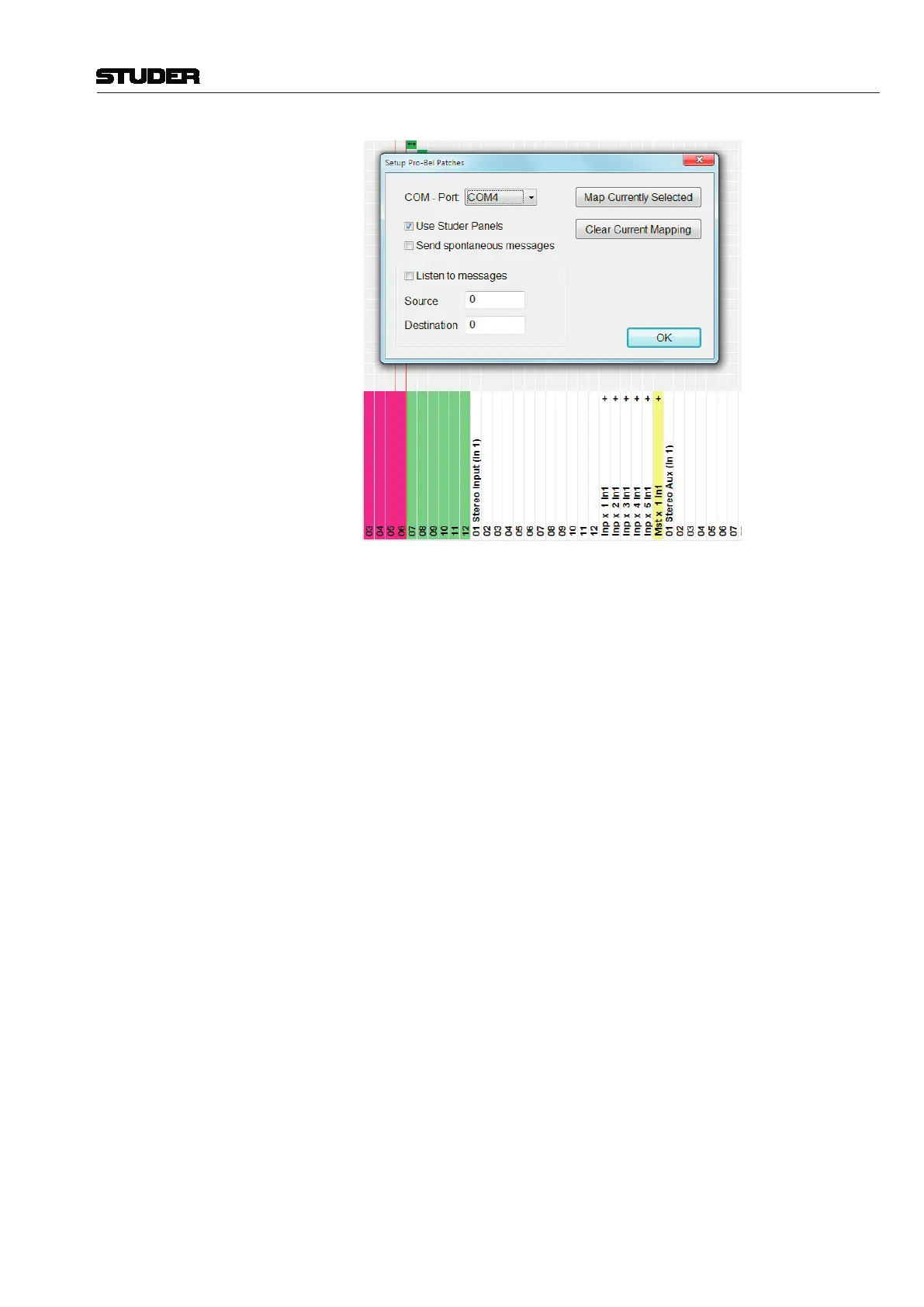
Clicking on the Map Currently Selected button maps the patches for the
selected targets (the pink-colored ones) to the Pro-Bel connect command
specified on the left.
With
Listen to messages enabled, incoming connect messages are mapped
to the edit fields on the dialog. To select targets affected by this connect
command simply click on them in the target list of the general patch (color
is set to pink).
Make sure to always associate the same Pro-Bel destination to the same set
of targets.
Any connection on the patch may be mapped to certain Pro-Bel connect
commands. You are not limited just to outputs or inputs!
With
Send spontaneous messages enabled, the corresponding CON -
NECTED message is sent whenever one of the defined patch combinations
matches the same combination as when they were defined.
Files Used to Save Pro-Bel Set-up The system creates human-readable files (ini format) in the D950System
directory to save the set-up. The files are named according to the COM port
used: PortX.Pro-Bel – with X being the COM port used.



 To Next Page