Vista 1 Digital Mixing System
2-48 Desk Operation
Document generated: 18.04.17
SW V5.3
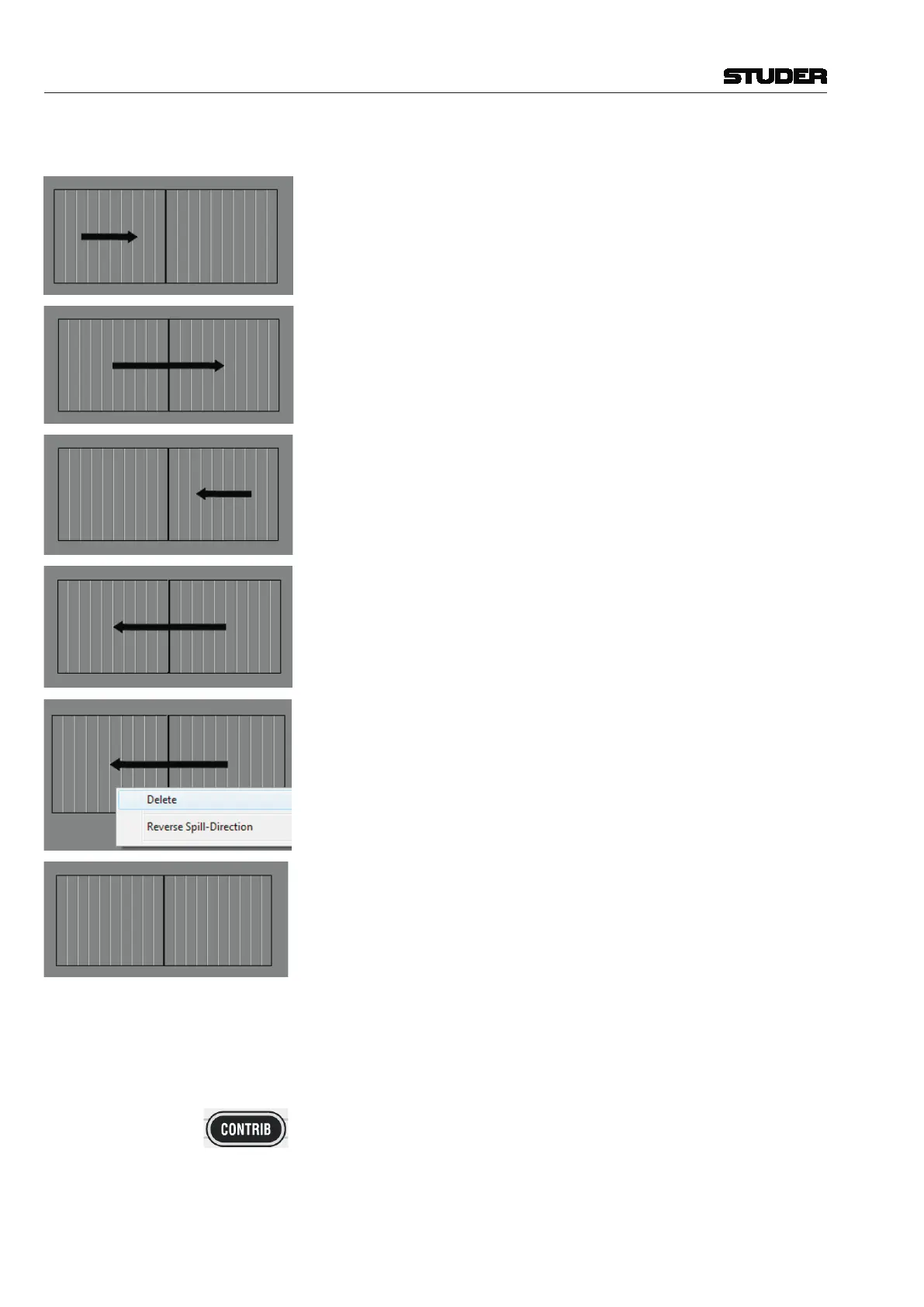
ing, defines the direction of the arrow.
The spilled channels will be lined up starting from the leftmost channel strip
across one FaderBay.
The spilled channels will be lined up starting from the leftmost channel strip
across two FaderBays. (all FaderBays on this 32 fader desk).
The spilled channels will be lined up starting from the rightmost channel strip
across one FaderBay.
The spilled channels will be lined up starting from the rightmost channel strip
across two FaderBays. (all FaderBays on this 32 fader desk).
By right-clicking onto the SpillZone setup area, a menu appears which lets the
operator either delete the SpillZone or reverse its direction. By deleting the
SpillZone, the SpillZone functionality is switched off and normal contribution
is shown when pressing any CONTRIB key.
This shows the SpillZone setup page with deactivated SpillZone functionality.
The setup of the SpillZone is a global setting, and can be changed whenever
desired, even during an ongoing show. The setting is stored in the system
settings and will remain the same until changed, no matter if a new title is
loaded.
Using the SpillZone Pressing the CONTRIB key on the ControlBay of any master channel (Aux,
Matrix, Grp, Mst, CGM/VCA) will line up all channels assigned to this master
bus in the pre-defined SpillZone in the pre-defined direction. The FaderGlow
of the spilled-out channels will be lit in the same colour as the colour-code
of the spilling master (red for Mst channels, blue for VCA/CGM, orange for
Aux, green for Grp). While Spill is active, the CONTRIB key will be flashing,
to clearly distinguish the Spill function from the normal contribution function.
Pressing the CONTRIB key again will return the surface immediately back to



 To Next Page