Vista 1 Digital Mixing System
Desk Operation 2-49
Document generated: 18.04.17
SW V5.3
the show the normal StripSetup.
Nested Spill If a spilled master has another master assigned to itself, this assigned master
channel can spill its members in the same SpillZone by pressing its CONTRIB
key.
Example : Six input channels (Inp m 1 - Inp m 6) as well as one group channel
(Grp st 1) are assigned to contribute to a master channel (Mst st1).
Further, four input channels (Inp m 7 - Inp m 10) are assigned to the group
channel (Grp st 1).
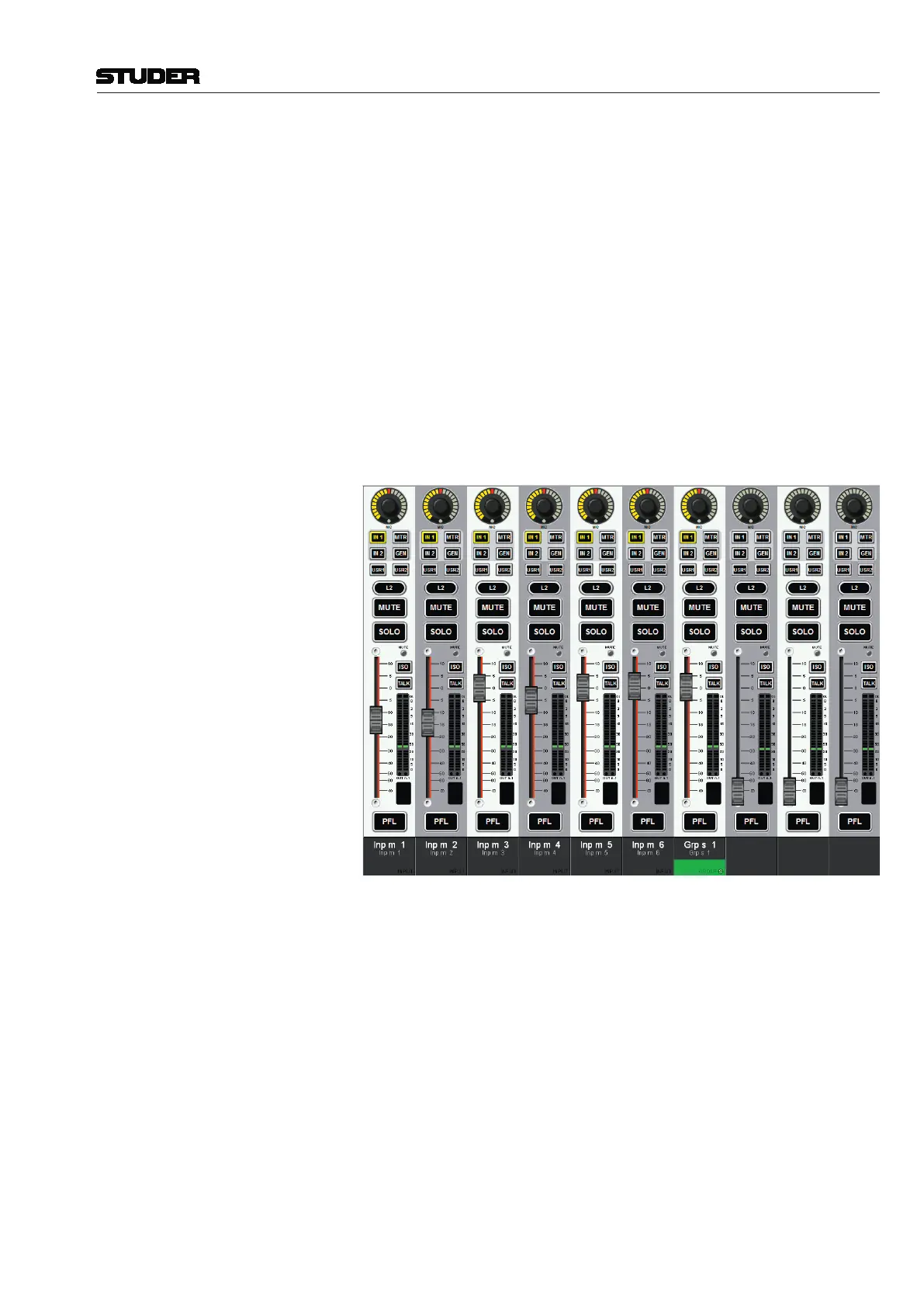
Step 1 Pressing the CONTRIB key of Mst st 1 will activate the predefined SpillZone
and its members (Inp m 1 - 6 and Grp st 1) will be spilled out there.
The CONTRIB key of the master channel will flash to prominently indicate
the fact that Spill is active and that the “regular” channels on the surface are
no longer visible. The FaderGlow of the spilled-out channels will be lit “red”,
because the spilling master channel’s colour code (Mst st 1) is red.
SpillZone after Step 1
Step 2 Pressing the CONTRIB key of the group channel (Grp st 1) from within the
SpillZone will overwrite the current SpillZone and reveal the input channels
(Inp m 7 - Inp m 10) assigned to the group.
The FaderGlow of the now spilled-out channels will be lit “green”, because
the spilling group masters colour code is green.



 To Next Page