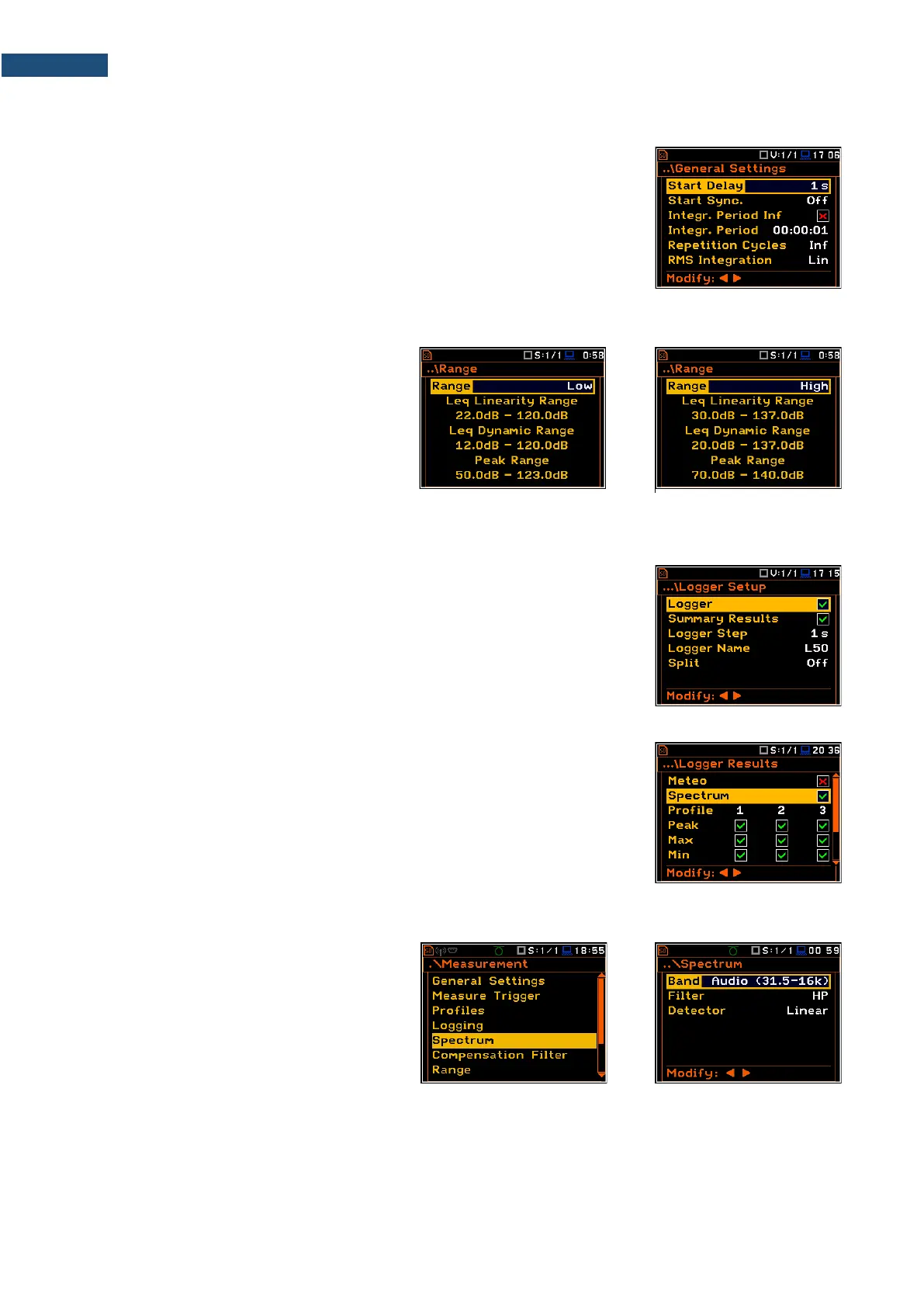
10.2.1 General settings for 1/1-octave – 1/12-octave analysis – General Settings
Averaging of results for each spectrum band is performed for the Integration
Period and is repeated the Repetition Cycles times. 1/1-octave – 1/12-octave
spectra are always saved as Summary Results.
The Integration Period and Repetition Cycles parameters are defined in the
General Settings list.
10.2.2 Selecting the measurement range for 1/1-octave - 1/12-octave analysis – Range
The input range for the 1/1 Octave -
1/12 Octave functions can be selected in
the Range screen: Low or High.
Depending on the settings of the Scale
parameter (path: <Menu> / Display /
Display Scale) the range for vibration signal
can be presented in absolute or logarithmic
units (dB).
10.2.3 Logging of 1/1-octave - 1/12-octave spectra – Logging
Spectra can be logged in a logger file with two steps: Integration Period step
and/or Logger Step.
For logging 1/1-octave – 1/12-octave spectra, the Logger position must be
enabled in the Logger Setup screen (path: <Menu> / Measurement / Logging /
Logger Setup).
If you wish to save spectra together with Summary results, you must enable the
Summary Results position. 1/1-octave – 1/12-octave spectra will be then
logged with the Integration Period step.
The instrument allows additional logging of 1/1-octave – 1/12-octave spectra in
a logger file with the Logger Step.
For this, you should enable logging of spectra switching on the Spectrum
position in the Logger Results screen (path: <Menu> / Measurement / Logging
/ Logger Results).
10.2.4 Setting parameters of 1/1-octave - 1/12-octave analysis – Spectrum
For active 1/1 Octave - 1/12 Octave
functions a context position (Spectrum)
appears in the Measurement list (path:
<Menu> / Measurement / Spectrum). In the
Spectrum screen, you can select the band,
the pre-weighting broadband frequency filter
(only for sound measurements) and the
LEQ/RMS detector.
Selection of the band
The Band parameter defines the band of 1/1-octave - 1/12-octave analysis.



 To Next Page