7.2 CHECKING POWER – BATTERY
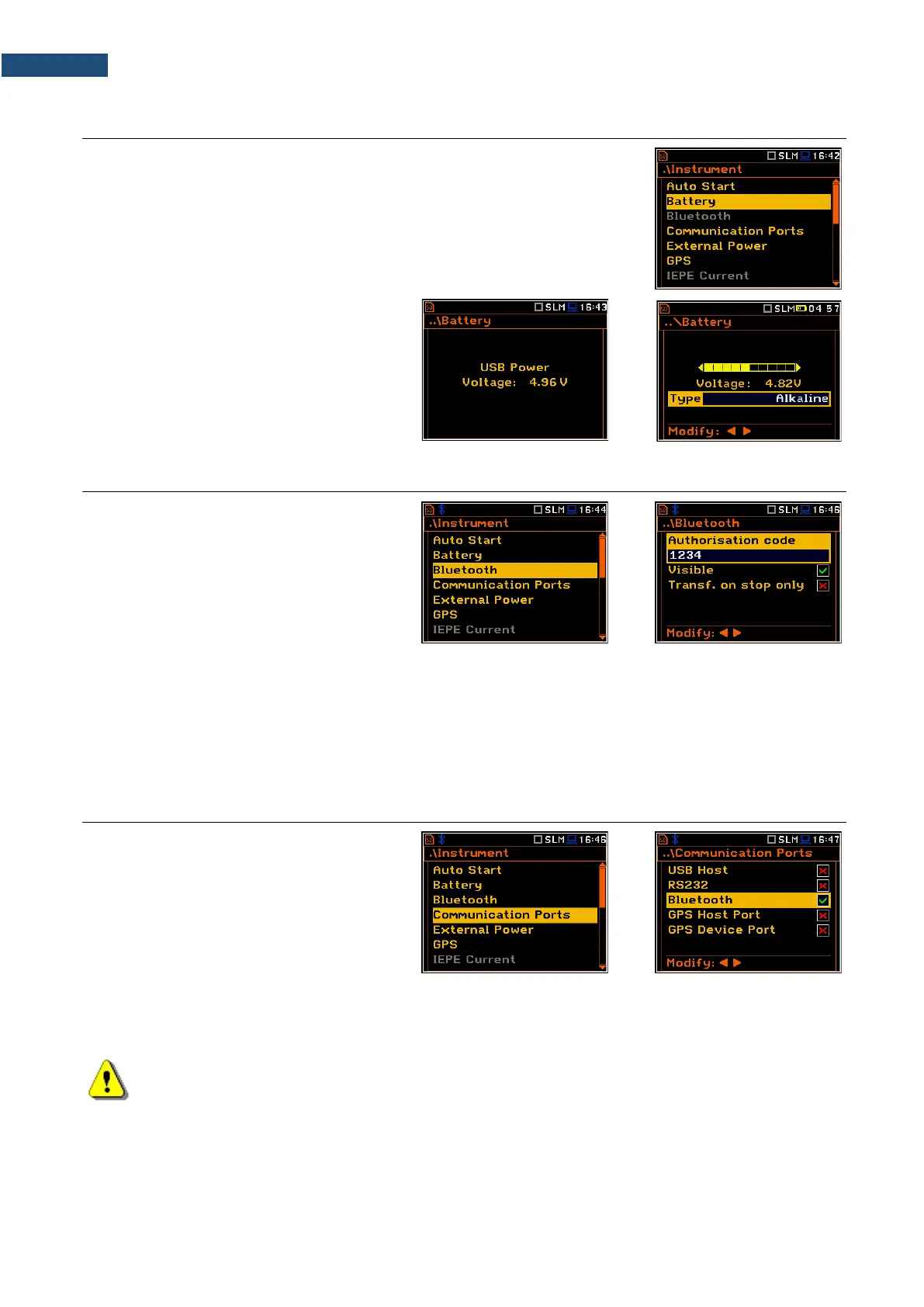
The Battery position allows you to check the condition of the internal battery
and the voltage of the external power source. The instrument can be powered
from four AA rechargeable batteries or standard alkaline batteries or from an
external DC power supply (via the SA 33 power adapter or via the USB port).
When the instrument is powered from a set
of internal batteries you should select the
correct battery type (Alkaline or
Rechargeable). It is essential for the right
detection of the capacity of the battery pack.
7.3 BLUETOOTH
®
ACTIVATION – BLUETOOTH
The Bluetooth position becomes active
after activation of Bluetooth
®
in the
Communication Ports screen and allows
you to enter an authorization code to pair a
PC (tablet or smartphone) with the
instrument.
To use the Bluetooth
®
interface, you should
key in the Authorisation code to pair
another device with the instrument.
If Visible is enabled, the instrument will be visible during searching of Bluetooth units by other devices. The
instrument can communicate also with inactive Visible parameter.
If Transf. on stop only is enabled, the Bluetooth function is switched off during the measurement. Active
Bluetooth
®
may be a source of additional internal electrical noise in a very low acoustic environment.
7.4 INTERFACE PARAMETERS SETTINGS – COMMUNICATION PORTS
The Communication Ports position
enables selecting the active communication
port of the instrument.
You can select the following combinations:
− USB Host / Bluetooth /
GPS Device Port,
− RS232 / GPS Device Port,
− GPS Host Port / Bluetooth.
The USB Host socket can be used as the input of the different interfaces: RS 232 or USB. The RS 232 interface
in SVAN 979 is available as a hardware option (a special SV 55 interface/converter with dedicated
microprocessor has to be attached to the USB Host socket).
Note: The SV 55 converter serves as the RS 232 interface. The SV 55 connection to the USB Host
socket is detected and after successful detection the “RS232” icon changes its colour to blue.
Transmission with the SV 55 interface is only possible if the instrument is not connected to a PC
through the USB Device port.
The USB host interface can be used to control an external USB memory disk with the FAT16 or FAT32 file
systems. Switch on the USB Host position after USB disc connection.



 To Next Page