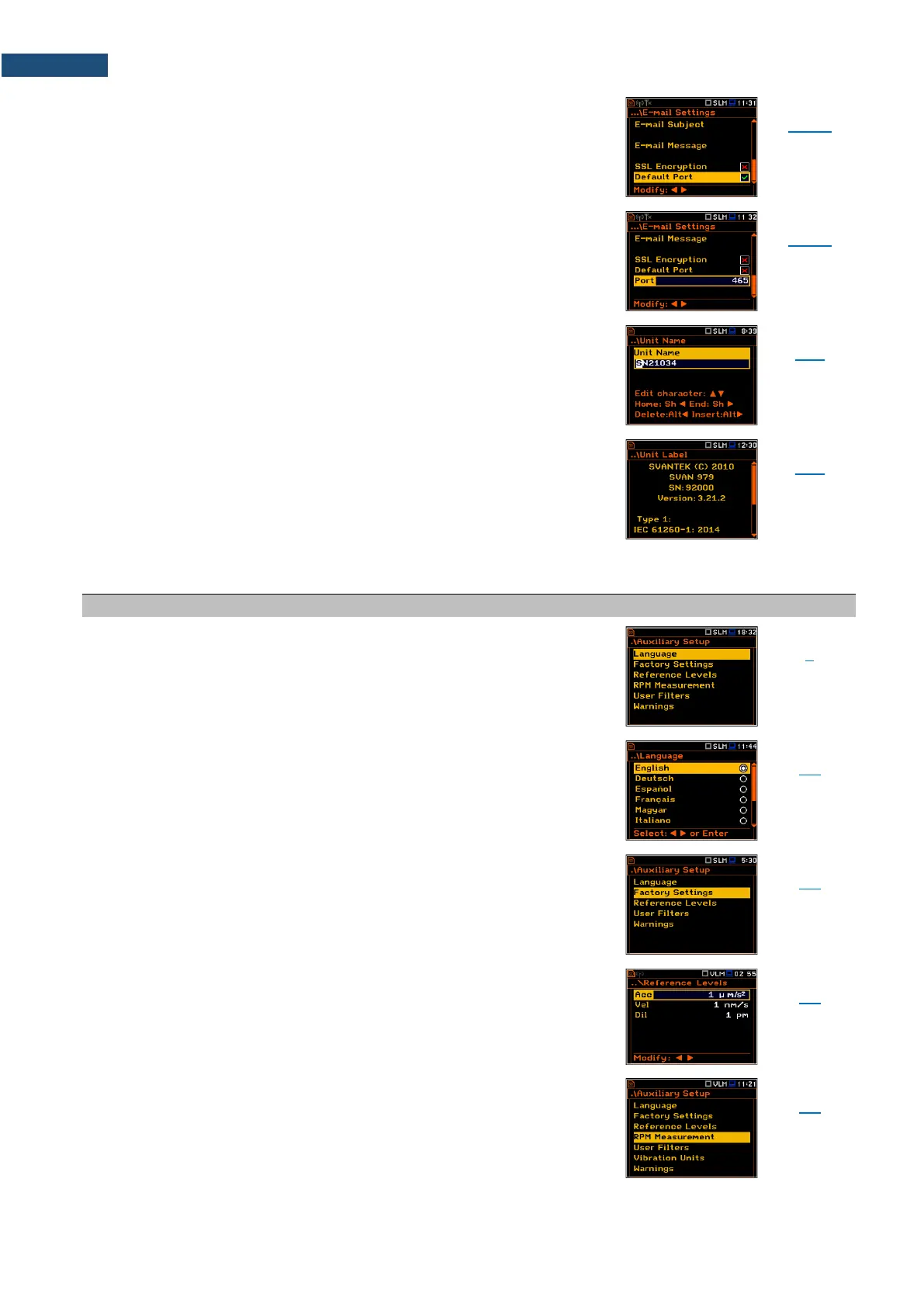
Parameter of the E-mail Settings screen switching on the
option enabling attempt to communicate with the mail
server on the default port (25 for normal calls, 465 with
SSL).
Parameter of the E-mail Settings screen defining user’s
own port.
Screen that enables editing of the instrument name
visible by the SvanNET web-service.
Screen that displays information about the instrument
type, its serial number, the current software version
installed and the relevant standards, which the
instrument fulfils.
17.7 AUXILIARY PARAMETERS
Section in the Main Menu that enables customizing the
instrument interface to specific user requirements in the
screens: Language, Factory Settings, Reference Levels,
RPM Measurement, User Filters, Vibration Units and
Warnings.
Screen that enables selecting the user interface
language.
Restoration of the default settings of the instrument.
Screen that enables defining reference levels of the
vibration signal for acceleration (Acc), velocity (Vel) and
displacement (Dil).
Position that enables activating RPM measurements by
entering the unlocking code for this function. After
unlocking this position disappears from the Auxiliary
Setup screen.



 To Next Page