Note: Any confirmed changes in the Ambient noise table will replace the previous ones and new
ambient noise distortions will be considered during the next measurements!
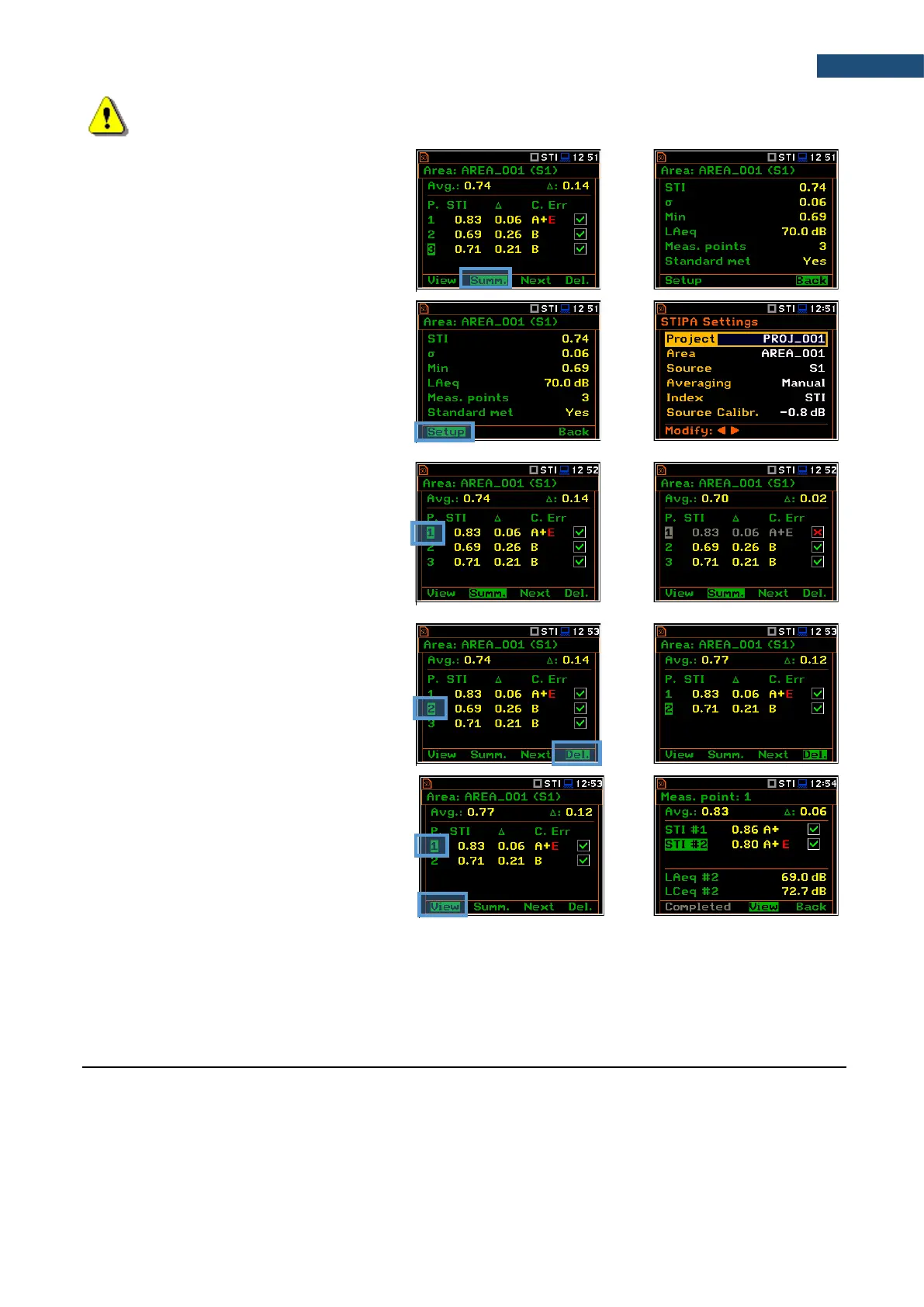
If you press the <Summ.> soft-key in the
Area view, the instrument will switch to the
Area summary view.
From the Area summary view, you can
return to the Area view with the <Back>
soft-key or you can go to the
STIPA Settings screen with the <Setup>
soft-key.
In the STIPA Settings screen you can
create new Project, Area or Source and
continue measurements for the new area.
You can exclude/include a measurement
point(s) from averaging. For this, select it
with the ▼/▲ key and press the ◄/► key
together with <Alt>. Values in the Area
summary view will be recalculated without
consideration of the excluded point(s).
The directory of the excluded point will have
the “_” character instead of “P”.
You can delete a measurement point. For
this, select it with the ▼/▲ key and press
the <Delete> soft-key. After confirmation
the selected point will be deleted.
The point directory with all measurement
files will be deleted from the Source
directory.
To view measurements for the
measurement point, select it with the ▼/▲
key and press the <View> soft-key.
You can finish measurements for the selected Project/Area/Source at any time and if necessary create next
Project/Area/Source combination in the STIPA Settings screen.
14.5 DOWNLOADING FILES AND PROCESSING DATA
The measurement files created during the STIPA measurements by SVAN 979 can be download and analysed
with the use of SvanPC++ software.
The SvanPC++ software allows you to download files and analyse measurement data made with the use of
the SVAN 977A instrument as well as projects created by the BA Assistant application for smartphones.



 To Next Page