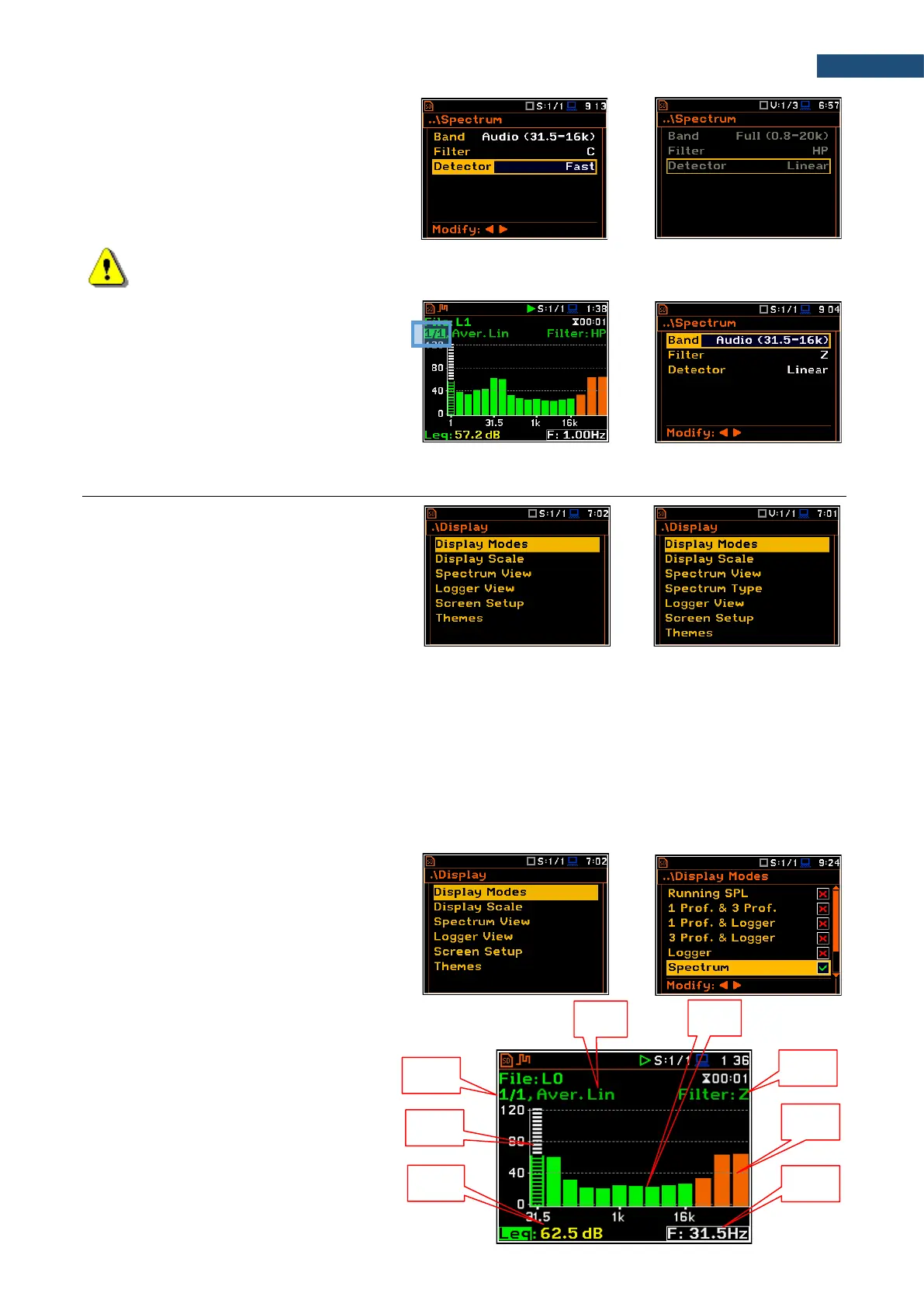
RMS detector selection
The Detector parameter defines the
LEQ/RMS detector for the 1/1-octave - 1/12-
octave analysis. For Sound measurements,
it is possible to select the Linear, Fast or
Slow detector. For Vibration measurements,
only Linear detector is available.
Note: The filter and detector settings in the General Settings and Profiles screens are used for the
level meter results in three profiles.
You can easily get into the Spectrum
screen from the spectrum view. It is
necessary to enter the function field (for
example 1/1) with the ▲ / ▼ key and press
<ENTER>.
10.3 CONFIGURING 1/1 - 1/12 OCTAVE SPECTRA VIEWS
The Display section contains elements for
programming measurement result
presentation and display parameters.
The following positions are used for setting
views of 1/1-octave - 1/12-octave results:
Display Modes allowing you to activate the Spectrum and Spectrum Table views;
Display Scale allowing you to adjust scales of a spectrum plot and toggle the grid;
Spectrum View allowing you to select spectra to be viewed: instantaneous, averaged, maximum or
minimum;
Spectrum Type allowing you to change the spectrum type presented on the display in vibration modes:
acceleration, velocity or displacement. This position appears in the vibration modes.
10.3.1 Presentation of 1/1 - 1/12 octave spectra
Spectrum plot view
The Spectrum position in the
Display Modes list becomes available for
the 1/1 Octave - 1/12 Octave functions and
enables/disables the spectrum plot view.
Spectrum view fields
1. Analyser function
2. Cursor position
3. Value of the cursor position
4. Averaging used
5. Spectrum plot
6. Frequency weighting filter
7. Total values
8. Central frequency for the cursor position



 To Next Page