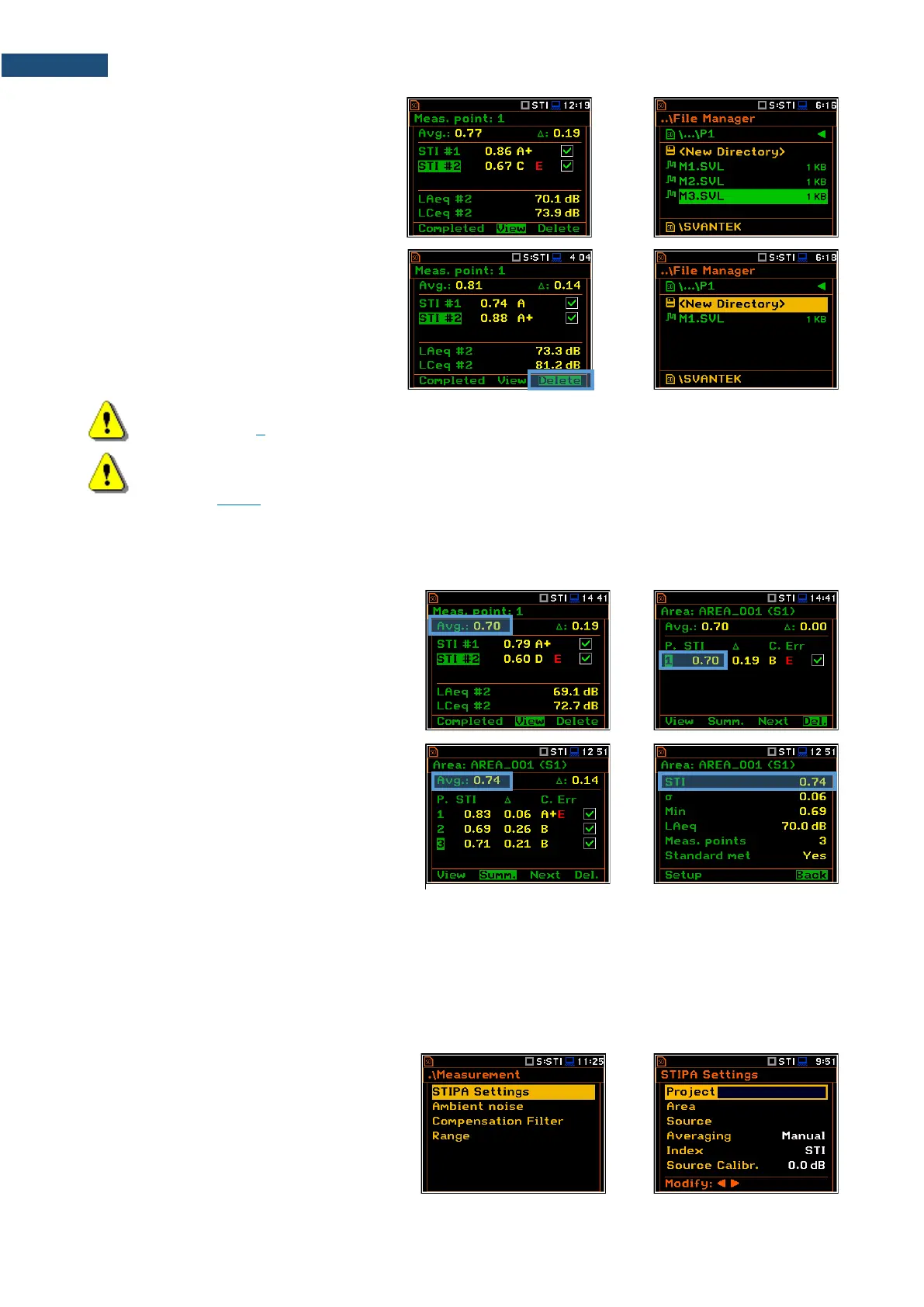
Every time you start a new measurement
with the <Start> key, a new file will be
created and saved in the point directory
after the measurement is completed.
If you break the measurement with the
<Stop> key, the measurement file will not
be created.
If you delete the measurement in the Point
view, the appropriate file will be deleted
from the point directory.
Note: Project, Area and Source directories can be created, renamed or deleted via the File Manager
- see Chapter 6.
Note: You cannot delete or rename point directories and measurement file via the File Manager.
You can delete point directory and measurement file using the mechanism described in
Chapter 14.4.6.
STIPA measurements require averaging of STI/CIS indexes. This averaging concerns two aspects:
1) averaging of results for a measurement
point.
Averaged STI/CIS for the measurement point
is displayed in the left upper corner of the
Point view and in the measurement points list
of the Area view.
2) averaging of results for a tested area.
Averaged STI/CIS for the tested area is
displayed in the left upper corner of the Area
view and in the second line of the Area
summary view.
According to most standards, it is good practice to average the results for measurement points for two or three
measurements. In case of noise fluctuations during measurements, it is recommended to make not less than
three measurements and check whether the spread of the STI index does not exceed 0.03.
STIPA measurements are configured in the STIPA Settings and Ambient noise screens. To configure a
STIPA project follow these steps:
1. Select the STIPA Settings position in
the Measurement section and open it
with the <ENTER> key.



 To Next Page