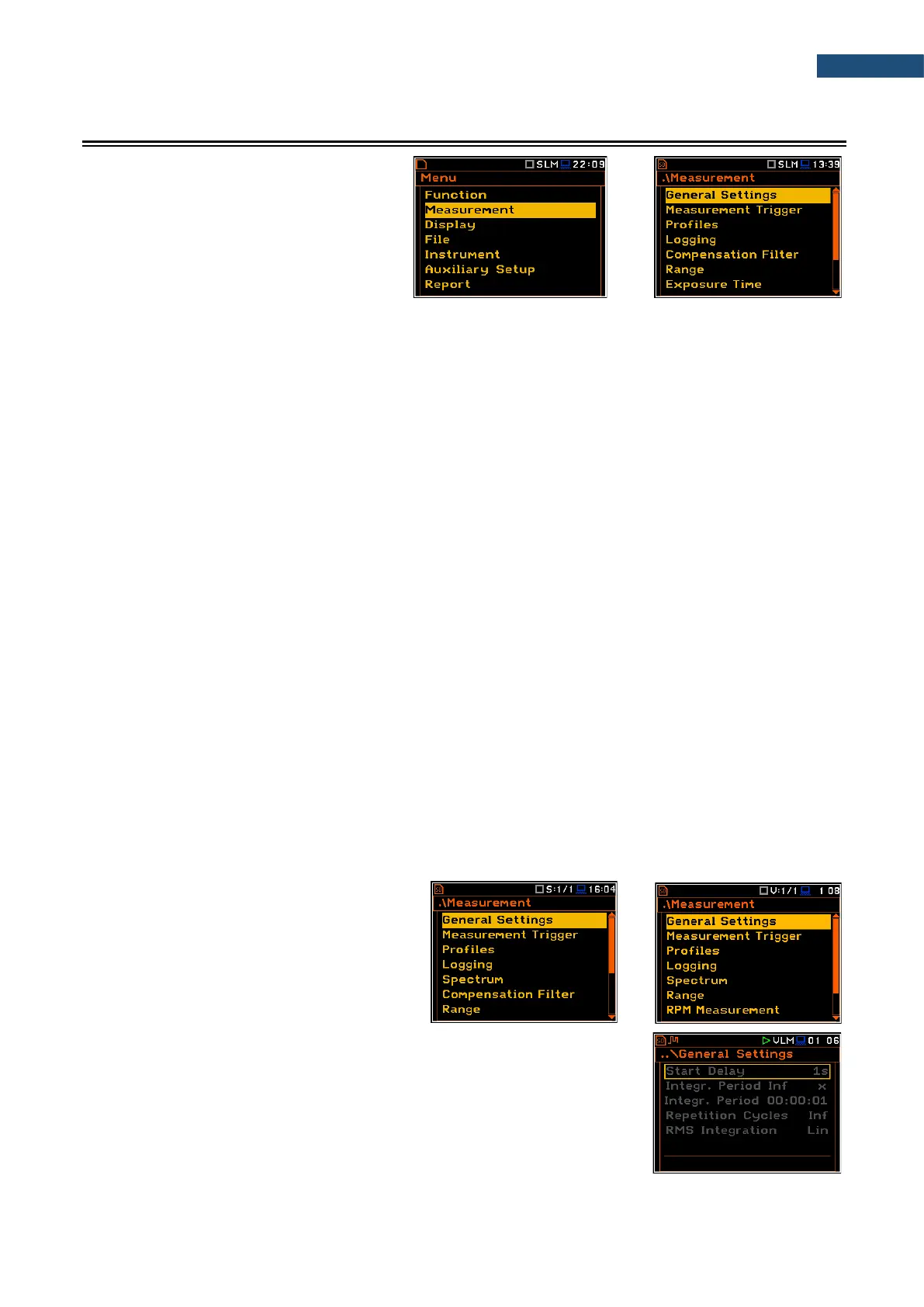
The Measurement section groups items of
the menu related to configuration of
measurement parameters.
The content of the Measurement list
depends on settings of Mode and
Measurement Function.
The Measurement list contains the following positions:
General Settings allowing you to set up general measurement parameters;
Measurement Trigger allowing you to set up the measurement trigger;
Profiles allowing you to program the profile parameters;
Logging allowing you to program the logging function;
Spectrum allowing you to set up the octave spectrum parameters. This position appears
in the 1/1 Octave, 1/3 Octave, 1/6 Octave and 1/12 Octave functions;
FFT allowing you to set up the FFT spectrum parameters. This position appears in
the FFT function;
RT60 allowing you to set up the RT60 parameters. This position appears in case of
RT60 function;
Tonality allowing you to set up the Tonality parameters. This position appears in case
of Tonality function;
STIPA Settings allowing you to set up the STIPA parameters. This position appears in the
STIPA function;
Ambient noise allowing you to set the ambient noise levels. This position appears in the
STIPA function;
Compensation Filter allowing you to switch on the required microphone compensation filter;
Range allowing you to select the correct measurement range;
Exposure Time allowing you to set the daily exposure time for dose measurements;
Statistical Levels allowing you to define 10 statistical levels;
Timer allowing you to programme the delayed start timer;
Alarms allowing you to check the status of the advanced alarm function. This position
appears if the ALARM.SVA file is uploaded to the predefined SYSTEM
catalogue.
The content of the Measurement list depends
on settings of Mode and
Measurement Function. Examples for two
different modes and measurement functions are
attached.
Any parameter in the Measurement list can be changed only when the
instrument is not currently executing a measurement. The parameters are
displayed with grey colour. The blinking „measurement” icon indicates that the
instrument is performing a measurement.



 To Next Page