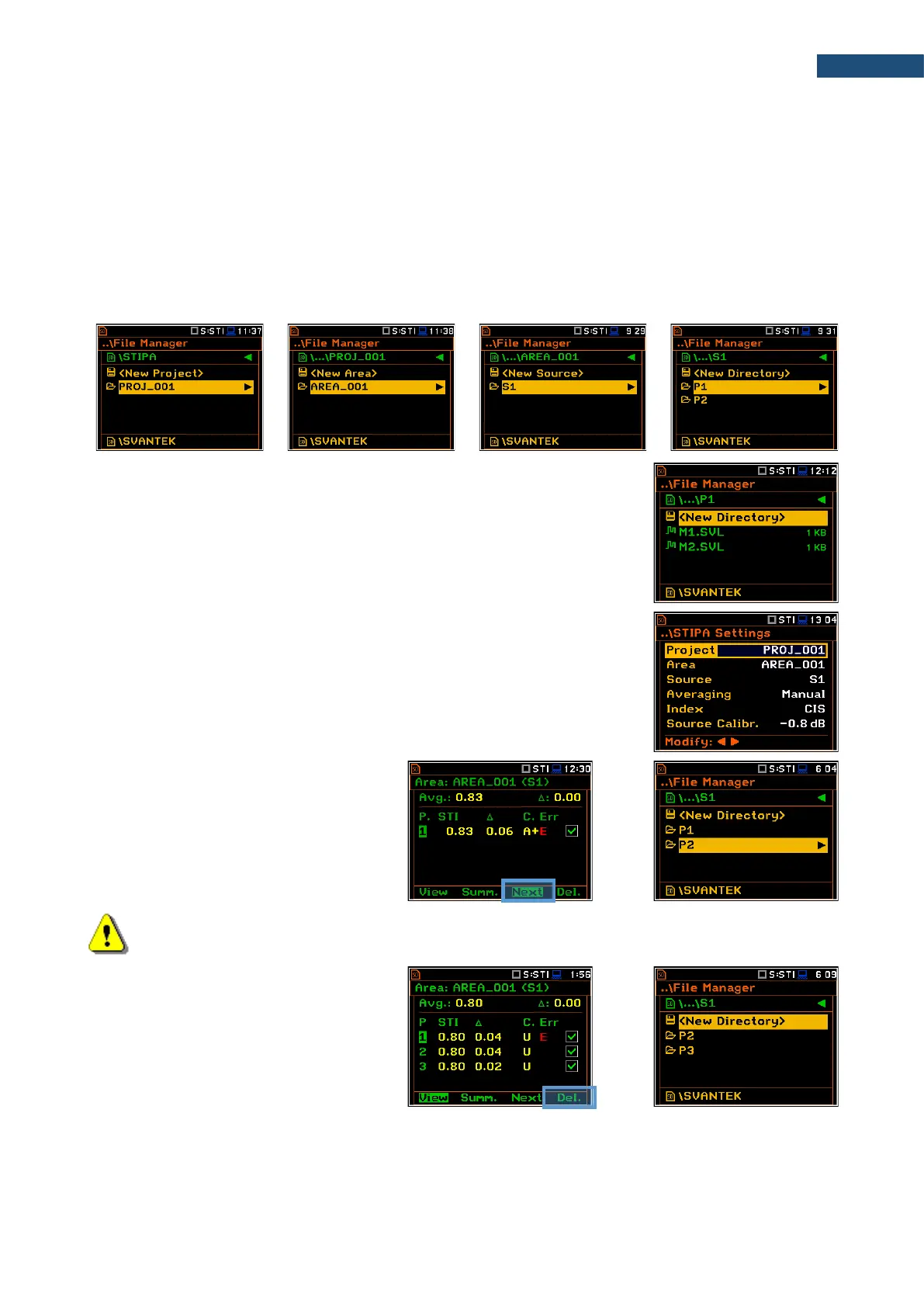
Speech intelligibility measurements are organized in the structure of projects. The name of the project is equal
to the name of the directory in the instrument’s memory. Its subdirectories have names of tested areas. Next
down level directories have names of test signal positions (so called sources). The source position directory
contains measurement point directories with predefined names (P1, P2 etc.) where the measurement files are
saved. The measurement file contains measured results for the single measurement. Projects are saved in
the predefined STIPA catalogue in the instrument’s memory. Projects can be accessed through File Manager.
For example, in the below screens the project directory (PROJ_001) contains one area directory (AREA_001),
which contains one source position directory (S1), which contains two points directories (P1 and P2) and file
with the ambient noise distortions (NOISE.SVL).
First three directories are created by the user during configuration of the
STIPA Settings in the Project, Area and Source positions.
If you delete the point in the Area view, the
appropriate directory will be deleted with all
contained files.



 To Next Page