The USB disk should be disconnected when the measurements are not performed or working directory was set
up at the SD card.
In the USB disk, that is divided into partitions its first partition must be reserved for FAT32 or FAT16 file system.
Only short file names (up to 8 characters, like in the DOS system) may be used. The existing longer names are
shortened automatically.
Note: Disconnection of the USB disk during data transmission can cause the loss of data saved in
the USB disk as well as in the instrument’s internal flash and should be avoided.
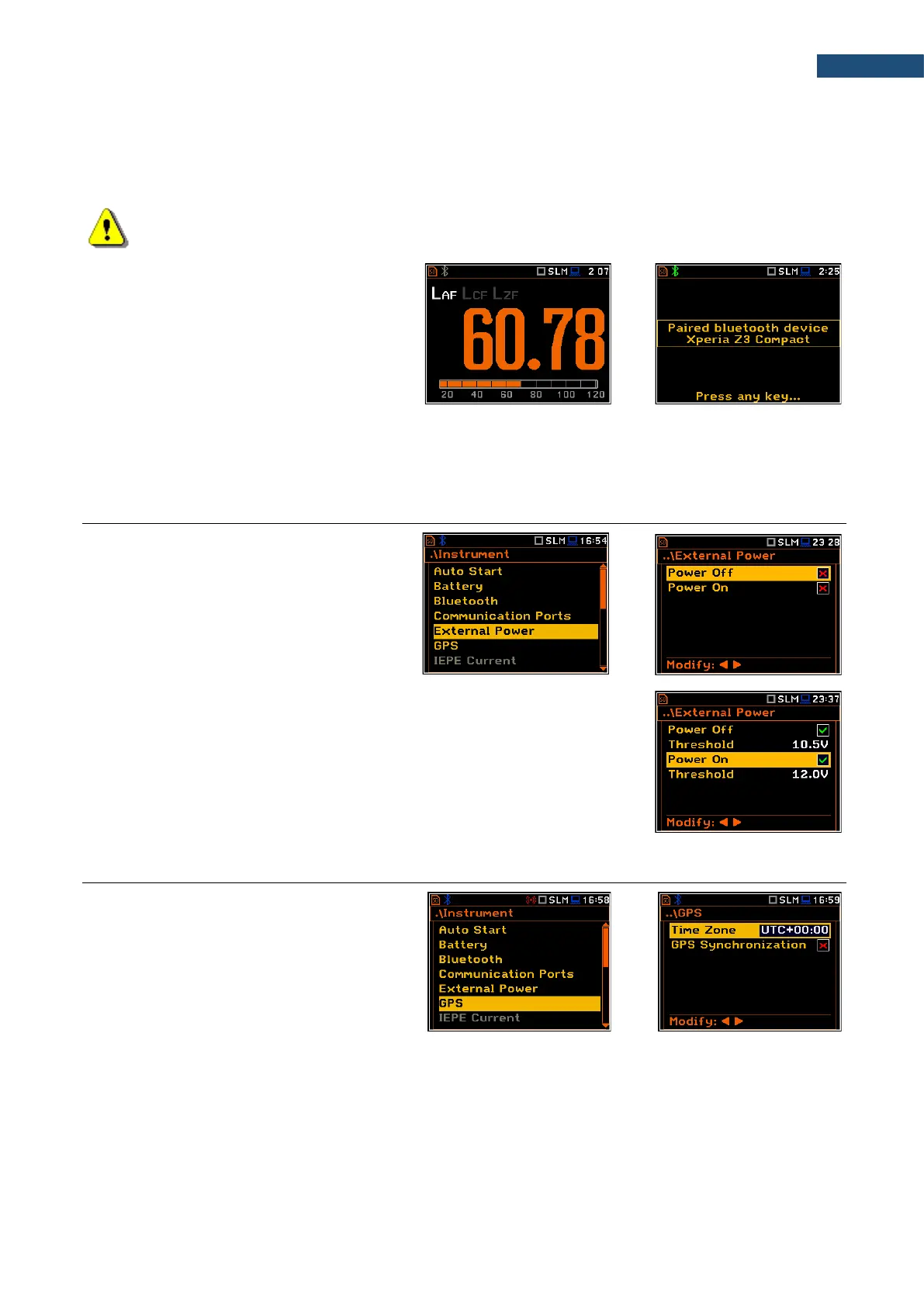
When Bluetooth is selected, the grey
“Bluetooth” icon is displayed while there is
no connection with another Bluetooth
device.
When devices are paired, the “Bluetooth”
icon changes its colour to green.
There are two types of GPS modules with different plugs: USB CLIENT or USB HOST. Therefore, when using
the GPS module, you should select the port (GPS Host Port or GPS Device Port) depending on your GPS
type (SV 58_H or SV 58_C).
7.5 SETTING EXTERNAL POWER ON/OFF CONDITIONS – EXTERNAL POWER
The External Power position allows you to
set the minimum voltage of the external DC
power source (for example, SA 15/33),
when the instrument should be switched off
automatically (Power Off) or the voltage
threshold to switch it on (Power On) when
the voltage of the external DC power source
exceeds this level.
The Threshold parameters appear in the screen when Power Off and/or
Power On parameters are enabled.
This screen appears automatically after switching on the instrument when the
instrument is connected to the external DC power source.
7.6 SETTING GPS PARAMETERS – GPS
The GPS position enables selecting the time
zone and switch the time synchronization on
or off.
Time Zone selection is made in the special
editor screen after pressing the ◄ / ► key.
The GPS Synchronization position allows
synchronisation of the GPS time with the
instrument’s RTC.



 To Next Page