9 REPORTS PRINTING – Report
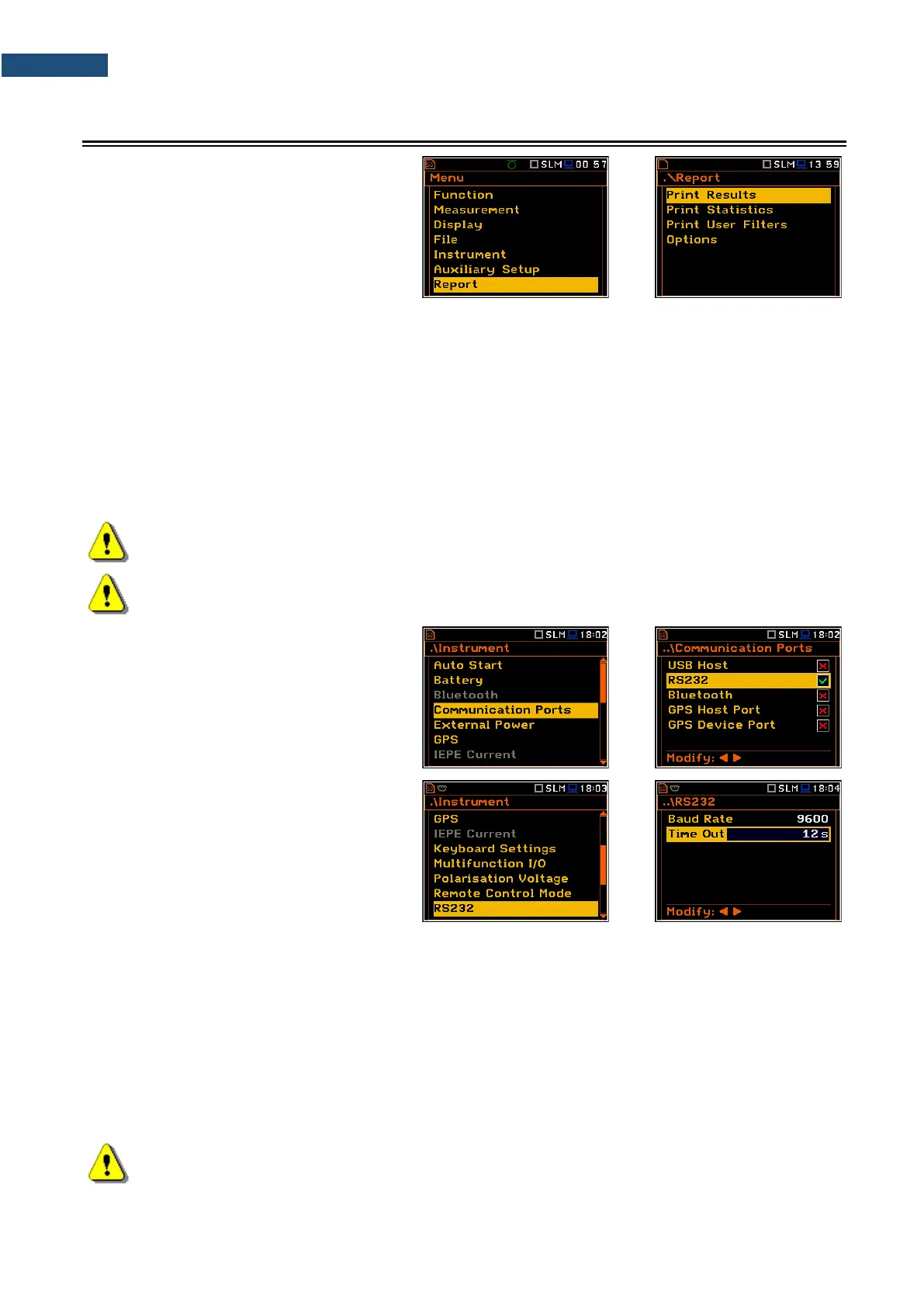
The Report section allows you to print
reports of the Sound or Vibration
measurement results in the predefined
format on the printers directly connected to
the SVAN 979 instrument.
The Instrument list contains the following positions:
Print Results allowing you to print out the measurement results;
Print Statistics allowing you to print out the statistics of the measurement results. This position is not
available in the Vibration modes;
Print User Filters allowing you to print out values of the user filters;
Options allowing you to determine the options of the report.
In order to obtain the report, you should connect the instrument to the printer’s RS 232 port using the SV 55
RS 232 interface. This hardware interface is hidden in the Cannon type, 9-pin RS 232 plug-in. On the other end
of the SV 55 interface, which itself looks like a cable, there is the USB Host plug-in. This plug-in should be
placed in the USB Host socket of the instrument.
Note: The SV 55 converter serves as the RS 232 interface. The SV 55 connection to the USB Host
socket is detected and after successful detection the blue “RS232” icon appears on the display.
Note: Before printing, be sure that the RS232 port is active (path: <Menu> / Instrument /
Communication Ports).
The RS232 position is switched on by
default in the Communication Ports list of
the Instrument section.
Additionally, in the RS232 list (path: <Menu>
/ Instrument / RS232), select the proper
speed of the transmission (Baud Rate) and
the time limit during which the
communication operation should be
performed (Time Out).
The RS 232 interface transmission speed (Baud Rate) can be selected from the following available values:
1200, 2400, 4800, 9600, 19200, 38000, 57600 or 115200 bits/s. The transmission speed should be the same
as in the connected printer to ensure successful data transfer.
Other RS 232 transmission parameters are fixed to 8 bits for data, No parity & 1 Stop bit.
The default value of the Time Out parameter is equal to one second, but this may be too short for the printers,
which are not fast enough. In such cases, the Time Out parameter should be increased.
Printers, in which only the Centronics interface is available instead of RS 232, can be connected to the
instrument by means of the SV 52 RS 232 – Centronics interface.
Printers, which have only a USB interface, are currently not driven by the instrument.
Note: Switch the power off before connecting the instrument to any external device (e.g. a printer or
a PC).



 To Next Page