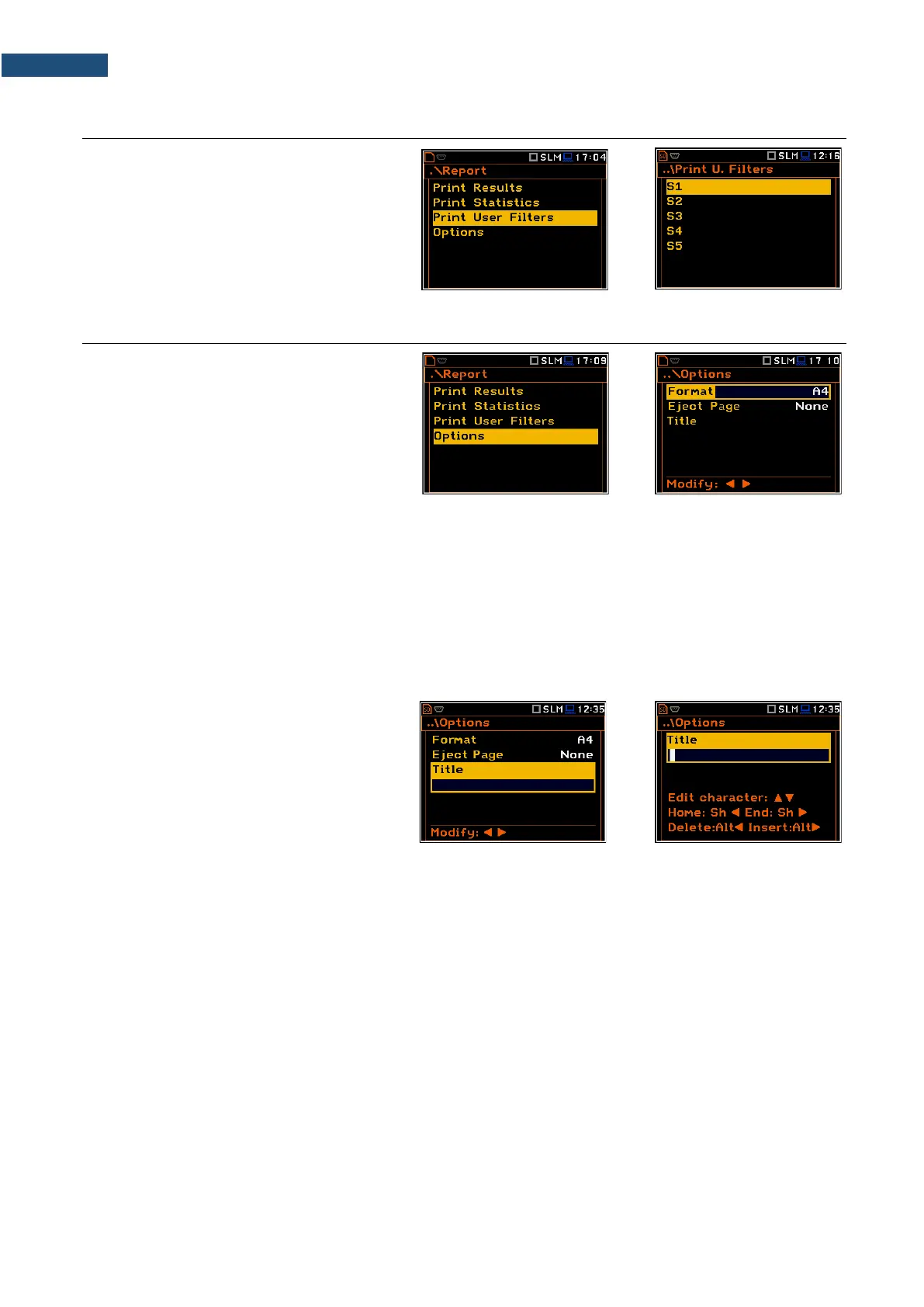
9.3 PRINTING USER FILTERS COEFFICIENTS – PRINT USER FILTERS
The Print User Filters position allows you
to print out the values of the user filters: S1,
S2, S3, S4 and S5. Select the required filter
and press <ENTER> to print it.
The contents of the selected file will be sent
out to the attached printer (or to a PC).
9.4 SELECTING PRINT OPTIONS – OPTIONS
The Options position allows you to select
the format of the listing (Format), the way
the paper is ejected in the printer
(Eject Page) and to edit the title of the report
(Title).
The Format position allows you to select the format of the listing (A4 and A5 options are available).
The Eject Page position allows you to control the ejection of the paper after the listing is done. The following
options are available: Prompt (the instrument asks whether to eject the page after printing report, statistics or
catalogue), Auto (after printing, the paper is ejected automatically) and None (the paper is not ejected after
printing). In particular, it is possible to have one result after another using the None or Prompt options.
The request is displayed after printing the measurement results, statistics or filters (Print Results,
Print Statistics, Print User Filters) if the Prompt parameter was selected in the Eject Page position. You
should answer in this case if the paper in the printer has to be ejected to the new page. After pressing <ENTER>
the instrument returns to the Report list.
The Title position allows you to edit the text
added to the file and to the report.
The text editing is performed in the special
editor screen which is opened after pressing
the ◄ / ► key.



 To Next Page