16.2 MEMORY CARD EXTRACTION AND INSERTION
SVAN 979 is delivered with 16 GB micro SD card - Kingston Industrial (SDCIT/16GBSP).
You may exchange it with the higher capacity card (up to 32GB), but before insertion the card must be formatted
as FAT32.
Note: The originally supplied Kingston Industrial memory card has been tested by SVANTEK and
cards of this type are strongly recommended for use when the original card is going to be replaced.
Note: If you would like to use card with higher capacity, call to the local distributer for confirmation.
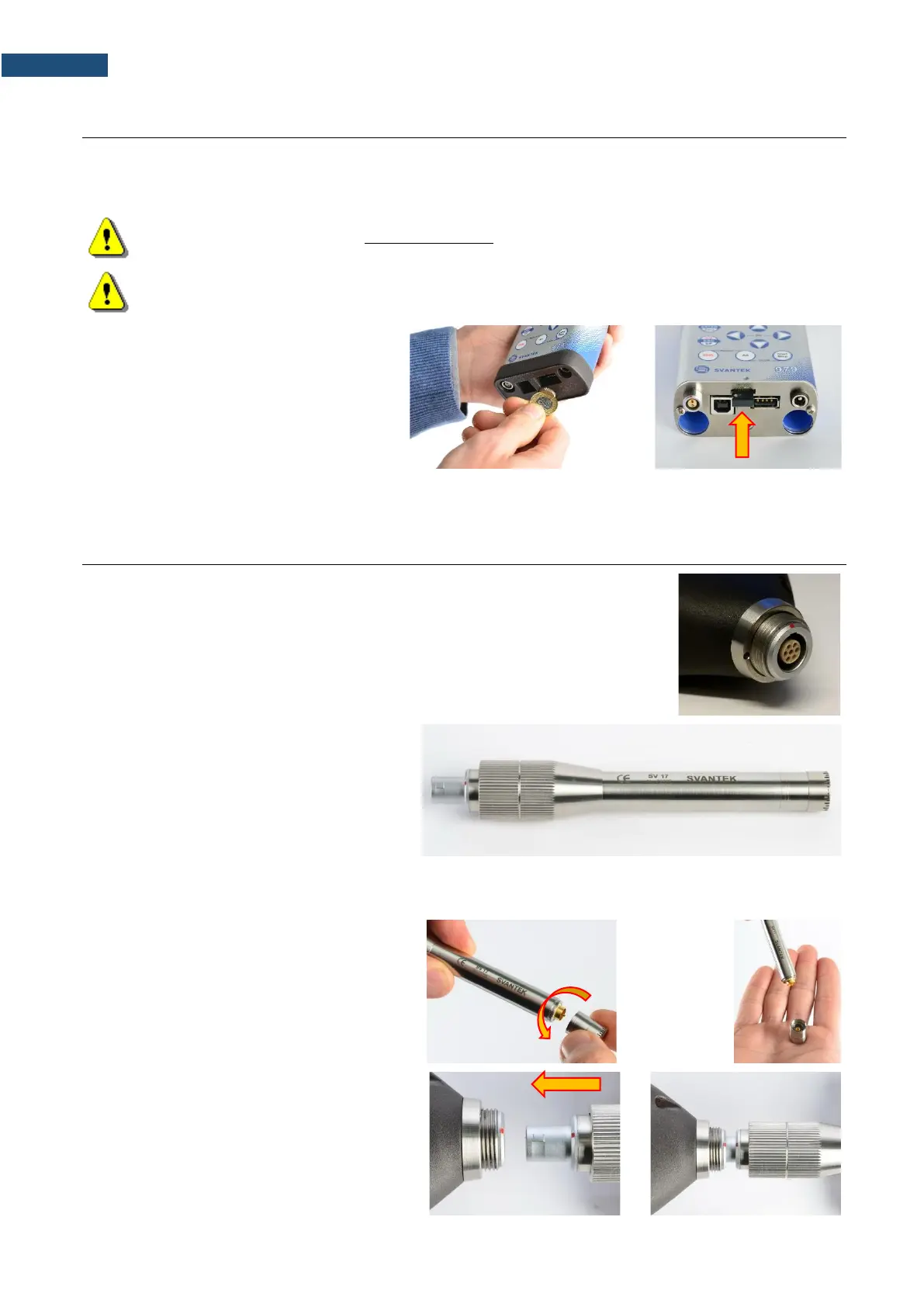
To extract the memory card from the card-
slot, switch off the instrument, unscrew the
coin-operated screw and take off the black
bottom cover of the instrument.
The card is installed in the slot. To extract
the card, push on the card and then pull it
out of the slot.
While insertion the SD card, a click sound indicates that the card is inserted properly. If necessary, use a tool
(e.g. pen) to push the card right in.
SVAN 979 is equipped with the Lemo7 connector as an input of the measured
signal taken from the microphone preamplifier or the vibration transducer.
Microphone
The SVAN 979 set includes prepolarised ½”
microphone with nominal sensitivity
50 mV/Pa (GRAS 40AE) and microphone
preamplifier with IEPE power supply
(SV 17).
The microphone is delivered in a special
box, and you must screw it onto the
preamplifier threads themselves.
When unscrewing the microphone, care
must be taken not to drop the microphone.
To avoid this, unscrew the microphone so
that it ended up in the user's palm.
To connect the preamplifier with the
microphone to the instrument, first insert the
tip of the preamplifier into the socket until the
connector clicks.



 To Next Page