Note: The wave files usually are big in size and may use enormous memory space. Since the wave-
file name is not displayed on the result view screen, you should remember that wave recording
function is active and switch it off always when wave recording is not required.
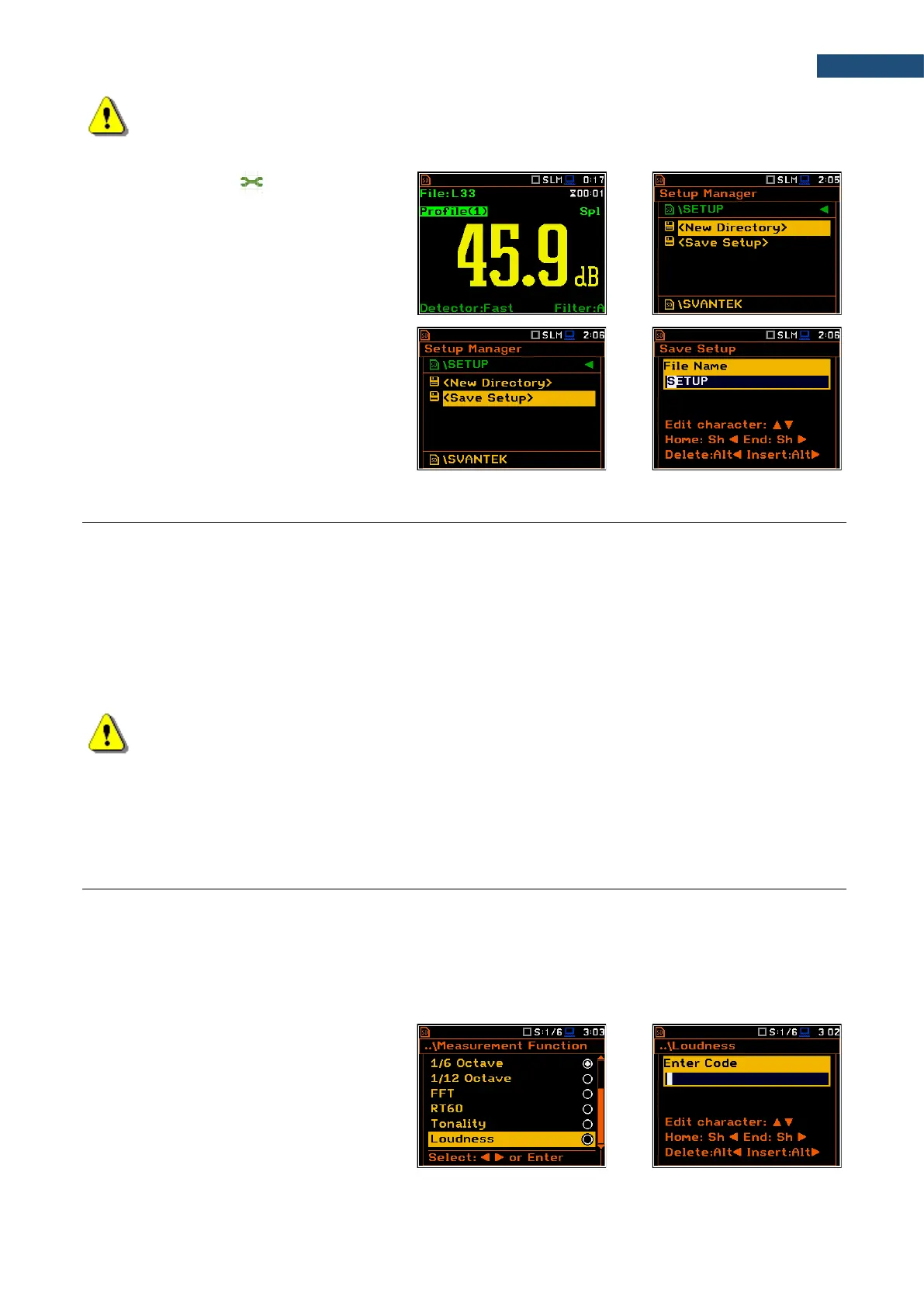
Saving setup files ( )
The measurement configuration
setup files can be stored in the memory with
an extension .SVT manually either by
means of <S/P> key or by creating the
<New File> in the Setup Manager list.
There is no automatic option for the setup
files saving, but the instrument always
generates new setup name automatically
with default prefix SETUP.
2.10 FILES DOWNLOADING AND UPLOADING
Downloading files
All files stored in the memory (micro SD card or USB disk) can be downloaded to the PC. There are two ways
to download files.
Since the file structure of the SD card and USB disk is the same as on most PC, you may extract the micro SD
card and USB disk and use it directly in the PC. But it is not recommended for the SD card.
It is recommended to use the SvanPC++ software, which provides download and upload functions as well as
data view and data processing options. In this case, the instrument should be connected to the PC via the
SC 56 USB cable.
Note: Description of SvanPC++ is given in the “SvanPC++ User Manual”.
Uploading files
Same approach is used for uploading files (usually setup files).
Files can be upload via micro SD card and USB disk or via SvanPC++ software.
2.11 ACTIVATION OF OPTIONAL FUNCTIONS
Standard instrument firmware contains all basic functions to perform measurements in accordance with most
international standards and methods. For more complex tasks you have the possibility of expanding the basic
functions of the instrument with additional functions. These features include 1/1 and 1/3 octave analyser, signal
recording and others.
If additional functions were not supplied in the instrument kit and were not unblocked by the supplier, such a
task is in responsibility of the user who decides to buy additional functions later.
The optional function should be activated in
the moment of the first attempt to use it. For
example, if the Loudness option was
blocked, but you purchased this option later,
then during the first attempt to switch it on,
the instrument requires entering the special
code that will unlock this function. Once
unlocked option will be available
permanently.



 To Next Page