5.2 ADJUSTING PLOT VIEWS – DISPLAY SCALE
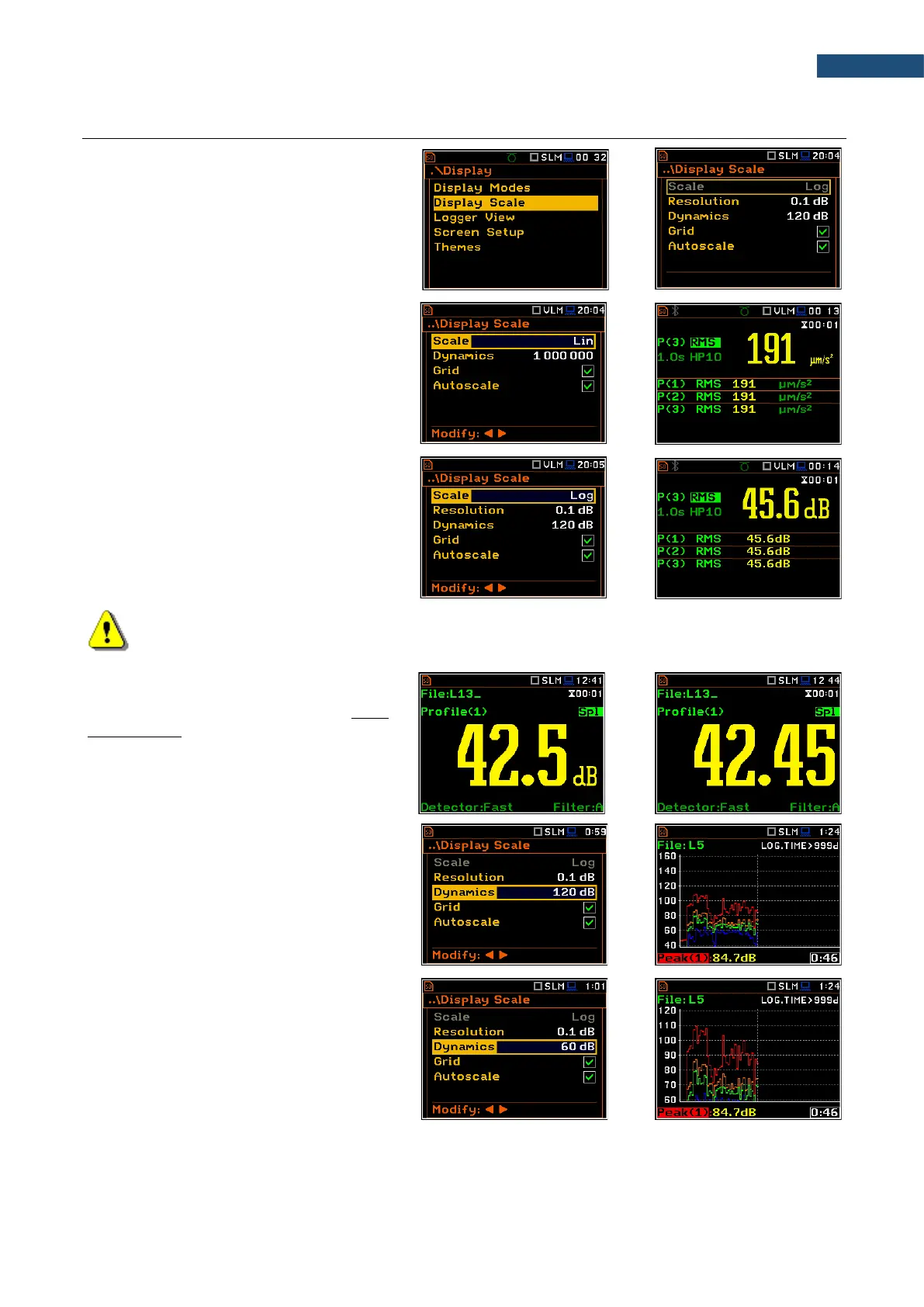
The Display Scale list of parameters allows
you to define the result units (absolute or
logarithmic), number of digits after decimal
point, adjust scale of plots, toggle a grid and
automatic scale adjustment.
Scale of results presentation
The Scale parameter defines results units:
linear (Lin) or logarithmic (Log).`
For sound measurements the Scale position
is not active. All results are always
presented in dB.
In case of Log, the graphical presentation is
given in the logarithmic scale and the
measurement results are expressed in
decibels (results are calculated in relation to
the values specified in the
Reference Levels screen (path: <Menu> /
Auxiliary Setup / Reference Levels)).
Note: In Vibration modes, parameters can be presented in Logarithmic (dB) or Linear (for
example, m/s
2
) units. It depends on the Scale parameter value. For example, 10 m/s
2
can be
presented also as 140 dB.
Resolution
The Resolution parameter appears when
Scale is Log and defines the number of
digits after the decimal point in the
presented results: one digit after the decimal
point (0.1 dB) or two digits after the decimal
point (0.01 dB).
Scaling the vertical axis of the plot
The Dynamics parameter defines the
dynamic range of the plot Y-axis scale. It is
possible to select the range from the set:
10dB, 20dB, 40dB, 80dB, 100dB and
120dB.



 To Next Page