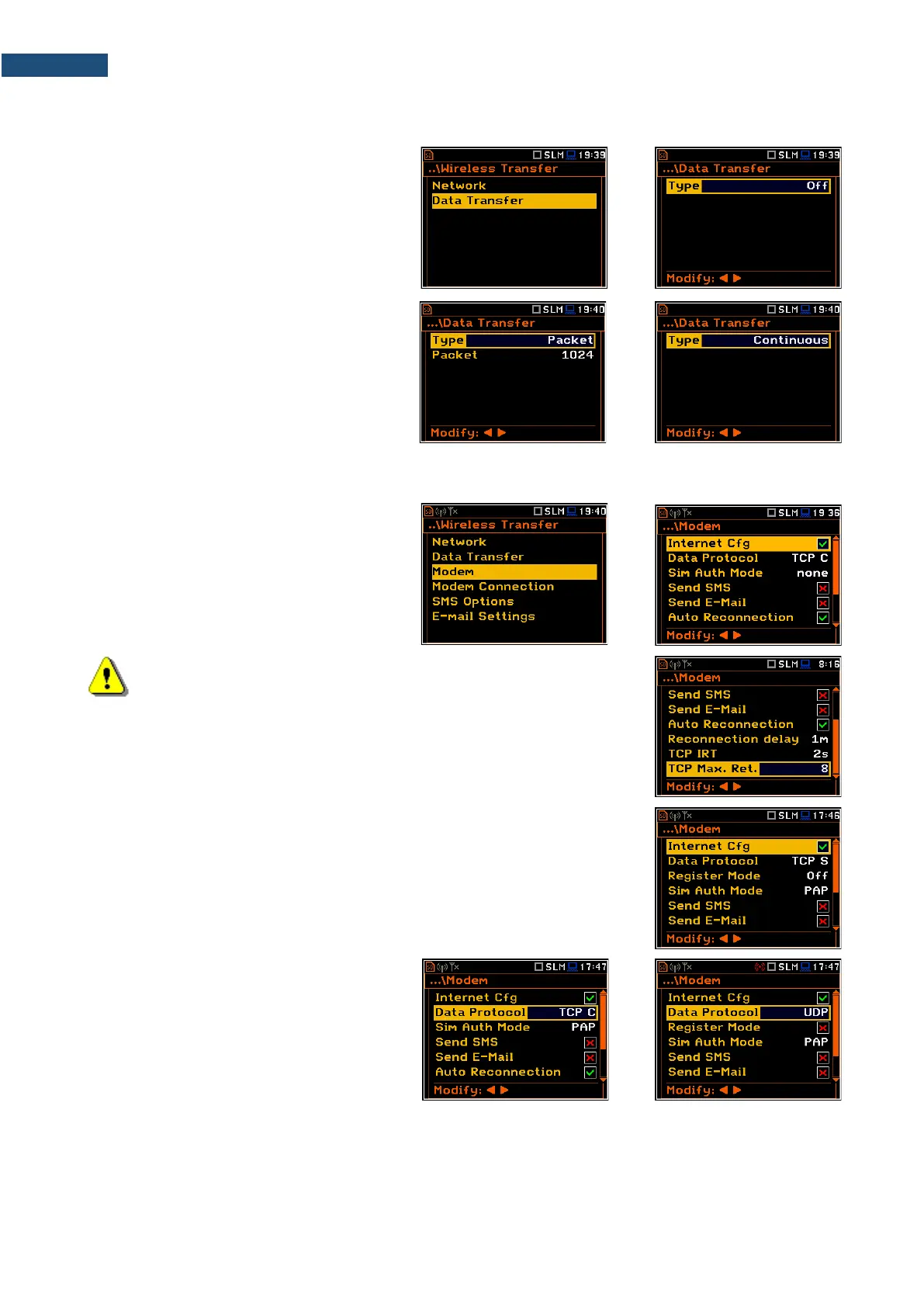
7.17.2 Configuring data transfer – Data Transfer
In the Data Transfer screen, you can
choose the data transfer type. Three options
are available: Off, Continuous and Packet.
In case of Packet, it is possible to select the
packet size in bits. The available options are
1024, 512, 256, 128 and 64.
7.17.3 Configuring modem basic settings – Modem
The Modem position allows you to configure
modem and data transmission settings.
Note: For connection with the SvanNET server, the positions in the
Modem list should be set on default values as is shown on the screen-
shots above and right-hand.
The Modem screen contains following parameters:
• Internet Cfg – if it is switched on, the instrument will automatically configure
the modem right after turning on.
• Data Protocol – defines connection type
for data exchange. Available types are
TCP S (server mode), TCP C (client
mode) and UDP.
• Register Mode – selecting this option ensures that the device instantly attempts to register the station
provided the modem is already configured. Depending on selected Data Protocol type the values of this
parameter are different: in case of TCP S the values are: Off, On (registration using Connection Request
Packets), AS (periodic registration on Svantek Server Address), SMT.AS (registration on Svantek Server
Address – performed each time internet connection is initialized by the modem); in case of UDP, the values
are: Off and On. In case of TCP C the Register Mode position does not appear.



 To Next Page