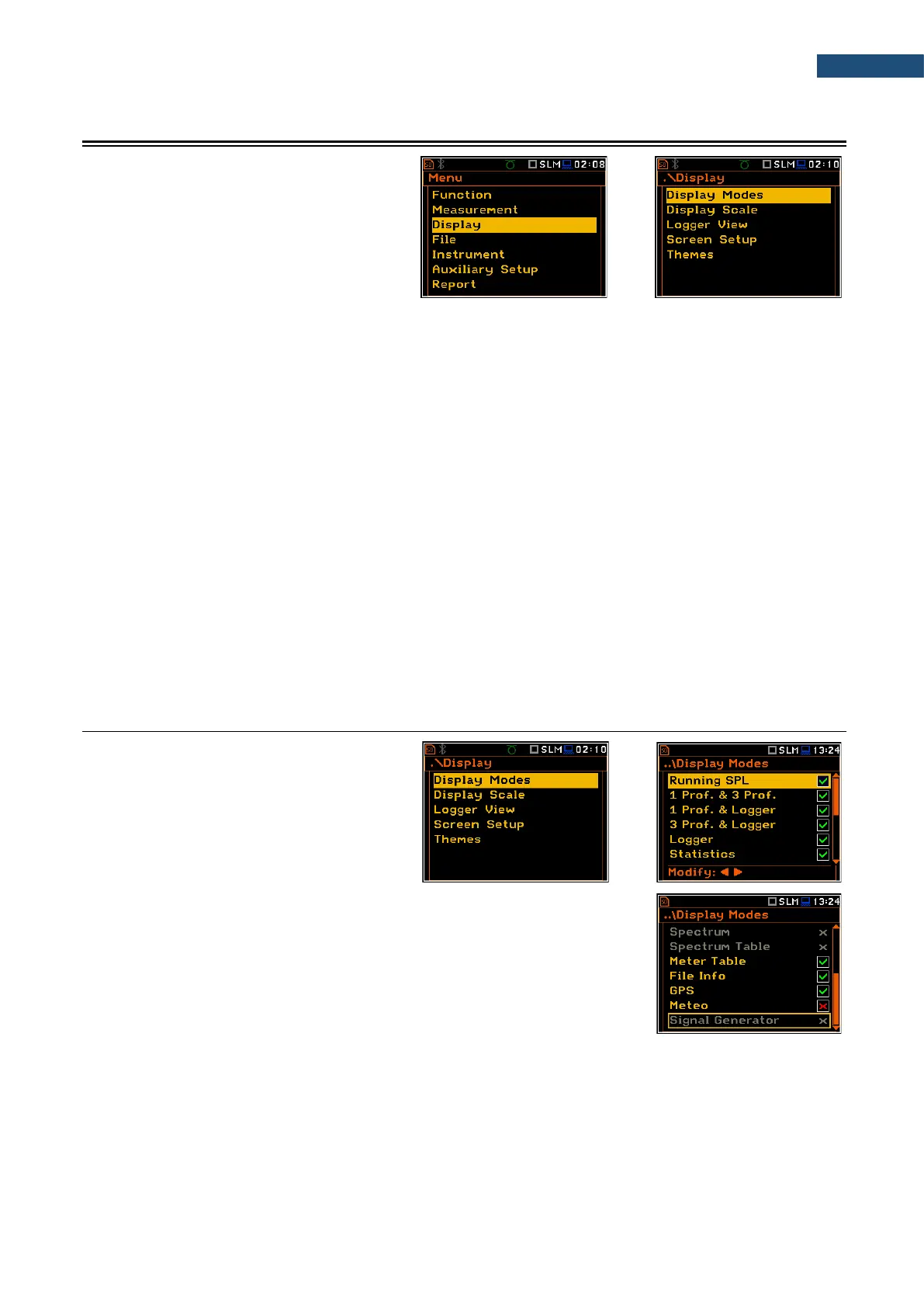
5 CONFIGURING DATA VIEWING – Display
The Display section contains elements for
programming presentation of measurement
result and display parameters.
The content of the Display list depends on
the selected measurement function.
The Display section contains following items:
Display Modes allowing you to define active modes of a measurement results presentation;
Display Scale allowing you to adjust the scale in a graphical modes of the measurement
results presentation;
Spectrum View allowing you to select spectra to be viewed: instantaneous, averaged,
maximum or minimum. This position appears only in spectrum analyser
functions;
Spectrum Type allowing you to change the spectrum type presented on the display:
acceleration, velocity or displacement. This position appears only in spectrum
analyser functions in the Vibration mode;
Logger View allowing you to select and present results stored in logger files;
Spectrum Compare allowing you to compare current spectrum with the reference one. This position
appears only in the 1|1 Octave - 1/12 Octave functions;
Screen Setup allowing you to set up the brightness and switch on/off the energy saver
function;
Themes allowing you to set the colour theme of the display.
5.1 ACTIVATION OF THE DISPLAY MODES – DISPLAY MODES
The Single Profile view (results display
mode) is always active and available. Other
views can be enabled or disabled in the
Display Modes screen.
You may change views among those, that
were enabled in the Display Modes screen.
In the Sound Level Meter mode, following views are available: Running SPL,
1 Prof. & 3 Prof., 1 Prof. & Logger, 3 Prof. & Logger, Statistics, File Info,
Meter Table, GPS, Meteo and Signal Generator.
In the Vibration Level Meter mode, following views are available:
1 Prof. & 3 Prof., 1 Prof. & Logger, 3 Prof. & Logger, File Info,
Meter Table, GPS, Meteo and Signal Generator.



 To Next Page