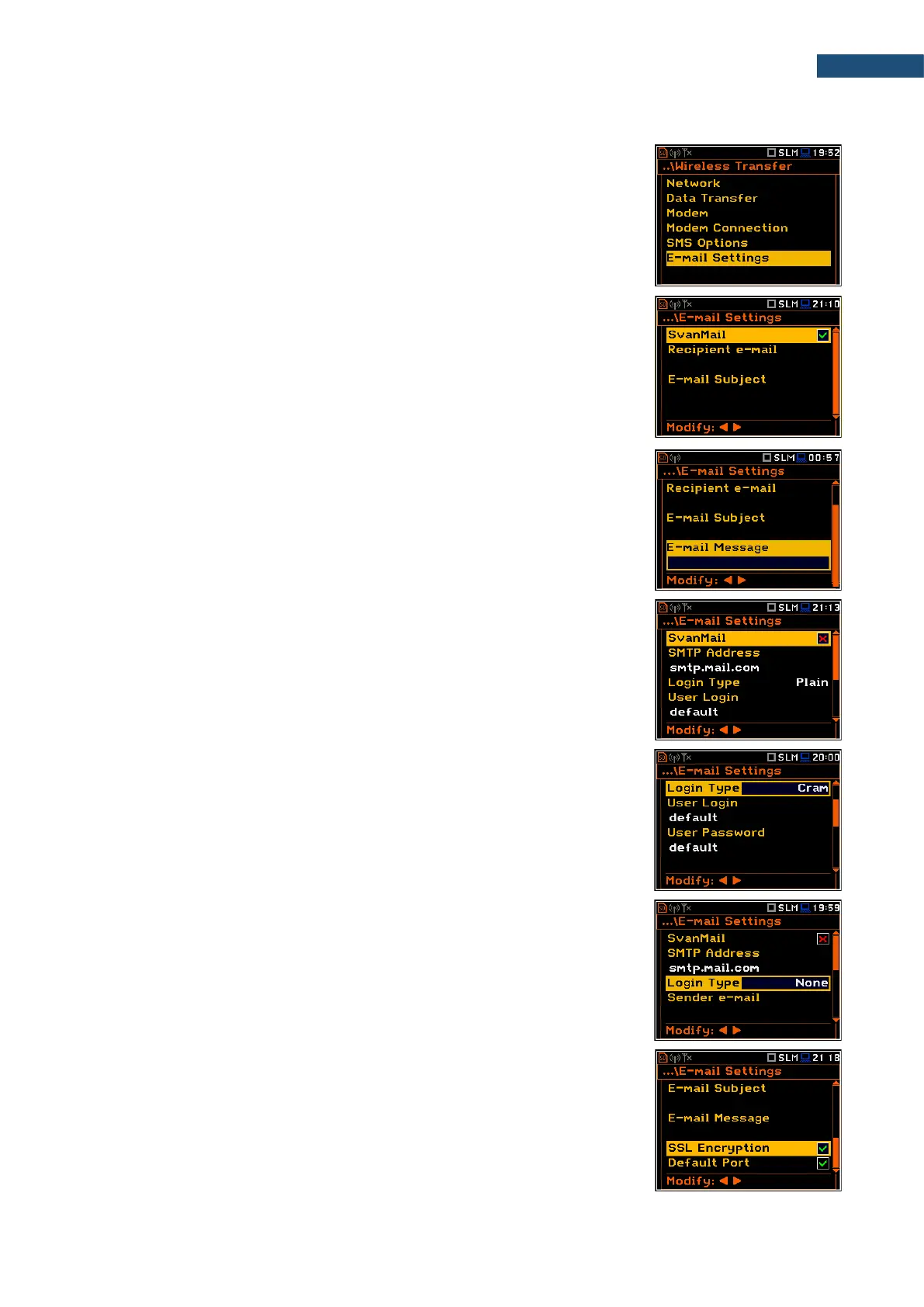
7.17.6 Configuring e-mail service – E-mail Settings
The E-mail Settings position allows you to configure the e-mail service used for
alarm notification.
If the SvanMail position is enabled, you should define only positions:
Recipient e-mail, E-mail Subject and E-mail Message. The SvanMail option
allows instruments, compatible with SvanNET, send e-mails without additional
parameters, simplifying the process of configuring alarm notifications.
• Recipient e-mail – allows you to enter up to 48 characters of e-mail address
to which the e-mail message will be sent.
• E-mail Subject – allows you to enter up to 20 characters of the message's
subject.
• E-mail Message – allows you to enter up to 20 characters of additional text
which will be appended to standard e-mail message template used for alarm
notification.
If SvanMail position is disabled, you should define some additional positions:
• SMTP Address – allows you to enter up to 32 characters of SMTP server
address which will be used to send e-mail messages.
• Login Type – None, Login, Plain or Cram. These options define
authentication method, which depends on the SMTP server used for sending
e-mails. In most cases, Plain value is used.
• User Login – allows you to enter up to 20 characters of user login text for
establishing verified connection with SMTP server.
• User Password – allows you to enter up to 20 characters of user password
text for establishing verified connection with SMPT server.
If Login Type is None, User Login and User Password positions do not
appear in the E-mail Settings list. None value should be used when SMTP
server requires no authentication.
• Sender e-mail – allows you to enter up to 48 characters of e-mail address
from which e-mail message will be sent.
• SSL Encryption – when switched on means that the device will attempt to
configure the modem to connect to the mail server used the encryption
protocol SSL.
• Default Port - when switched on means that the device will try to
communicate with the mail server on the default port (25 for normal calls, 465
with SSL).



 To Next Page