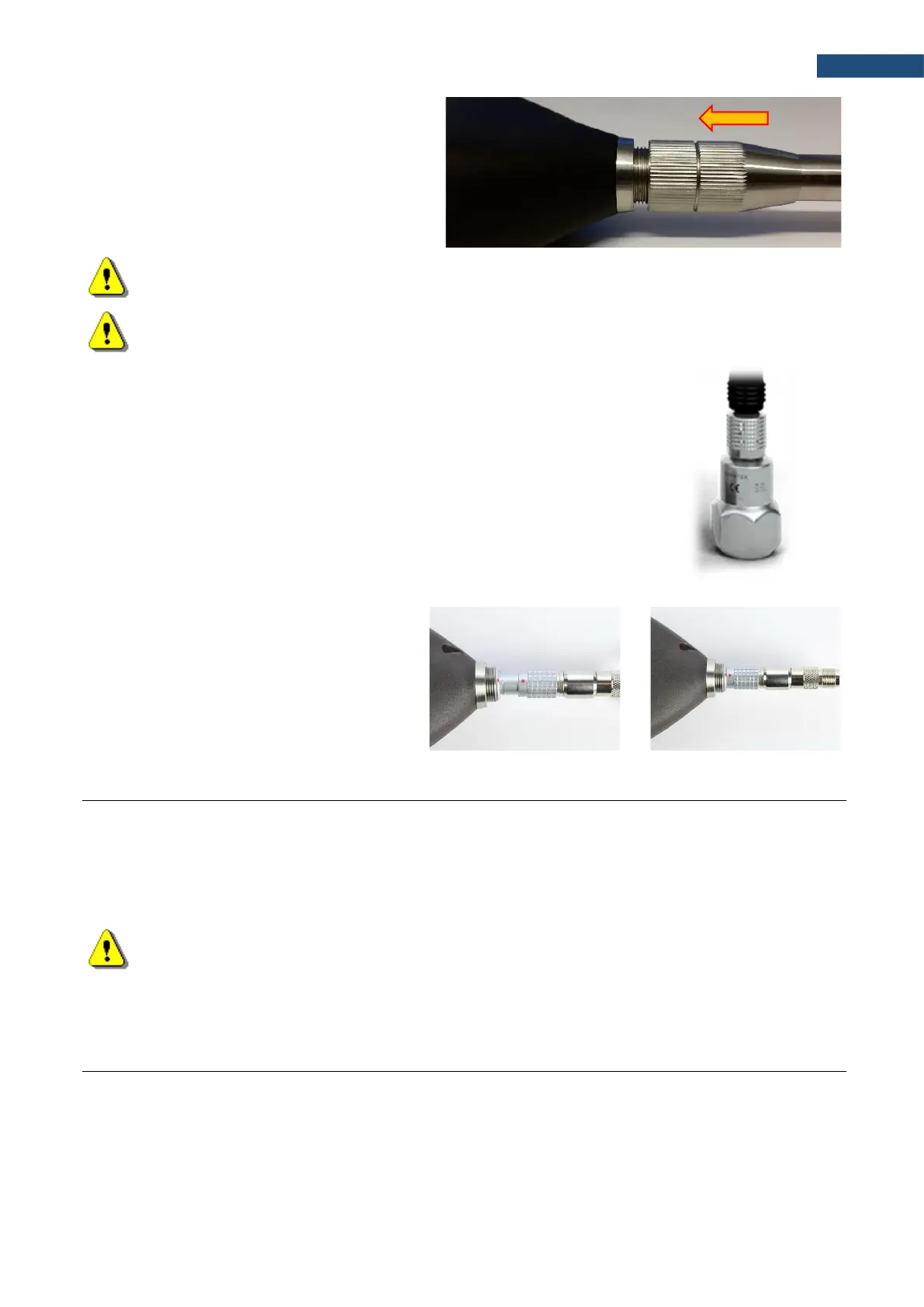
Then move the preamplifier outer sleeve in
the direction to the instrument and tighten it
to the screw thread.
Note: After connecting the preamplifier to the measurement input, the screw should be tightened to
light resistance only. Do not over tighten this connector!
Note: Do not disconnect the preamplifier by turning the preamplifier body (turn only rings/collars)
because it may damage the preamplifier!
Accelerometer
Optionally general-purpose vibration accelerometer 100 mV/g (10 mV/ms
-2
)
(SV 80) with a coiled cable for accelerometer 2 m (SC 27) and TNC-Lemo7
adapter (SC18T) can be used.
The SV 80 is an industry standard IEPE accelerometer offered for SVAN 979. It
is an ideal choice for walk-around measurement points in the rugged
environments of industrial machinery monitoring, such as pumps, motors or
fans. The accelerometer is mounted on a vibrating surface with the mounting
magnet.
The design of SV 80 features the low electronic noise and wide temperature
operating range.
The connection of the accelerometer
to the instrument via SC18T adapter
is like for the microphone preamplifier
but there is no ring to be tighten to the
screw thread.
16.4 RESETTING THE INSTRUMENT
• SYSTEM RESET: internal software reset clears any setup configuration and brings back the default
factory settings. See Factory Settings (path: <Menu> / Auxiliary Setup).
• HARDWARE RESET: internal hardware reset, no user data is changed. Make sure the battery is not
exhausted, and the unit is turned off. Hold down the <Alt> and <Start/Stop> keys for more than 15
seconds, and then release them. Turn on the instrument as usually.
Note: Hardware reset is only to be used in extreme situations such as an instrument hang-up.
Be aware, that a hardware reset:
- will stop any pre-programmed auto-run modes,
- will stop measurement run!
SVANTEK is committed to continuous innovation path of development, and as such reserves the right to provide
firmware enhancements based on user’s feedback.
To update the instrument firmware:
• Unpack the provided firmware package (provided as a suitable compressed file).
• Make sure the instrument is turned off.
• Connect the SC 16 cable to the computer and the SVAN 979 instrument (USB interface).



 To Next Page