11.2.3 Logging of FFT spectra – Logging
Spectra can be logged in a logger file with two steps: Integration Period step
and/or Logger Step.
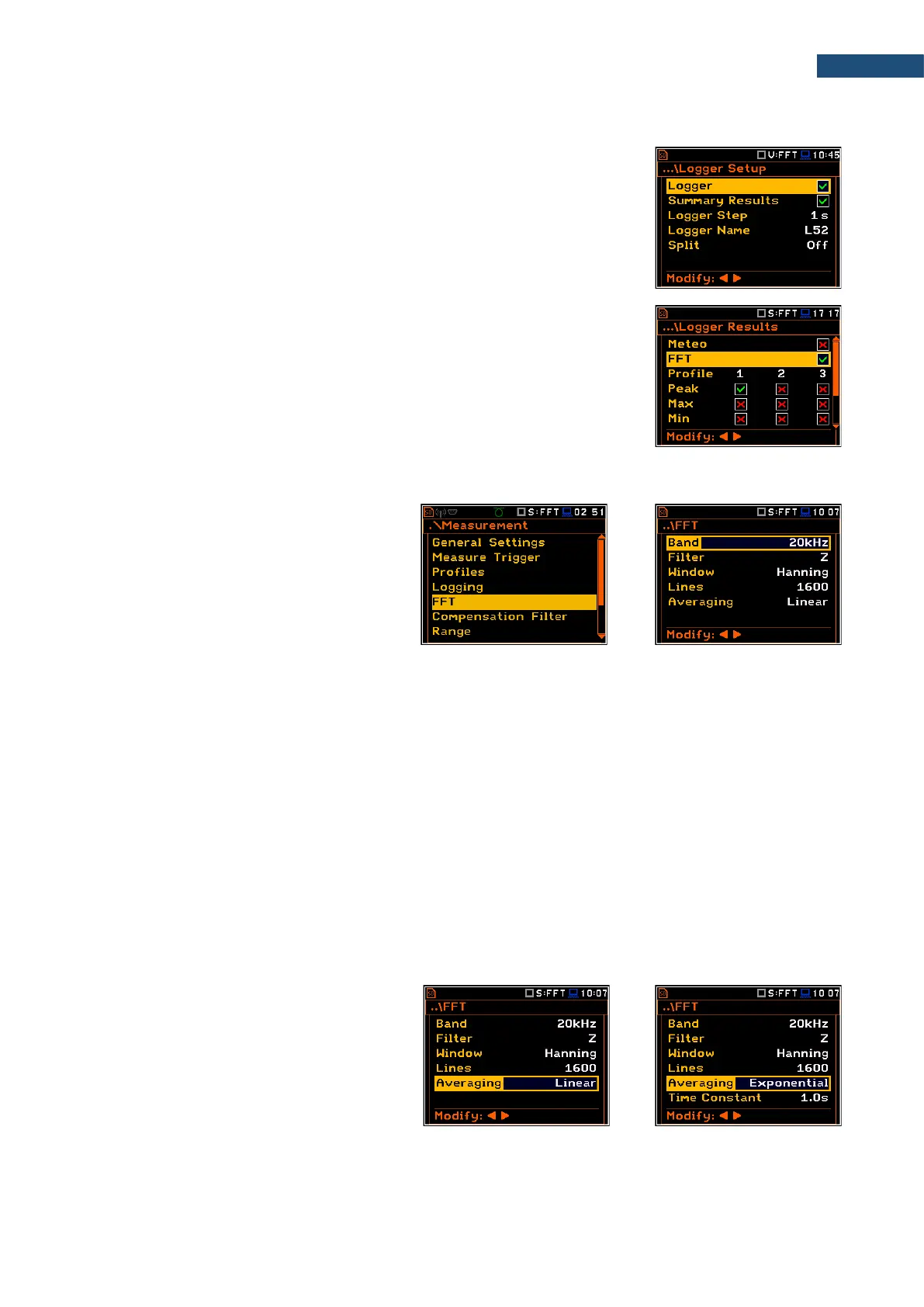
For logging FFT spectra, the Logger position must be enabled in the Logger
Setup screen (path: <Menu> / Measurement / Logging / Logger Setup).
If you wish to save FFT spectra together with Summary results, you must enable
the Summary Results position. FFT spectra will be then logged with the
Integration Period step.
The instrument allows additional logging of FFT spectra in a logger file with the
Logger Step.
For this, you should enable logging of spectra switching on the FFT position in
the Logger Results screen (path: <Menu> / Measurement / Logging /
Logger Results).
11.2.4 Setting parameters of FFT analysis – FFT
The FFT position, which appears in the
Measurement section after activating the
FFT function, opens the screen in which you
can select parameters of the FFT analysis:
frequency band (Band), pre-weighting filter
(Filter), weighting window (Window),
number of lines (Lines) and averaging type
(Averaging).
The Band parameter defines the band for the FFT analysis performance: 20 kHz, 10 kHz, 5 kHz, 2.5 kHz,
1.25 kHz, 625 Hz, 312 Hz, 156 Hz or 78 Hz.
The following weighting filters (Filter) are available for the FFT analysis of sound:
• HP - class 1 according to IEC 61672-1:2013,
• Z - class 1 according to IEC 61672-1:2013,
• A - class 1 according to IEC 651 and IEC 61672-1:2013,
• C - class 1 according to IEC 651 and IEC 61672-1:2013,
• B - class 1 according to IEC 651.
Only one HP weighting filter is available for the FFT analysis of vibration.
Characteristics of the filters are given in Appendix C.
The Window parameter defines the weighting window for the FFT analysis: Hanning, Rectangle, Flat Top or
Kaiser-Bessel.
The Lines parameter defines the number of lines for the FFT analysis: 1600, 800 or 400.
There are two averaging options
(Averaging): Linear and Exponential. In
case of Exponential averaging, the
Time Constant parameter appears in this
screen. You can select: 100ms, 125ms,
200ms, 500ms, 1.0s, 2.0s, 5.0s or 10.0s.



 To Next Page