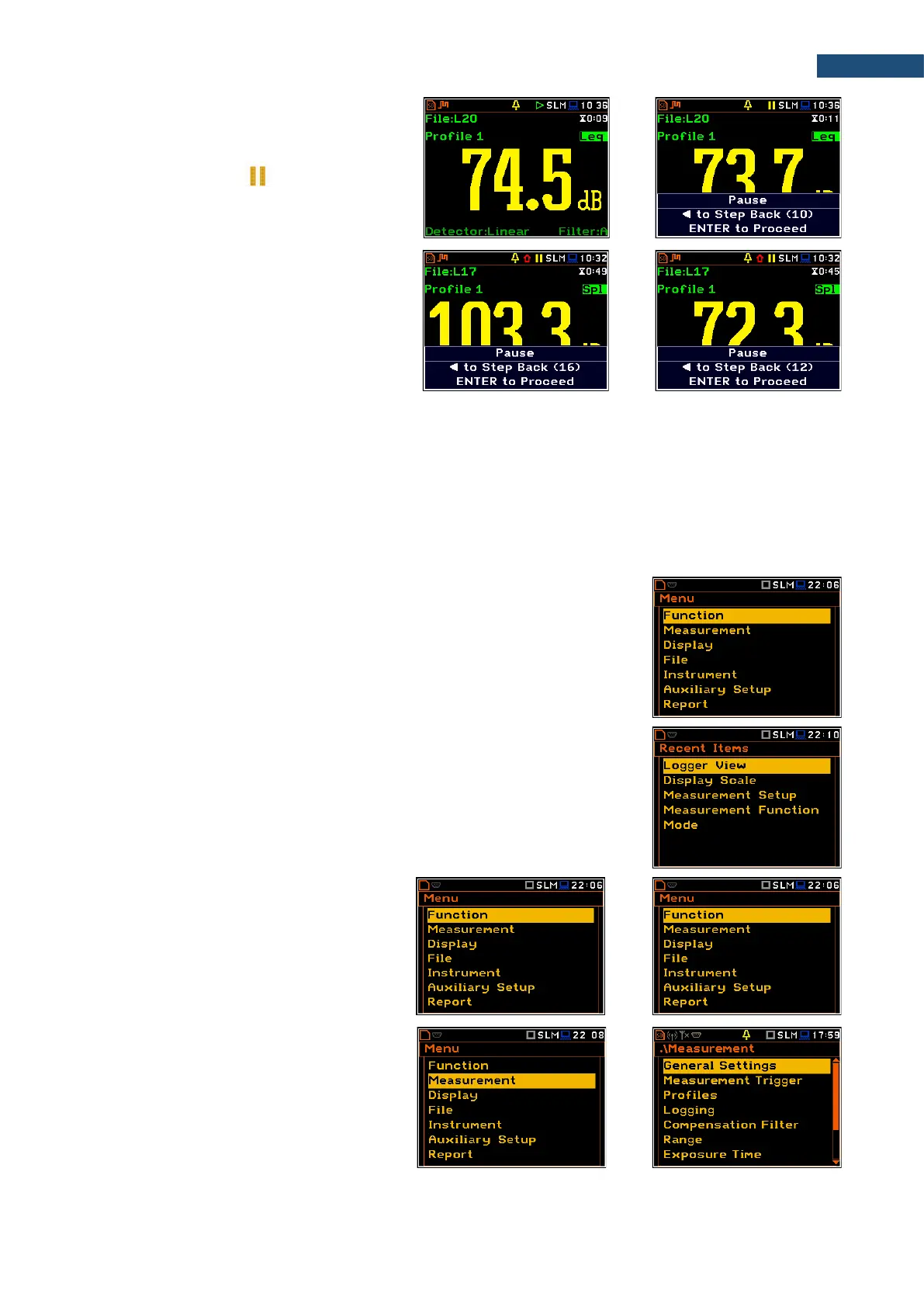
Pausing measurement
To pause a measurement, press the <S/P>
key (<Alt>+<ESC>). The measurement will
be paused and the icon will appear
together with the Pause section at the bottom
of the screen.
The Pause mode allows you to erase up to 16
last seconds of the measurement with the ◄
key. One press deletes one second of the
measurement and this reduces also the
elapsed time.
It may be useful if, for example, the
measurement is temporarily disturbed by
some event that should not normally occur.
To continue the measurement, press
<ENTER>.
To configure a measurement or the instrument, use the menu mode, which is switched with the <Menu> key.
The menu consists of different type of screens, which include main menu, sub-menu, lists of options, lists of
parameters, text editor screens, information screens etc.
Main menu
The main Menu contains the headers of seven sections (sub-menu), which
group configuration settings by feature. The main Menu is opened after pressing
the <Menu> (<Shift> + <ENTER>) key. The main Menu list contains the
following sections: Function, Measurement, Display, File, Instrument,
Auxiliary Setup and Report.
Recent Items list
A double pressing of the <Menu> key opens the list of recently used menu items.
This enables accessing most frequently used lists of parameters quickly, without
the necessity of passing through the whole menu path.
Selecting position
The desired position in the menu list is
selecting with the ▲ / ▼ key.
Opening position
After the selection of the desired position in
the menu list, press the <ENTER> key to
open it. After this operation, a new sub-
menu, option list, parameter list or
information screen appears on the display.



 To Next Page