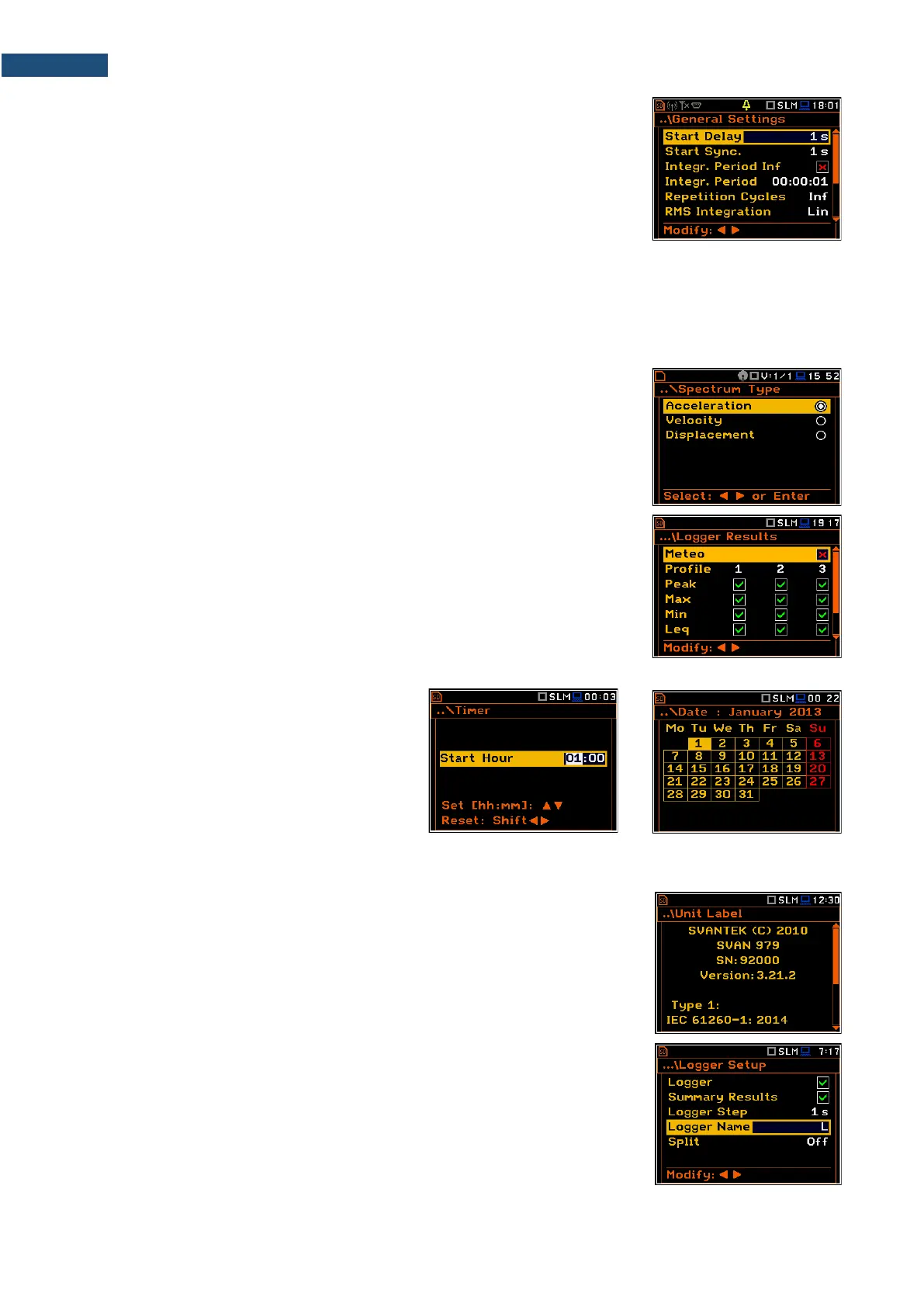
List of parameters
The list of parameters contains parameters the value of which is selected from
the available range or set.
• The desired position in a list is accessed with the ▲ / ▼ key.
• Changing value in a selected position is performed with the ◄ / ► key.
• The <ENTER> key saves all performed changes in the list of parameters.
If the parameter has a numerical value, you can speed up a selection by pressing the ◄ / ► key and keeping
it pressed by more than 2 seconds. In this case, the parameter value starts to change automatically until the
you release the pressed buttons.
You may change the numerical parameter value with a larger step (usually 10) with the ◄ / ► key pressed
together with <Shift>.
List of options
The option list consists of different options, from which only one may be
selected. The selection of the option is performed in the following way. Highlight
the desired option with the ▲ / ▼ key and then press <ENTER>. This option
becomes active and the list is closed. After re-entering this list again, the last
selected option will be marked.
Matrix of parameters
When the list of parameters consists of more than one column you may change:
• column with the ◄ / ► key
• line in the same column with the ▲ / ▼ key
• value in a selected position with the ◄ / ► and <Alt> keys
• all values in the same column with the ▲ / ▼ and <Shift> keys
• all values in the same line with the ◄ / ► and <Shift> keys.
Complex parameters
For complex parameters, consisting of more
than one value field like Start Hour or
Start Date, you should first select the field
and then change the value of this field in
accordance with the help information on the
bottom of the screen.
In all cases the <ENTER> key is used for confirmation of the selection in a position and for closing the opened
list of parameters. The list of parameters is closed, ignoring any changes made in it with the <ESC> key.
Information screen
Some screens inform about the state of the instrument, available memory,
standards fulfilled by the instrument, etc. To scroll through the screen, use the
▲ / ▼ key. To close such a screen, press <ENTER> or <ESC>.
Text editor screen
There are also screens in which the user may edit text strings (i.e. the name of
the file). The text editor screen is opened with the ◄ / ► key when the position
with the text parameter is selected.
These screens contain help information to guide the user on how to edit the text.
The character that is displayed inversely may be edited.



 To Next Page