EasyManua.ls Logo

Svantek SVAN 979 - Instrument Parameters

Svantek SVAN 979
377 pages
Print Icon
To Next Page IconTo Next Page
To Previous Page IconTo Previous Page
Loading...
170
SVAN 979 User Manual
Displacement
Displacement spectrum which is displayed if it has been
selected in the Spectrum Type screen.
Chapter
10.3.4,
11.3.4
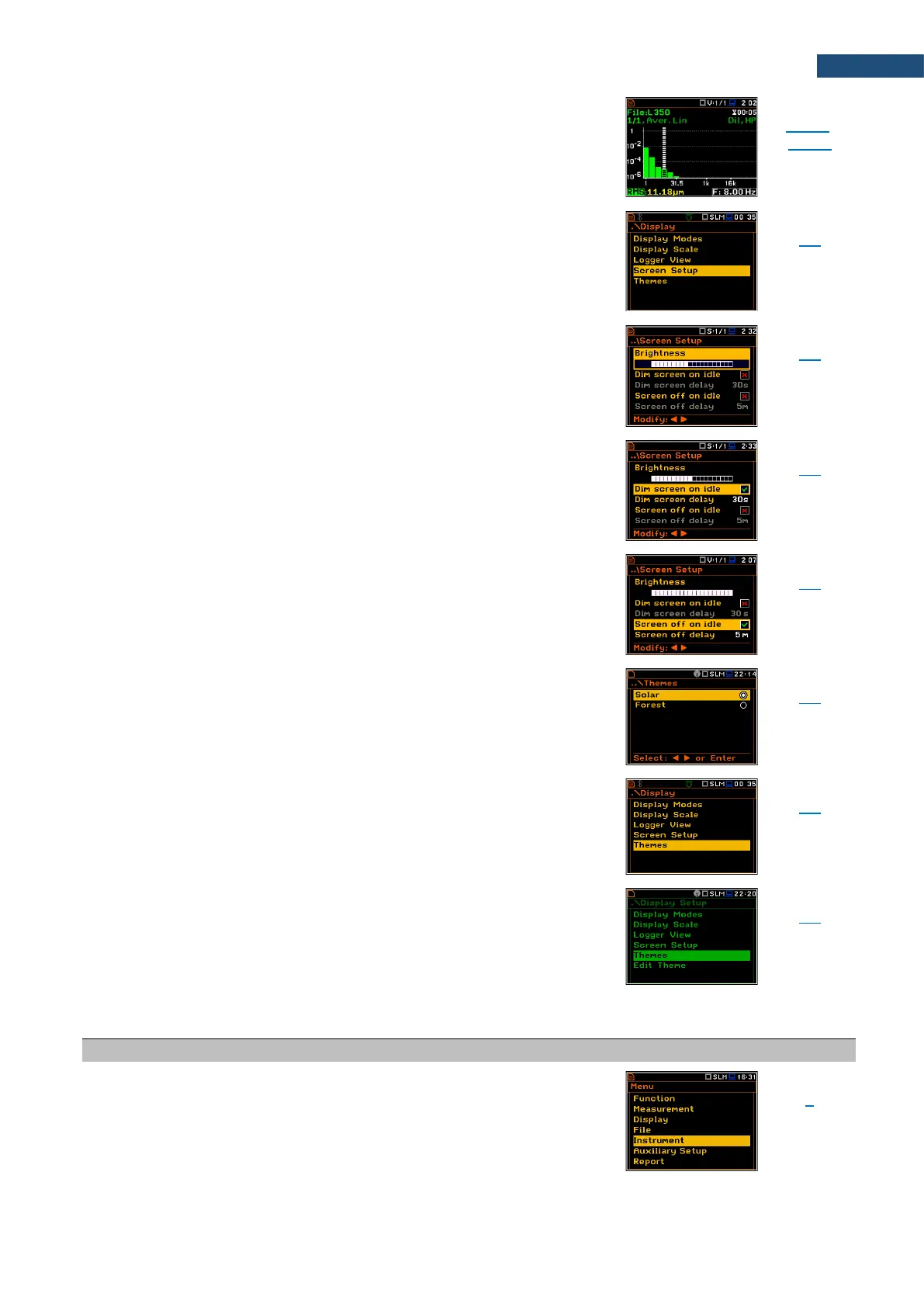
Screen Setup
Screen that enables setting screen brightness and power
saving.
Chapter
5.4
Brightness
Brightness of the instrument display. Is setting up in the
Screen Setup screen.
Chapter
5.4
Dim screen on idl
e
Screen dimming in no activity after certain delay. Is
setting up in the Screen Setup screen.
Chapter
5.4
Screen off on idle
Screen switching off in no activity after certain delay. Is
setting up in the Screen Setup screen.
Chapter
5.4
Themes
Screen that enables setting colour theme of the display.
Chapter
5.5
Solar
Colour theme of the display.
Chapter
5.5
Forest
Colour theme of the display.
Chapter
5.5
17.6 INSTRUMENT PARAMETERS
Name
Description
Screen
Reference
Instrument
Section in the Main Menu that enables setting the
hardware components of the instrument in the screens:
Auto Start, Battery, Bluetooth, Communication Ports,
External Power, GPS, IEPE Current, Keyboard Settings,
Modem Status, Multifunction I/O, Polarisation Voltage,
Remote Control Mode, RS232, RTC, Self Vibration,
Signal Generator, Wireless Transfer, Unit Name and Unit
Label.

Chapter
7

Table of Contents

Related product manuals