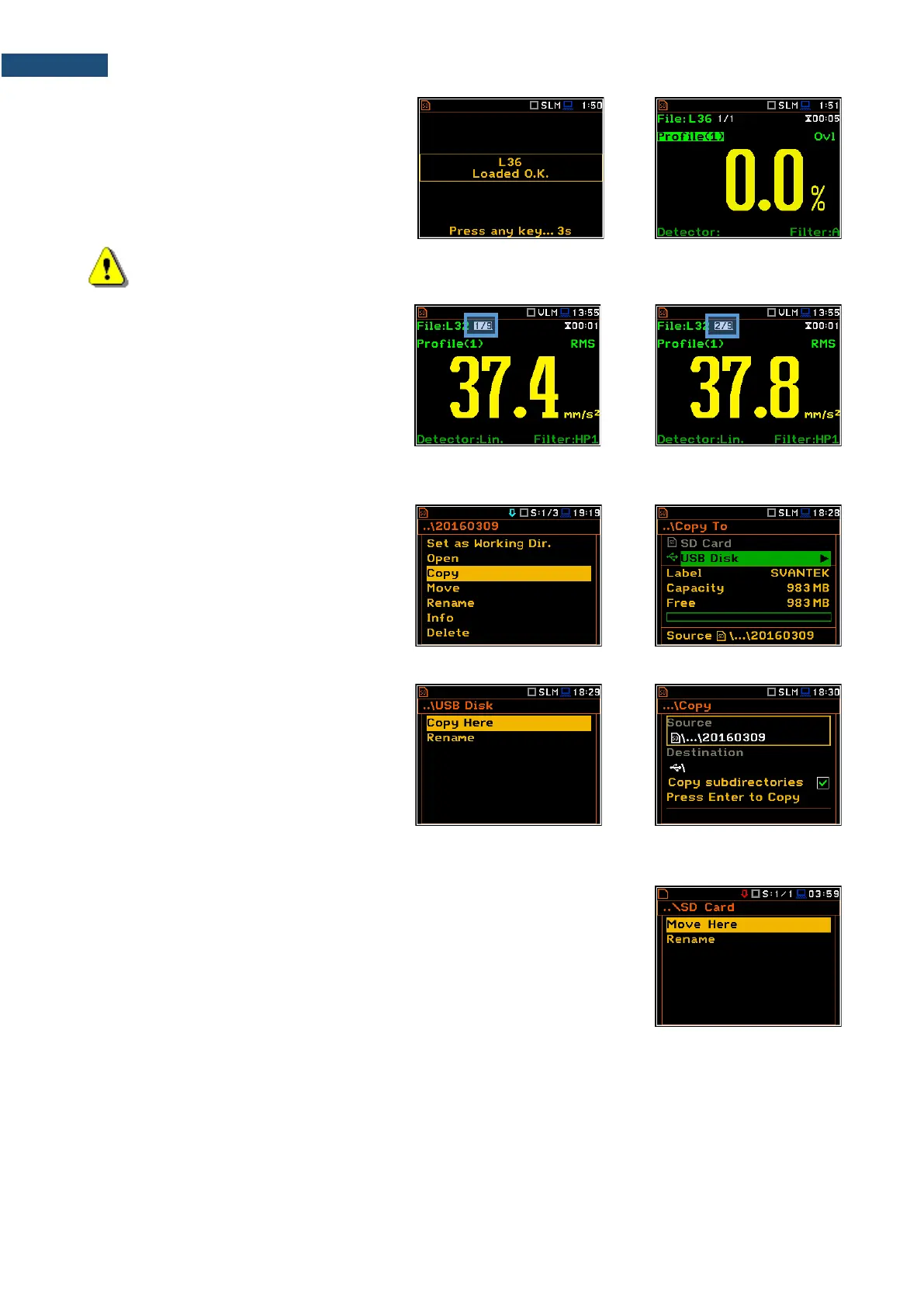
Opening the logger file means that the
measurement results saved in this file will be
loaded to the instrument's operation
memory and may be reviewed on the
screen. The results are loaded together with
the Mode and Measurement Function
settings, but other measurement settings
are as before opening the logger file.
Note: After loading the logger file, only summary results saved in the logger file as records can be
viewed at the display. Each record contains measurement data for one cycle (measured with the
Integration Period step).
The record counter is displayed in the same
line with the file name.
To see next cycle data, select the record
counter position with the ▲ / ▼ key and then
change the record number with the ◄ / ►
key pressed together with <Alt>.
6.1.3 Copying files/directories – Copy
You can copy a file or a directory from the
files/directories list of one memory to
another.
To perform this operation, select the
file/directory and press <ENTER>. Select
the Copy position in the command list and
press <ENTER>. The instrument will
propose to choose the target directory in
another memory.
After selection of the target directory, press
<ENTER>. The screen with two options will
appear: Copy Here and Rename.
In case of directory it is possible to select
option to copy all subdirectories.
Press <ENTER> to confirm the operation.
6.1.4 Moving files/directories – Move
You can move a file or a directory from the files/directories list of one memory
to another.
To perform this operation, select the file/directory and press <ENTER>. Select
the Move position in the command list and press <ENTER>. The instrument
will propose to choose the target directory in another memory.
After selection of the target directory, press <ENTER>. The screen with two
options will appear: Move Here and Rename. In case of directory it is possible
to select option to move all subdirectories.



 To Next Page