4.7 SELECTING MEASUREMENT RANGE – RANGE
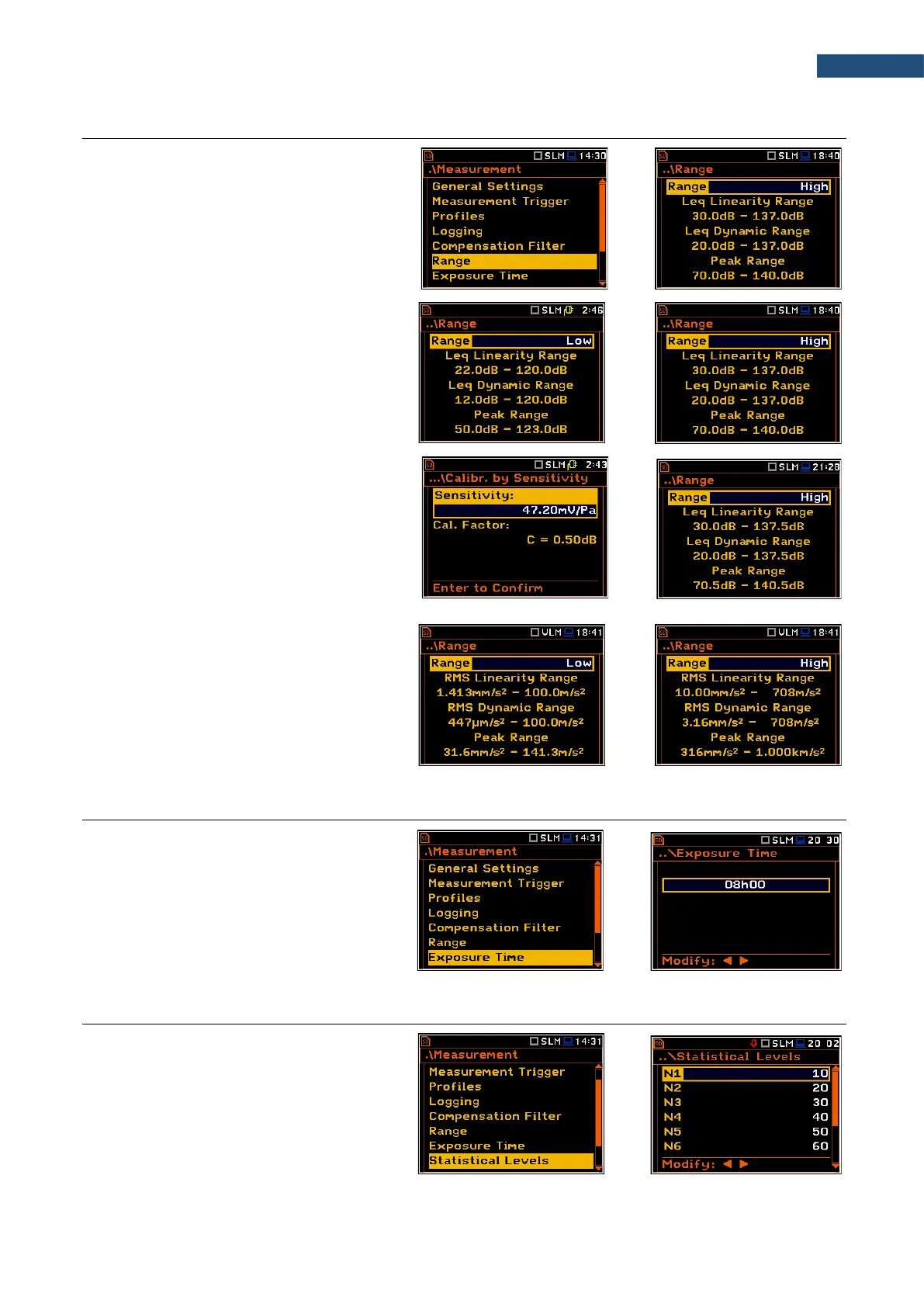
The Range position is used for setting the
measurement range of the instrument.
The Range screen presents for the selected
range: Leq linearity range, Leq dynamic
range and Peak range for 1 kHz.
There are two ranges available: High and
Low. The detailed description of the
measurement ranges parameters is given in
Appendix C.
The values of ranges in sound modes
depend on the settings in the
Compensation Filer screen (path: <Menu>
/ Measurement / Compensation Filter) and
the calibration factor.
For example, if the calibration factor is equal
to 0.5 dB, the High range will be changed as
shown on the attached screen.
The right-hand screens present the Range
for the Vibration mode and zero calibration
factor.
Nonzero calibration factor always shifts the
lower and upper limits of the ranges for
vibration modes.
4.8 SETTING WORKDAY EXPOSURE TIME – EXPOSURE TIME
The Exposure Time parameter defines the
workday exposure time that is used for the
calculation of LEPd (cf. Appendix D for
definitions). This position is available only in
the sound mode. The Exposure Time
values are within the range [00h01, 08h00].
4.9 SETTING STATISTICAL LEVELS – STATISTICAL LEVELS
The Statistical Levels position is available
only in the Sound meter modes.
In the Statistical Levels screen, you can
define ten statistical levels, named from N1
to N10, to be calculated, displayed and
saved in a file as Summary results.



 To Next Page