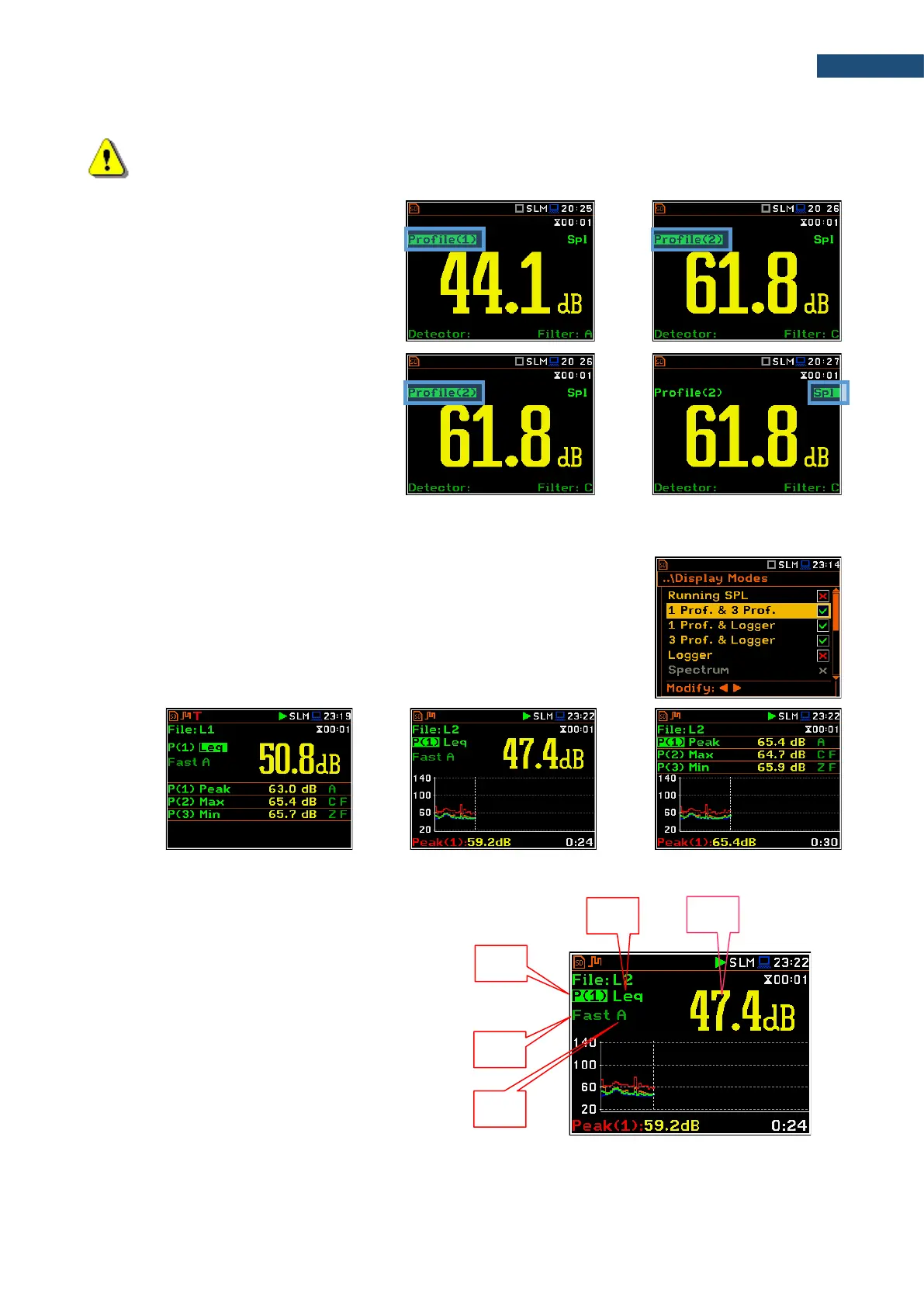
Note: Detector type for the displayed result depends on settings in General Settings and Profiles
lists (path: <Menu> / Measurement). There is no displayed indication of the detector in case of Peak,
P-P and Ovl results (see Appendix D).
There are three display modes, that combine two views: 1 Prof. & 3 Prof.,
1 Prof. & Logger, 3 Prof. & Logger. These display modes allow you to
compare results for profiles and to follow the history of measured results, saved
in the logger file.
One result view fields
1. Profile number.
2. Result name: Spl, Leq, SEL, Lden, LEPd, Ltm3,
LTeq, Lnn, EX, SD, LR1, LR2, Ovl, Peak, Max,
Min for Sound measurements or RMS, Ovl, Peak,
P–P, MTVV for Vibration measurements.
3. Detector type: Linear or Imp., Fast, Slow for
Sound measurements and Linear or 100 ms,
125 ms, .. 10.0 s for Vibration measurements.
4. Weighting filter: Z, A, C, B, G for Sound
measurements or HP, HP1, HP3, HP10, Vel1,
Vel3, Vel10, VelMF, Dil1, Dil3, Dil10, Wh for
Vibration measurements.



 To Next Page