7.16 ACTIVATING THE SIGNAL GENERATOR – SIGNAL GENERATOR
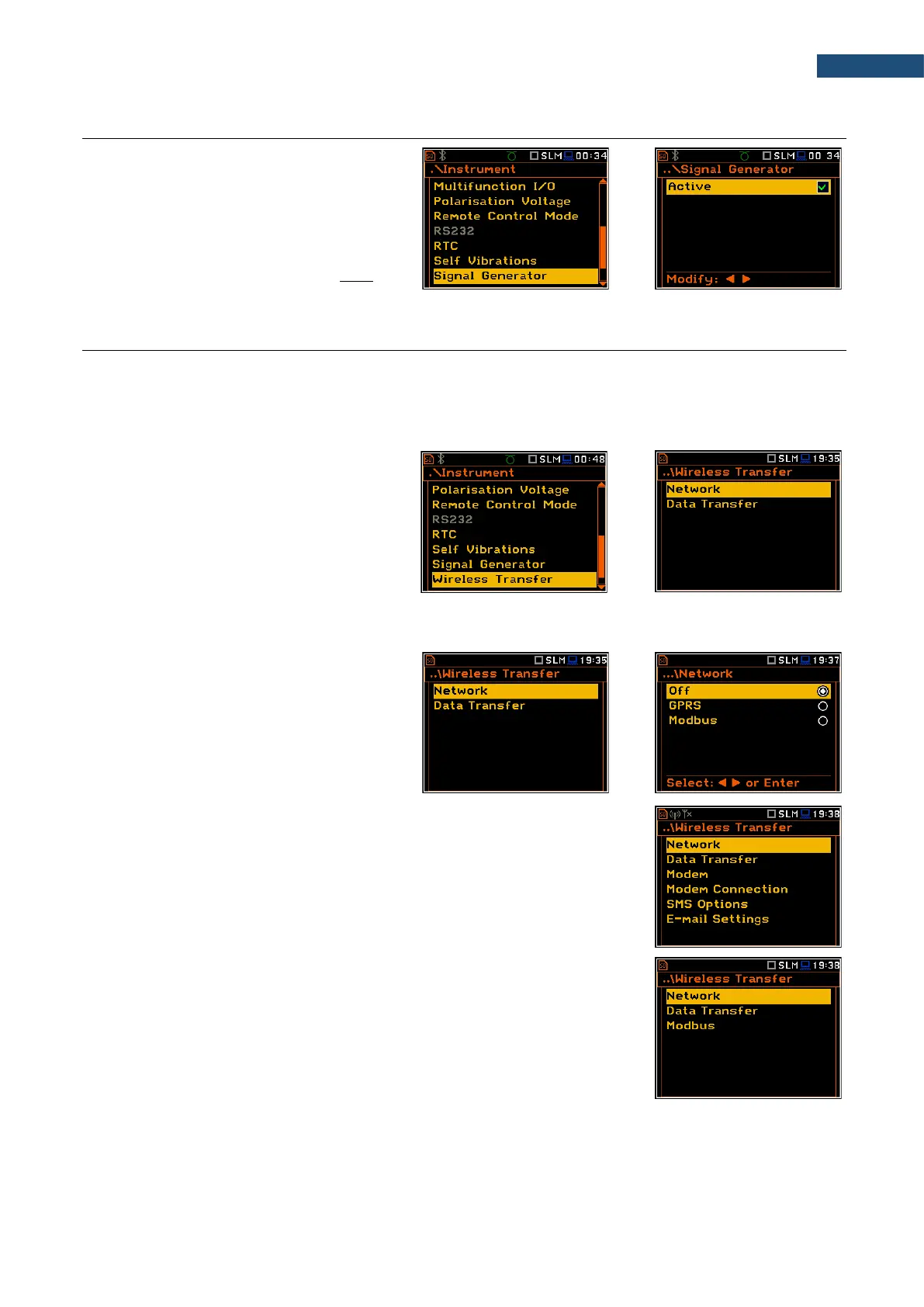
The Signal Generator position allows you
to enable the signal generator function. The
settings of the generated signal are made in
the Signal Generator presentation mode
(see Display menu description).
When Signal Generator is enabled the
generator signal is transmitted to the pin 1 of
the I/O connector.
7.17 REMOTE COMMUNICATION SETTINGS – WIRELESS TRANSFER
SVAN 979 is not equipped with the modem and itself cannot assure data transfer via mobile network. However,
it can control data transfer via the modem that supports GSM connection with the help of the Wireless Transfer
functionality. The connection with the external modem is carried out via the USB port.
Such solution is used in the SV 279 PRO and SV 279 PRIM monitoring stations.
The Wireless Transfer position allows you
to select the network type and set the
parameters of data transmission.
7.17.1 Selecting network type – Network.
In the Network screen you can disable (Off)
data transfer or enable it selecting the GPRS
or Modbus option.
If the GPRS network is selected the Wireless Transfer screen will have
additional positions enabling configuring GPRS connection: Modem,
Modem Connection, SMS Options and E-mail Settings.
If the Modbus network is selected the Wireless Transfer screen will have two
positions enabling configuring Modbus connection: Data Transfer and Modbus.



 To Next Page