4.4.6 Configuring signal recording – Wave Recording
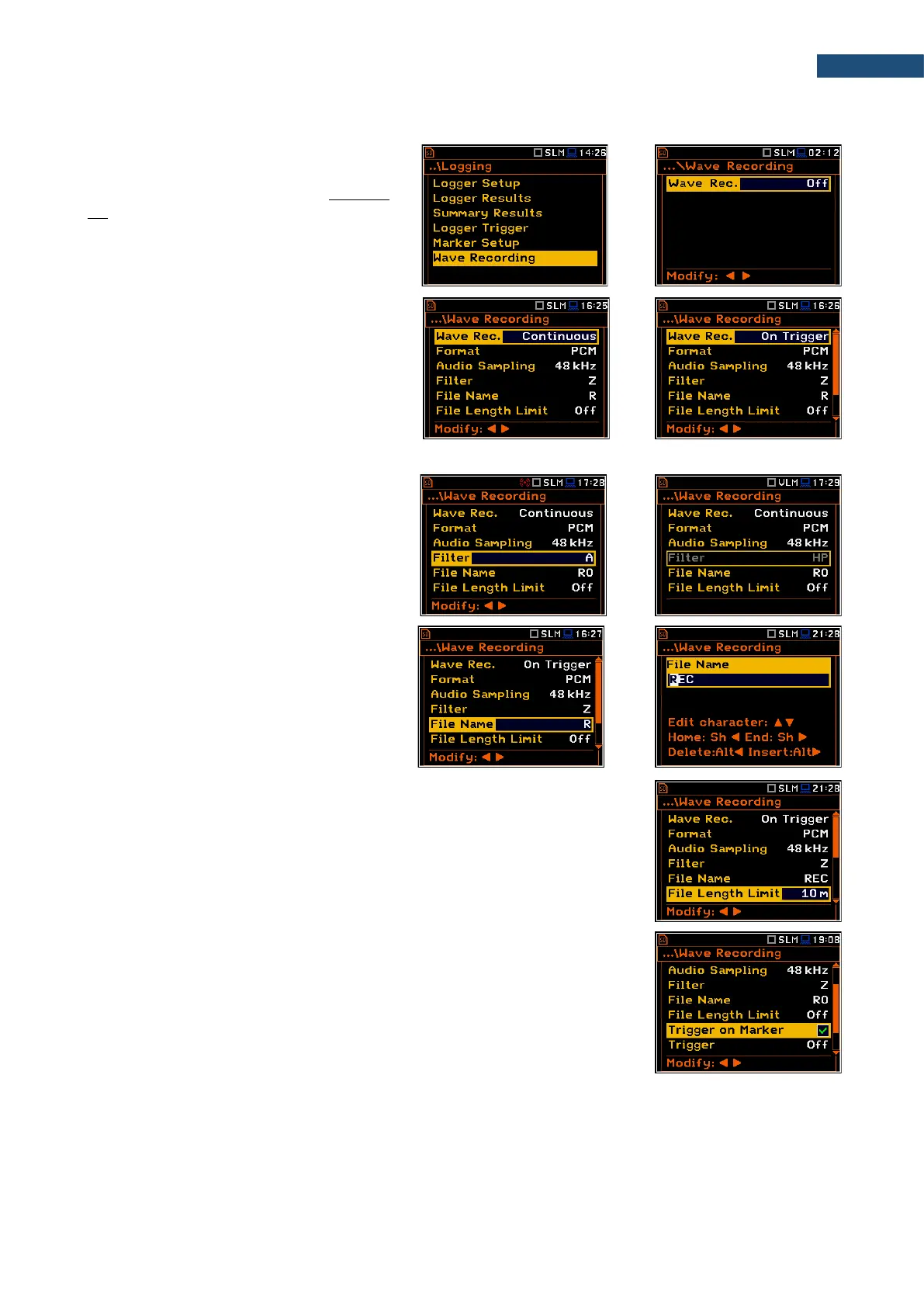
The Wave Recording position allows
activating and setting parameters of a
waveform signal recording in the separate
file with the extension WAV. WAV files are
saved automatically in the same
measurement directory as logger files (hh-
mm-ss).
The Wave Rec. parameter, if it is not Off,
defines a way a recording should be done,
continuously during the measurement
(Continuous) or triggered conditionally
(On Trigger). Default value: Off.
The Format parameter defines the format of
the wave file header: PCM or Extensible.
The Audio Sampling parameter defines the
sampling frequency of the wave recording:
12kHz, 24kHz or 48kHz.
The Filter parameter defines the weighting
filter during signal recording: A, B, C, Z or
HP for the sound signal and HP only for the
vibration signal.
The File Name parameter defines the name
of the wave file.
You can edit this name in the editor screen,
which is opened with the ◄ / ► key.
The File Length Limit parameter enables defining the limit length of the signal
recorded to the WAV file. When Off is selected, the signal will be recorded
without limitation. To put limitation on the record time, select the value in the
range from 10 min to 8 hours.
Wave Trigger
When Trigger on Marker is switched on, a wave recording will start by initiation
of one of the markers. Markers for triggering are defined in the Markers Setup
screen.
The Trigger parameter defines additional wave recording trigger, which can be
switched off (Off) or switched on by selecting the trigger type: Slope +, Slope -,
Level +, Level –, External and Integr. Period.



 To Next Page