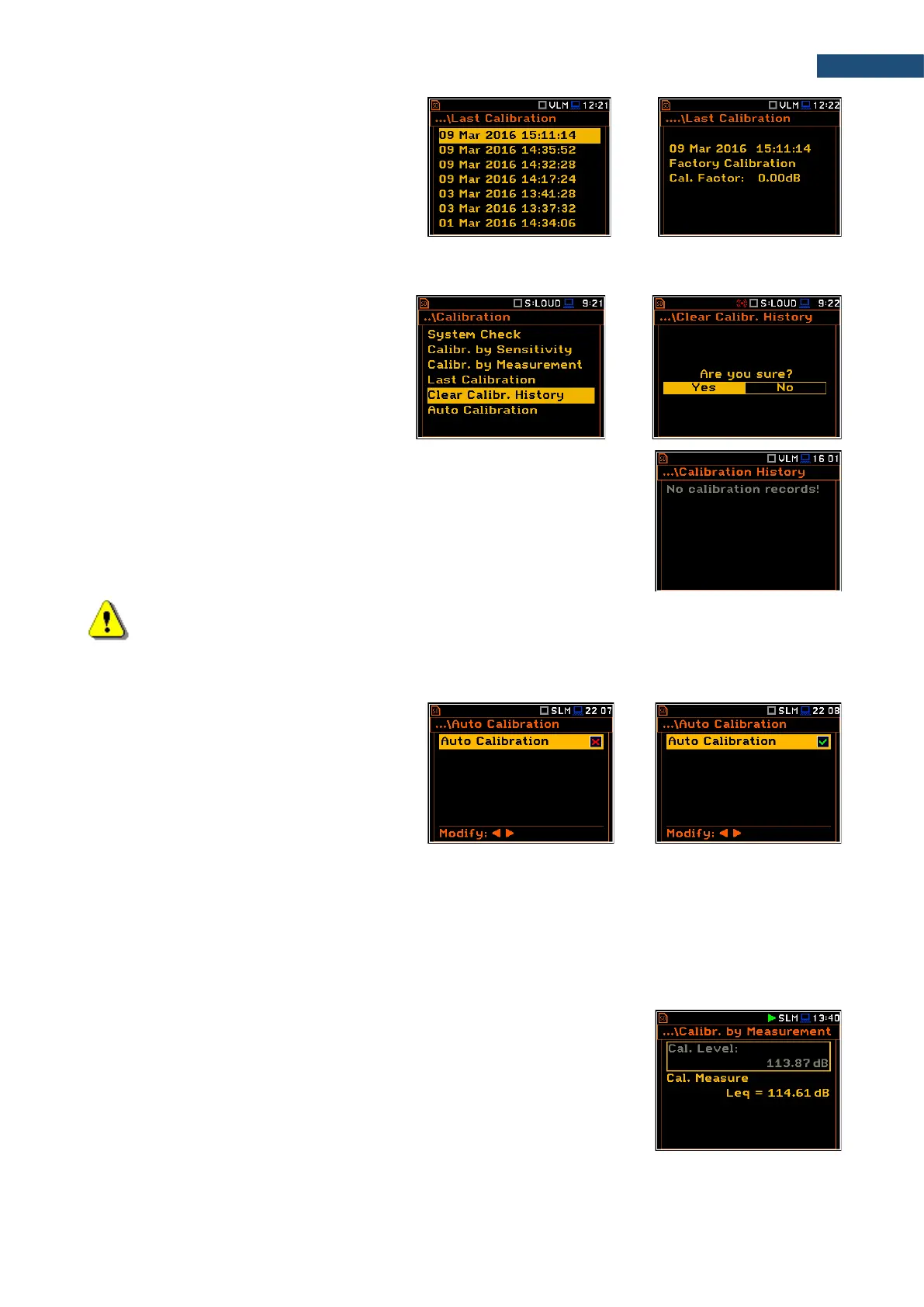
The calibration record screen contains the
information regarding the performed
calibration: date and time, used calibration
method, obtained calibration factor.
3.3.7 Erasing calibration records – Clear Calibr. History
You can erase all calibration records. To do
this, choose the Clear Calibr. History
position in the Calibration list and press
<ENTER> to perform this operation.
The instrument will request the confirmation
of this operation.
After erasing calibration records, the Calibration History screen will not contain
any previous calibration records. The content of this screen is also cleared after
the Factory Settings operation (path: <Menu> / Auxiliary Setup).
Note: Acoustic and vibration calibration histories are independent files in the internal instrument’s
memory and erasing the calibration history in one mode does not erase it in another mode.
3.3.8 Automatic calibration – Auto Calibration
Automatic calibration feature enables
calibration of the instrument input as easy as
possible with minimum steps.
If the automatic calibration is switched on,
the instrument, when it doesn’t perform the
measurement, periodically compares the
measured signal level with the reference
calibration level and starts the calibration
measurement if the stable result is within
±5dB of the calibration level.
To perform the automatic microphone calibration, follow next steps:
1. Switch on the instrument.
2. Attach the SV 36 (or equivalent 114 dB@1000 Hz) calibrator to the microphone and switch it on (if the
used calibrator doesn’t have automatic switch-on feature).
Generated by the calibrator sound pressure level starts the Automatic
Calibration process if the difference between the Calibration Level value set
up in the Calibration By Measurement screen and the measured calibrator
SPL level is in the range ±5dB.
During the calibration measurement, the level of the measured calibration signal
will be displayed as in case of calibration by measurement The measurement
can be always stopped by the <Stop> key.



 To Next Page