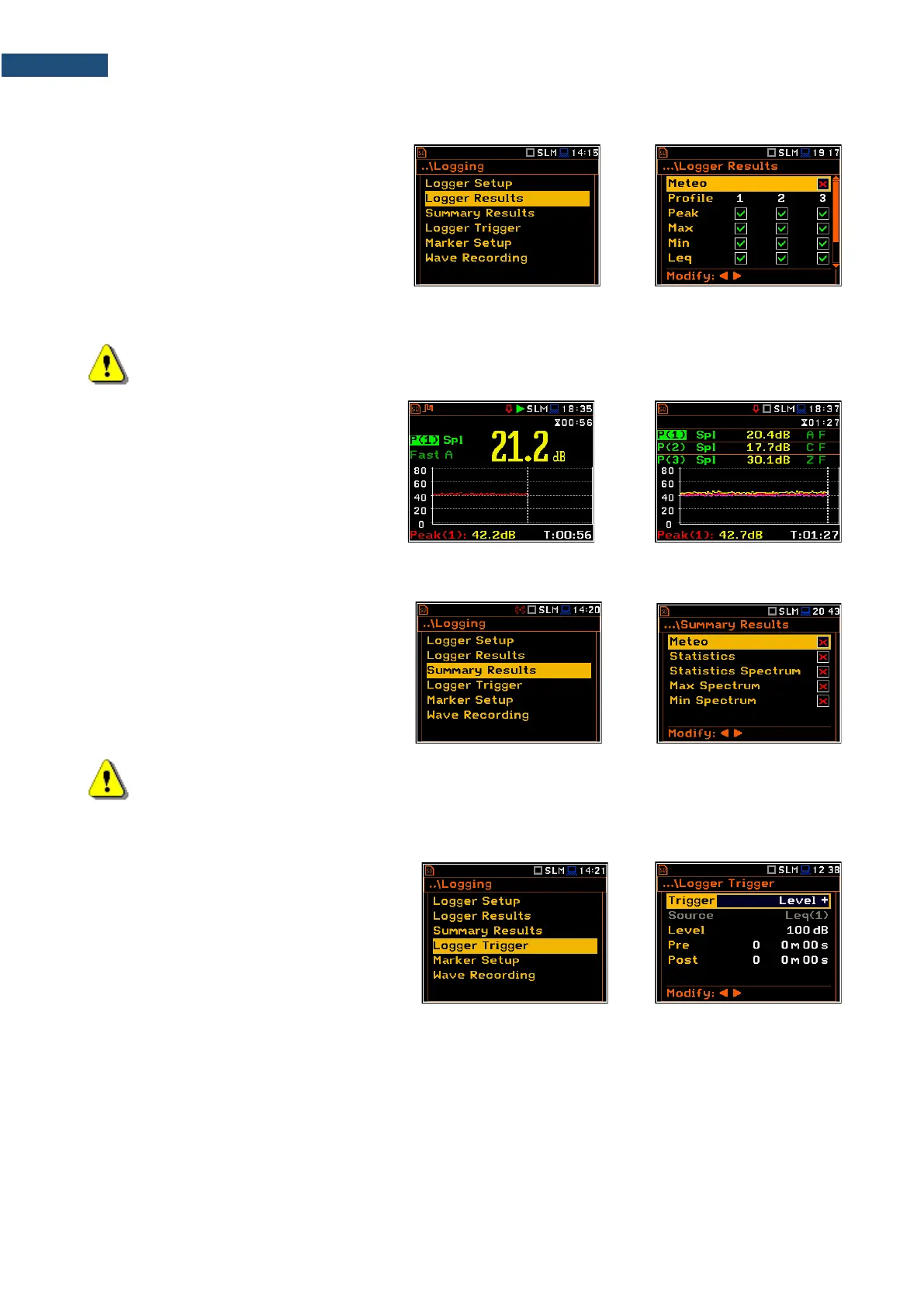
4.4.2 Selecting results for logging – Logger Results
In the Logger Results list you can select
results for three independent profiles (Peak,
Max, Min, Leq, LXY, LR1 and LR2 for
Sound measurements and Peak, P-P, Max
and RMS for Vibration measurements) and
results taken from the weather station
(Meteo), which will be logged in a logger file
with the Logger Step.
Activation/ deactivation can be done with the ◄ / ► key pressed together with <Alt>. The position is changed
with the ◄ / ► or ▲ / ▼ key.
Note: When Logger is disabled or no Logger results were selected, the logger plot cannot be
activated in Display Modes and therefore doesn’t appear on the display.
When Logger is enabled and results for
logging selected, the logger plot will be
available in measurement views.
4.4.3 Selecting additional summary results for saving – Summary Results
The Summary Results list allows you to
include/exclude logging of some summary
results, like: Statistics, Meteo,
Statistics Spectrum, Max Spectrum and
Min Spectrum for Sound measurements
and Meteo, Max Spectrum and
Min Spectrum for Vibration measurements.
Default modes: all disabled.
Note: The Meteo results are transmitted to the instrument from the weather station connected to
the SV 279 monitoring station.
4.4.4 Configuring Logger trigger – Logger Trigger
In the Logger Trigger list, you can configure
the way the logger results will be registered
in the logger file. It is a context list in which:
the trigger can be disabled (Off) or enabled
by selecting its type (Level+ or Level-) in the
Trigger position. Default value: Off.
When the trigger is enabled, other parameters appear in the list: measured result that is checked for a trigger
condition (Source), threshold level (Level) as well as number of results saved in the file before the first fulfilment
of the trigger condition (Pre) and after the last fulfilment of the trigger condition (Post) during the measurement
period



 To Next Page