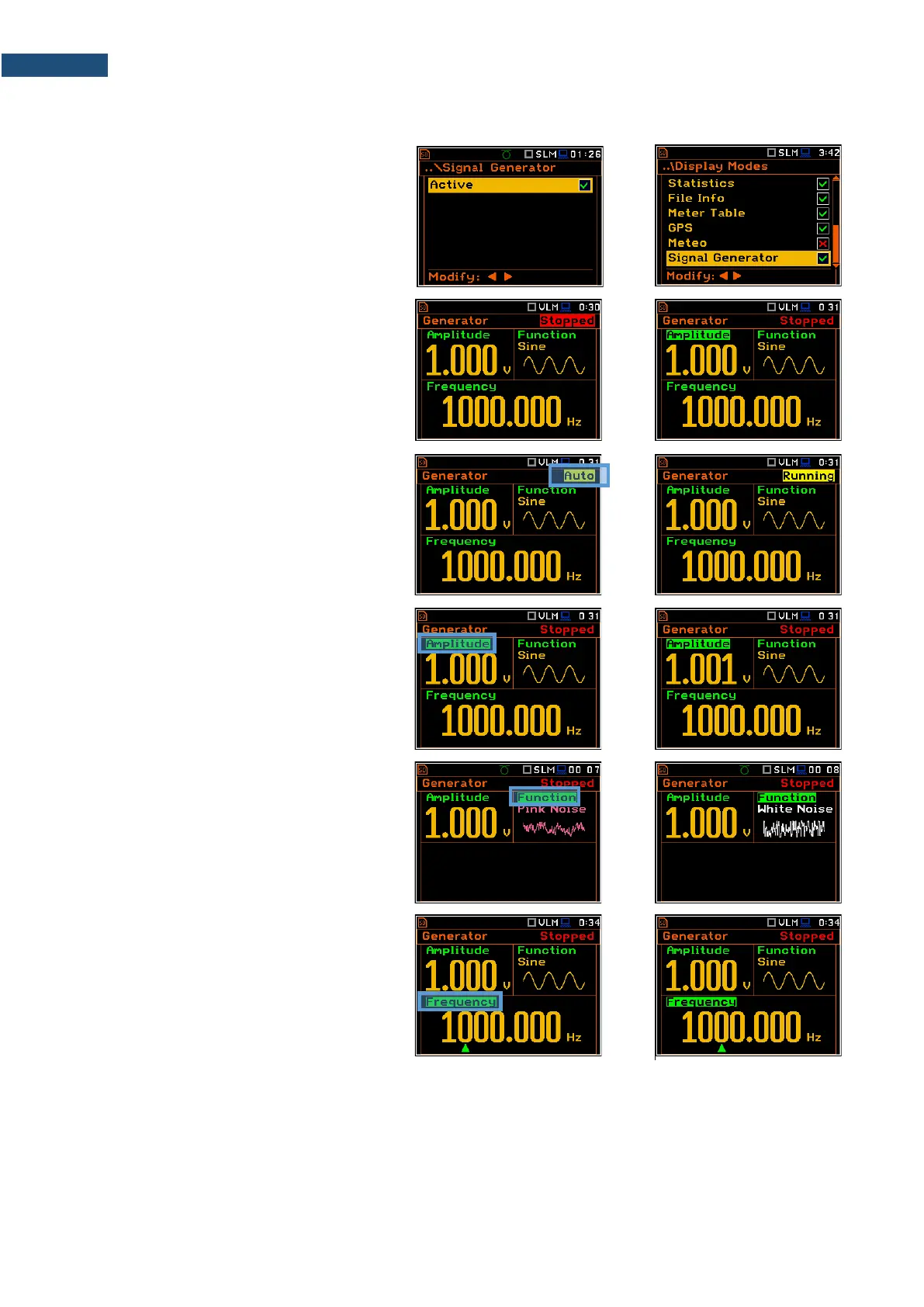
5.1.11 Signal Generator view
The Signal Generator view allows you to
control the signal generator function of the
instrument. This position is active only when
the Signal Generator function is switched
on (Active) in the Instrument menu (path:
<Menu> / Instrument / Signal Generator).
In the Signal Generator view you may
move from one field to another with the with
the ▲ / ▼ keys and to change the field value
with the ◄ / ► keys pressed together with
<Alt>.
To switch the Signal Generator on or off,
select the Generator field and change its
value from Stopped to Auto or Running
with the ◄ / ► keys pressed together with
<Alt>.
Auto mode means that generator starts and
stops with the <Start/Stop> key.
To change the amplitude of the generated
signal, select the Amplitude field and
change its value with the ◄ / ► keys
pressed together with <Alt>.
To change the type of the generated signal,
select the Function field and change its
value with the ◄ / ► keys pressed together
with <Alt>. There are three available
functions: Sine, Pink Noise and
White Noise.
To change the frequency of the generated
signal, select the Frequency field and then
select the digit in the frequency value with
the ◄ / ► keys. The selected digit will be
marked by green cursor (arrow) at the
bottom line of the screen. You may change
the value of the selected digit with the ◄ / ►
keys pressed together with <Alt>.



 To Next Page