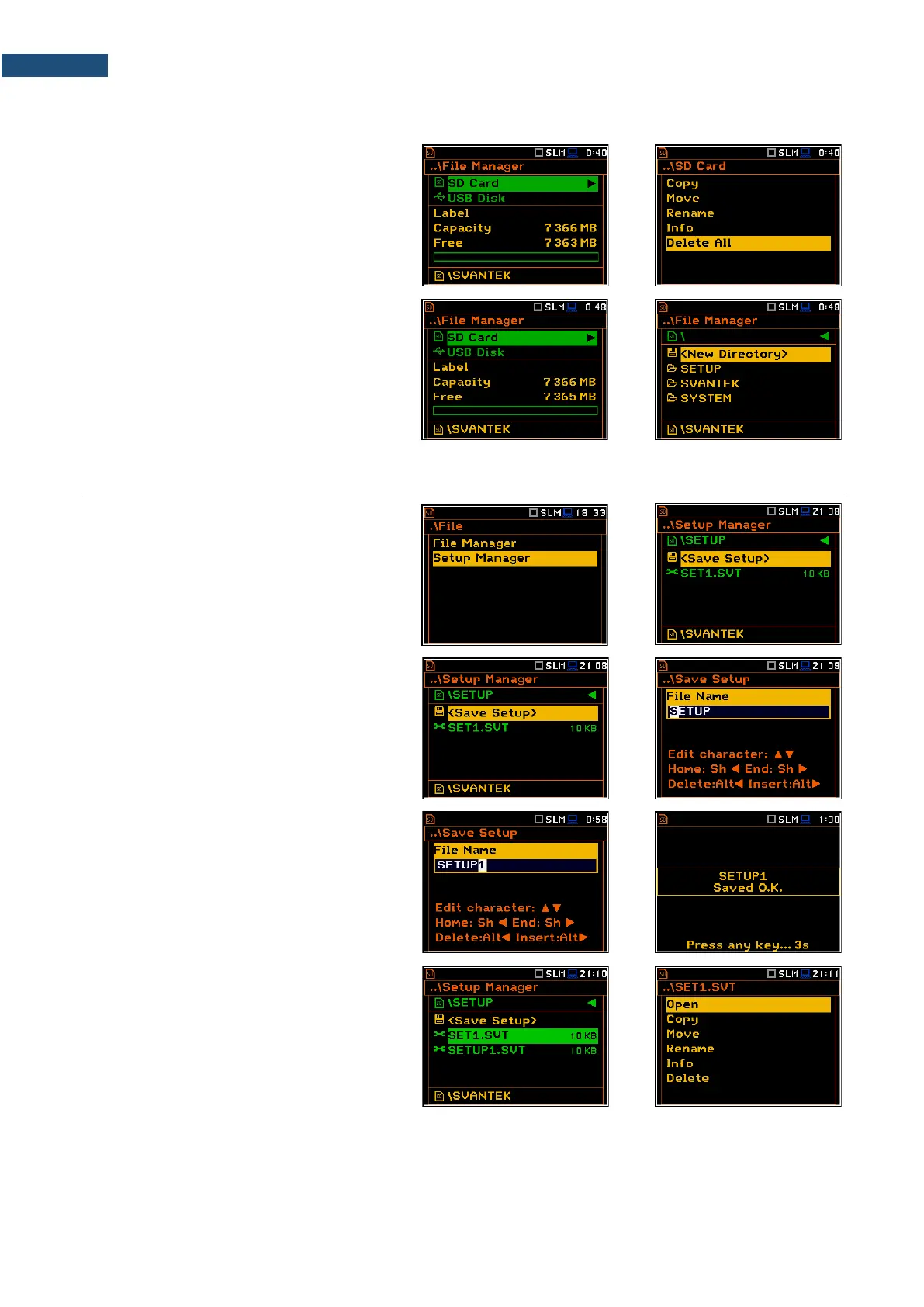
6.1.8 Erasing all files in a memory – Delete All
You can delete all elements from the
memory. To do this, select the desired
memory (SD Card or USB Disk) and press
<ENTER>. Select the Delete All position in
the command list and press <ENTER>.
The instrument will ask for confirmation of
this operation.
All files and directories in this memory will be
erased. After this operation three directories
will be created as default directories:
SETUP, SVANTEK and SYSTEM.
6.2 MANAGING THE SETUP FILES – SETUP MANAGER
Setup Manager enables saving new setup
files, deleting, renaming or loading them.
All setup files are stored in the default
SETUP directory on the SD card.
Saving setup files
It is possible to save only current
instrument’s settings. To save current
settings in the setup file, select the
<Save Setup> position and press
<ENTER>.
You can edit the setup file name in the editor
screen. Press <ENTER> to confirm edition.
Up to 8 characters can be used to name a
setup file.
Opening setup files
Opening the setup file means that the
settings saved in this file will be loaded to the
instrument's flash memory. So, if you press
the <Start/Stop> key the instrument will
start the measurement with the newly
loaded settings.
After loading the setup file, the instrument
will be reconfigured.
Copying, moving, renaming, info viewing and deleting setup files is performed in the same way as files from
the File Manager list.



 To Next Page