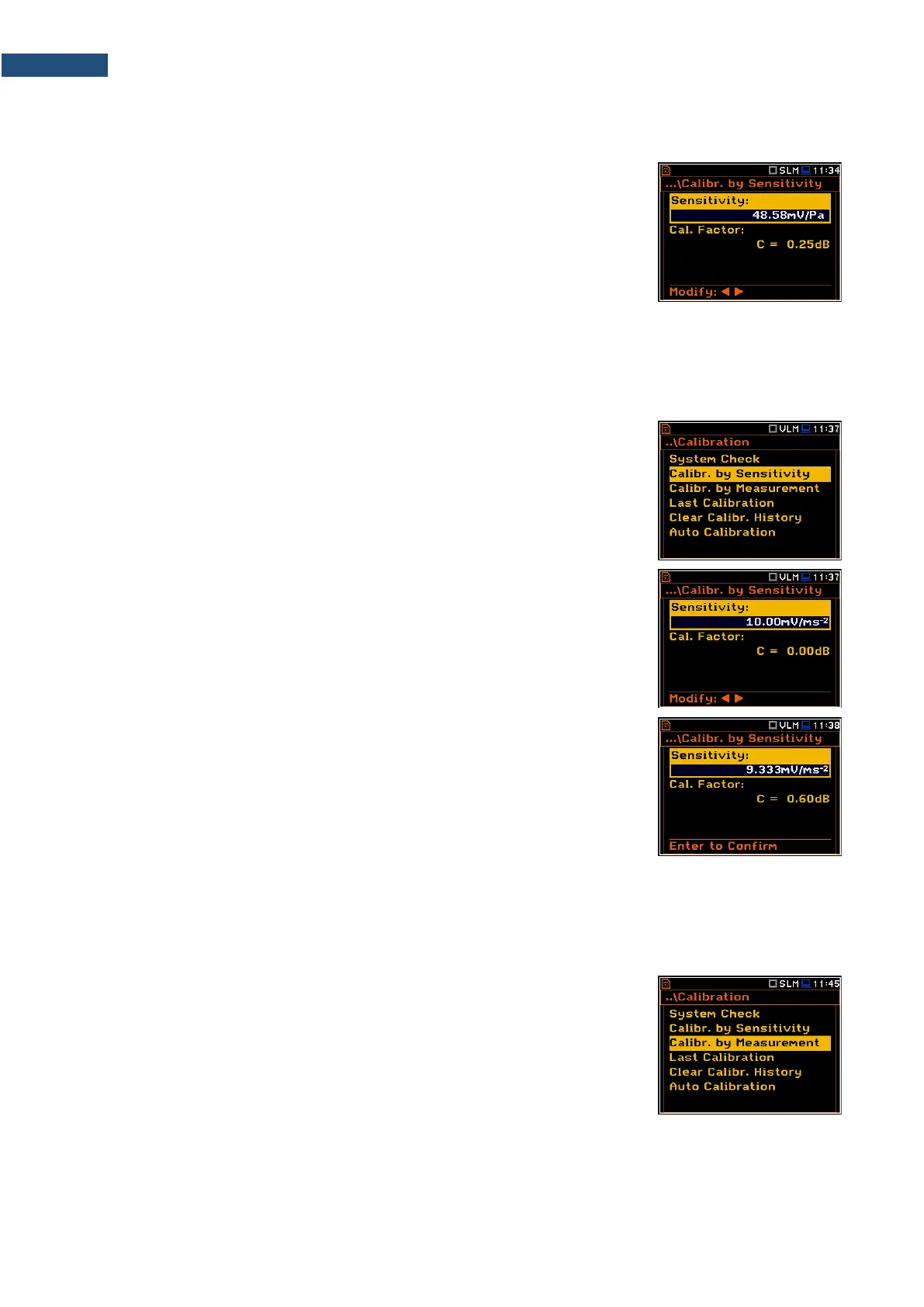
2. Set the Sensitivity of the microphone taken from its calibration certificate using the ◄ / ► key and then
press <ENTER>. The calibration factor (Cal. Factor) is calculated every time after pressing the ◄ / ► key,
in relation to the nominal value of 50.00 mV/Pa.
For microphones with sensitivity higher than 50.0 mV/Pa the calibration factor
will always be negative.
For microphones with sensitivity lower than 50.0 mV/Pa the calibration factor will
always be positive.
The lowest available value of the sensitivity that can be introduced is equal to
50.0 µV/Pa (it conforms to the calibration factor equal to 60.0 dB) and the highest
value is equal to 50.0 V/Pa (calibration factor is equal to -60.0 dB).
3. To confirm the new calibration factor, press <ENTER>, or to return to the Calibration list without changes,
press <ESC>.
3.3.3 Calibration by Sensitivity (Vibration signal)
The calibration by using the accelerometer’s published sensitivity information
can be performed in the following way:
1. Select the Calibr. by Sensitivity position in the Calibration list and press
<ENTER>.
2. Set the Sensitivity of the accelerometer taken from its calibration certificate
using the ◄ / ► key.
The calibration factor (Cal. Factor) is calculated every time after pressing the
◄ / ► key, in relation to the nominal value of 10.0 mV/ms
-2
.
For accelerometers with sensitivity higher than 10.0 mV/ms
-2
the calibration
factor will always be negative.
For accelerometers with sensitivity lower than 10.0 mV/ms
-2
the calibration factor
will always be positive.
The lowest available value of the sensitivity that can be introduced is equal to
10.0 µV/ms
-2
(it conforms to the calibration factor equal to 60.0 dB) and the
highest value is equal to 10.0 V/ms
-2
(calibration factor is equal to -60.0 dB).
3. To confirm the new calibration factor, press <ENTER>, or to return to the Calibration list without changes,
press <ESC>.
3.3.4 Calibration by Measurement (Acoustic signal)
Calibration by measurement of the acoustic signal can be done in the following
way:
1. Select the Calibr. by Measurement position in the Calibration list and press
<ENTER>.



 To Next Page