13 LOUDNESS MEASUREMENT – Loudness
The Loudness function is the extension of the Sound Meter function for additional calculation of the so called
“Bark spectrum”. The Bark spectrum is calculated from pre-defined 1/3-octave spectrum (25 Hz - 12.5 kHz) in
accordance with the ISO 532B standard.
The Loudness function doesn’t require any additional settings and the Bark spectrum is calculated every time
the user presses the <Start> key. Calculated 1/3-octave spectrum is not saved in a logger file.
Note: The Loudness analysis is performed in parallel to the Sound Level Meter measurements.
13.1 SELECTING THE LOUDNESS FUNCTION
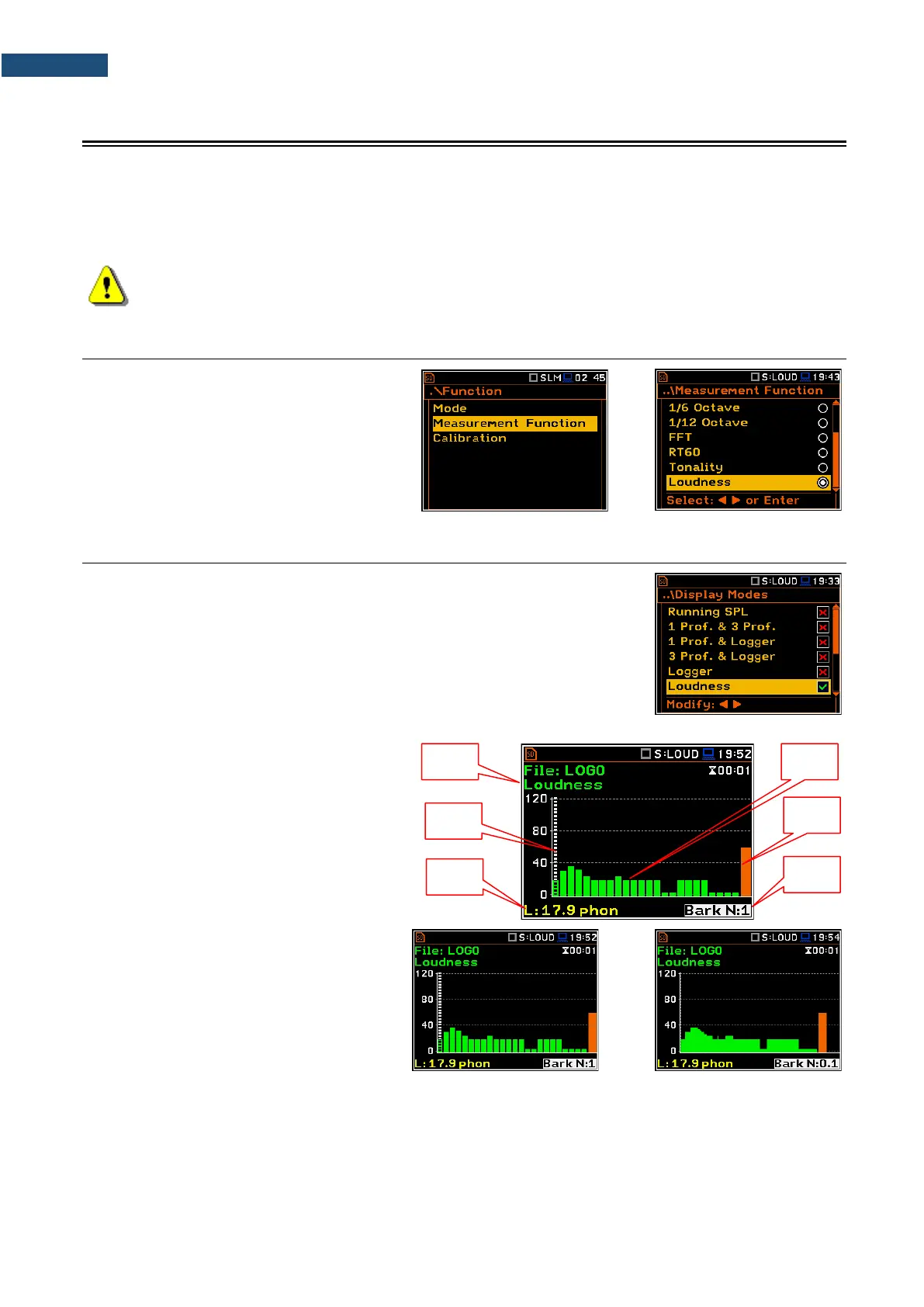
To activate the Loudness analysis function,
select the Loudness position in the
Measurement Function list and press
<ENTER>.
13.2 VIEWING LOUDNESS RESULTS
The results of the Loudness function can be viewed in a special view mode –
Loudness (path: <Menu>/ Display / Display Modes).
The Loudness mode displays the Bark spectrum.
Bark spectrum presentation
1. Name of the function
2. Cursor position
3. Cursor position value
4. Bark spectrum
5. Bark Total value
6. Bark number
The Bark spectrum can be viewed as 24 or
240 bark plots. You can switch between both
spectrum with the ◄ / ► key pressed
together with <Shift>.



 To Next Page