10.4 SETTING FILTER COEFFICIENTS FOR 1/1 OCTAVE - 1/12 OCTAVE ANALYSIS – SPECTRUM
BASED FILTER
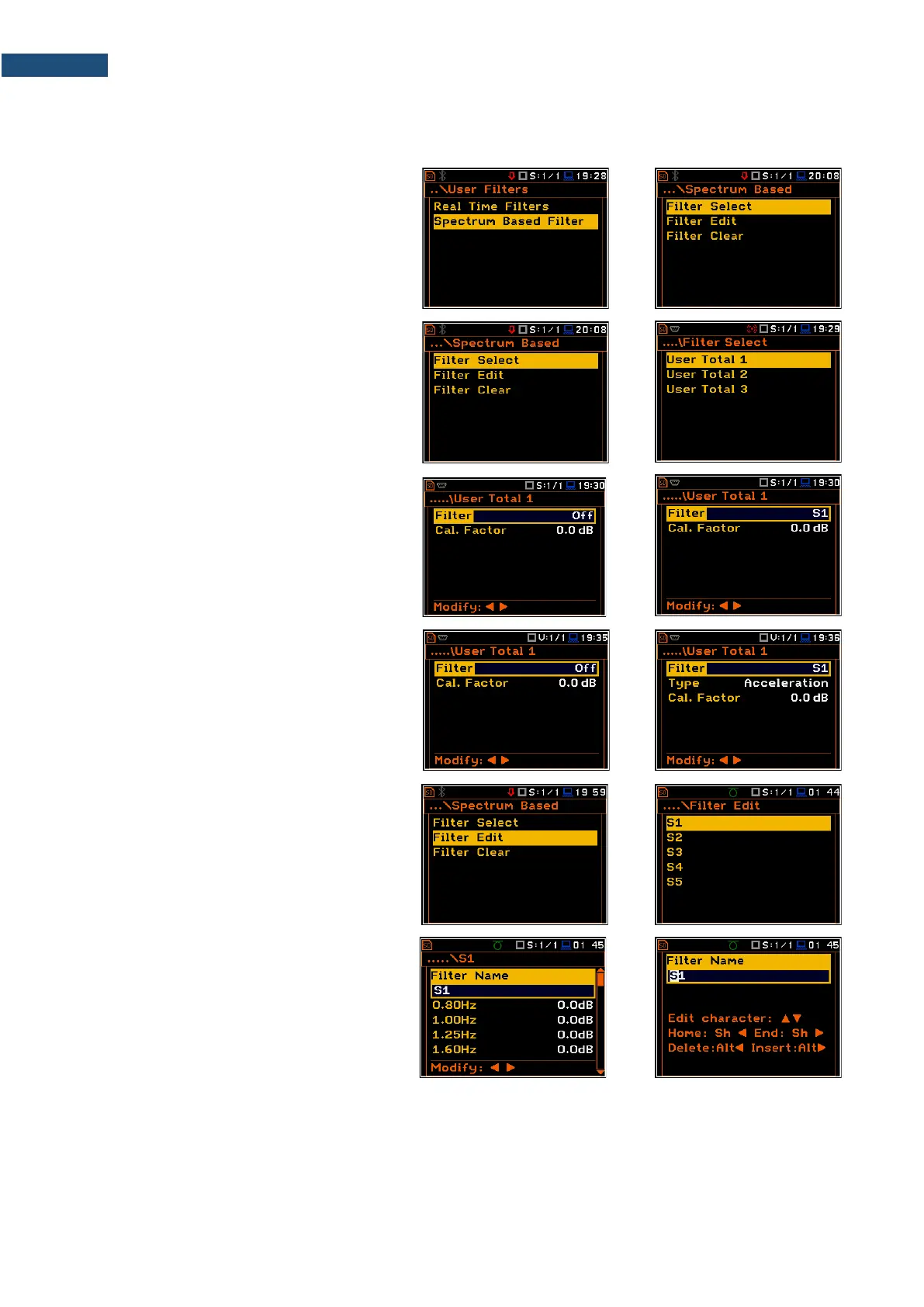
The Spectrum Based Filter position (path:
<Menu> / Auxiliary Setup / User Filters),
allows you to set values of the filter
coefficients correcting results of the
1/1 Octave - 1/12 Octave analysis. The
results of the analysis (the Total values) can
be modified by the introduced factors.
Assigning filters
The Filter Select position allows you to
assign the filter (S1, S2, S3, S4 or S5) to the
Total result with the use of the User Total 1,
User Total 2 and User Total 3 positions.
Sound modes
In the User Total x screen, you can select
one of the five above mentioned filters (S1,
S2, S3, S4 or S5) and set the calibration
factor applied to the Total value calculation.
Vibration modes
In the User Total x screen, you can select
one of the five above mentioned filters (S1,
S2, S3, S4 or S5), set the calibration factor
and type of integration filter for measuring
Acceleration, Velocity or Displacement.
Setting filter coefficients
The Filter Edit position allows you to edit
filter coefficients for the selected filter: S1,
S2, S3, S4 and S5.
The filter name can be changed in the editor
screen, which is opening with the ◄ / ► key.



 To Next Page