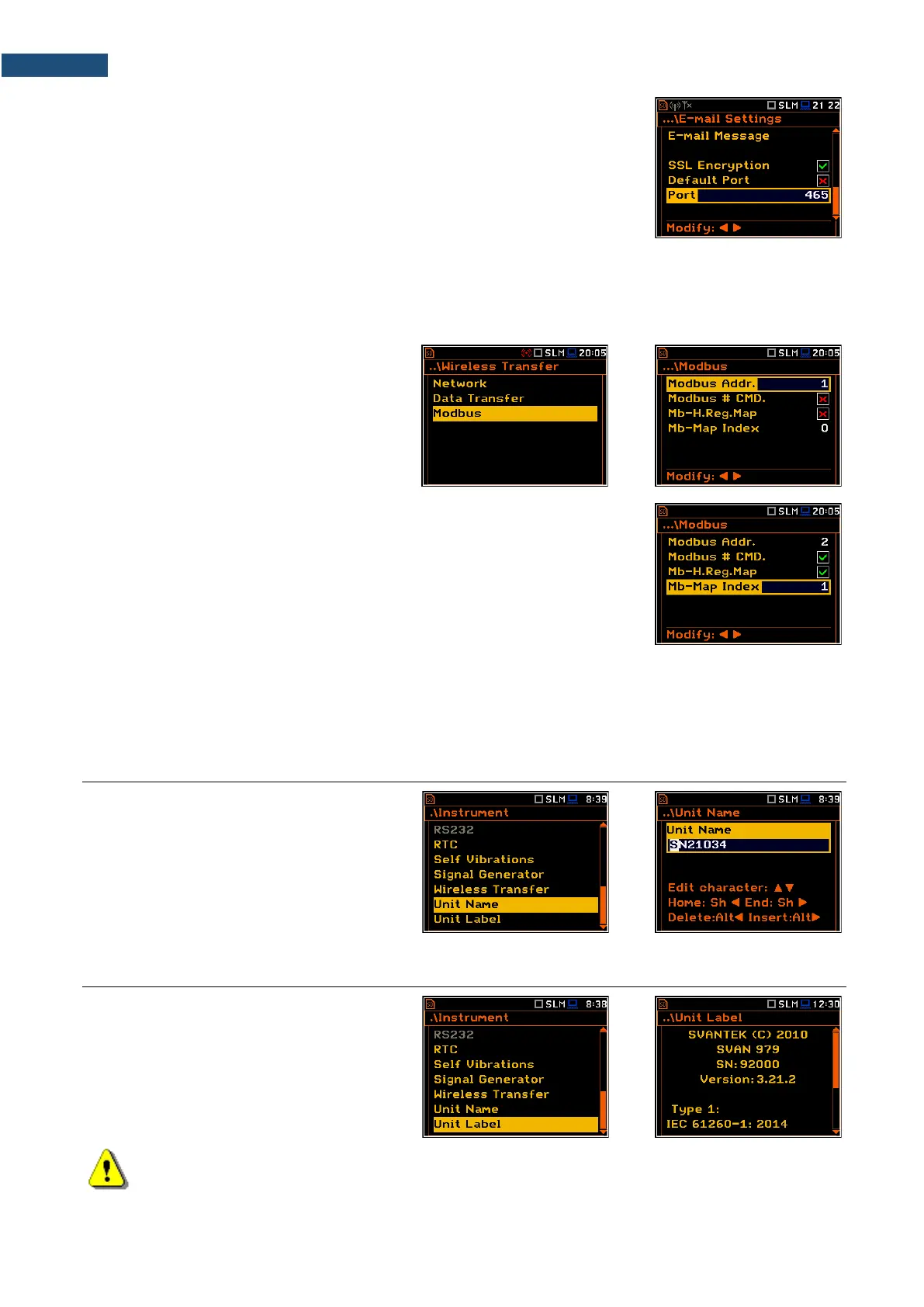
Disabling of Default Port will initiate the Port position, where the user will be
able to define its own port.
Editing of some positions is performed in the special screen with the text editor function, which is opened after
pressing the ◄ / ► key.
7.17.7 Data transfer with Modbus protocol – Modbus
If the Modbus network is selected the
Wireless Transfer window will have three
positions: Network, Data Transfer and
Modbus.
The Modbus window contains the following
positions:
• Modbus Addr. - device Modbus address, ranging from 1 to 247.
• Modbus # CMD. - selecting this option, enables processing of Svantek #
functions via Modbus protocol. Upon entering a # command into Modbus
structures, it will be processed, and any results will be placed in Input
Registers (and Discrete Inputs) structure. It is not recommended to use
this option alongside with Mb-H.Reg.Map option!
• Mb-H.Reg.Map - selecting this option enables result mapping. During
measurement, on-going results will be placed in Holding Registers starting
from appointed address. It is not recommended to use this option
alongside with Modbus # CMD. option!
• Mb-Map Index - denotes address from which result map will be placed during
measurements.
7.18 INTRODUCING THE INSTRUMENT NAME – UNIT NAME
The Unit Name position allows you to edit
the instrument’s name in the text editor
screen.
The instrument name is used in the
SvanNET web-service and SvanPC++
software for the instrument simple
identification.
7.19 CHECKING THE INSTRUMENT PROPERTIES – UNIT LABEL
The Unit Label position allows you to check
information about the instrument type, its
serial number, the current software version
installed and the relevant standards, which
the instrument fulfils.
The displayed text is scrolled on the display
after pressing the ▲ / ▼ key.
Note: The contents of the Unit Label screen should be always sent to the Svantek service
department or official representative in case of any problems faced by the user during the
instrument’s normal operation.



 To Next Page