Changing display modes
Being in the measurement mode you can change the view mode with the ▲ / ▼ key pressed together with
<Alt>.
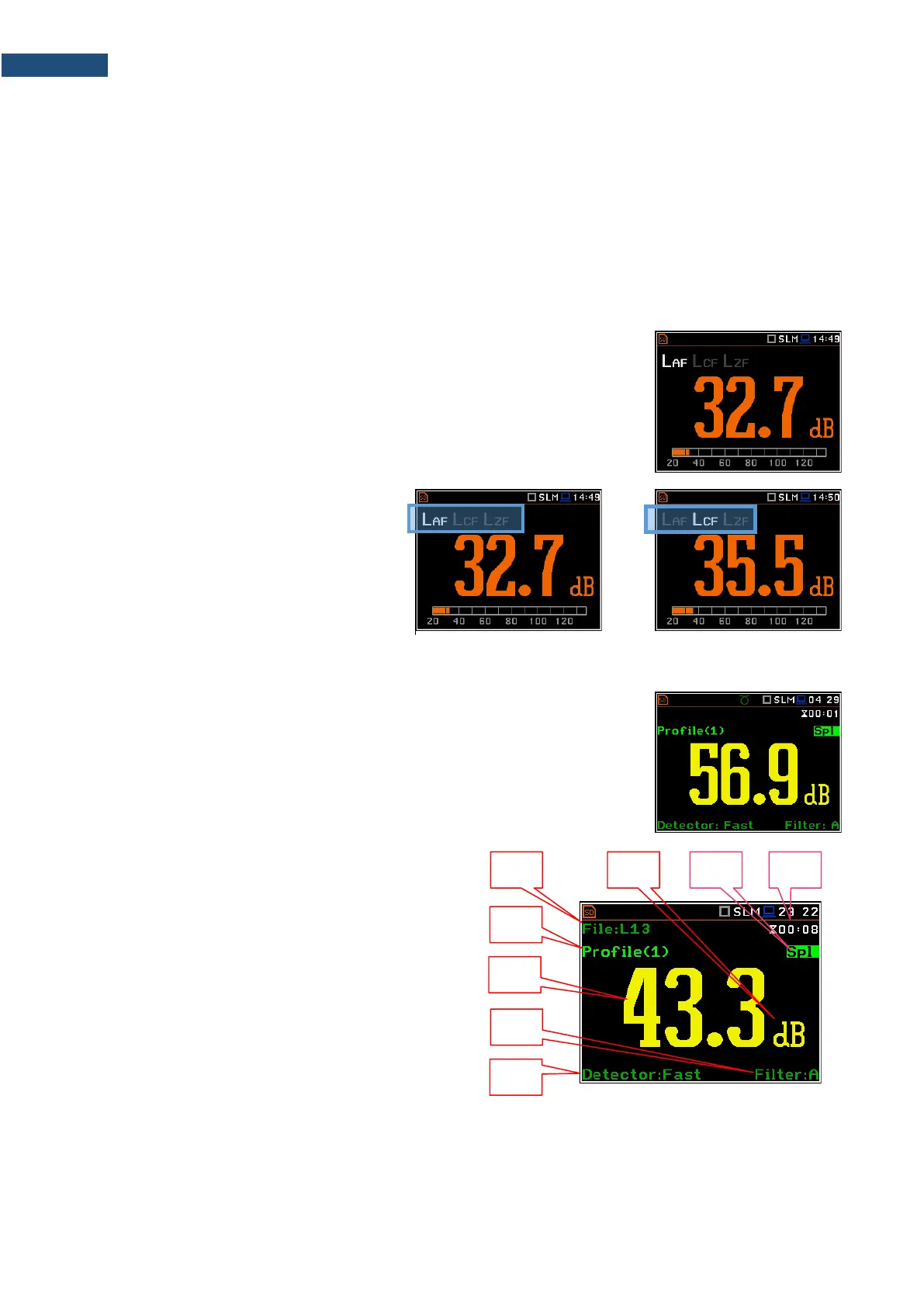
The Running SPL view is available in the Sound measurement modes. It
shows in a large format one measured result – SPL for the selected profile (Leq
for the last second with the weighting filter and detector constant defined in the
Profiles screen).
This result is not saved in a file and gives just the first assumption of the sound
level before the measurement.
The Running SPL view can be enabled and disabled in the Display screen.
You can hide or open this view with the
<ESC> key.
You can change the displayed result with
the ◄ / ► key.
The One Result view is always available in all measurement functions. You
cannot disable it. In this view, only one measured result is displayed in large
digits.
One Result view fields
1. Logger file name.
2. Profile number.
3. Value of the measured result.
4. Weighting filter: Z, A, C, B, G for Sound
measurements or HP, HP1, HP3, HP10, Vel1,
Vel3, Vel10, VelMF, Dil1, Dil3, Dil10, Wh for
Vibration measurements.
5. Detector type: Lin when RMS Integration is Lin
(path: <Menu> / Measurement / General Settings)
or: Imp., Fast, Slow for Sound measurements or
100 ms, 125 ms, .. 10.0 s, for Vibration
measurements, when RMS Integration is Log.
6. Units of the measured value.
7. Result name: Spl, Leq, SEL, Lden, LEPd, Ltm3, LTeq, Lnn, EX, SD, LR1, LR2, Ovl, Peak, Max, Min for
Sound measurements or RMS, Ovl, Peak, P–P, MTVV for Vibration measurements.



 To Next Page