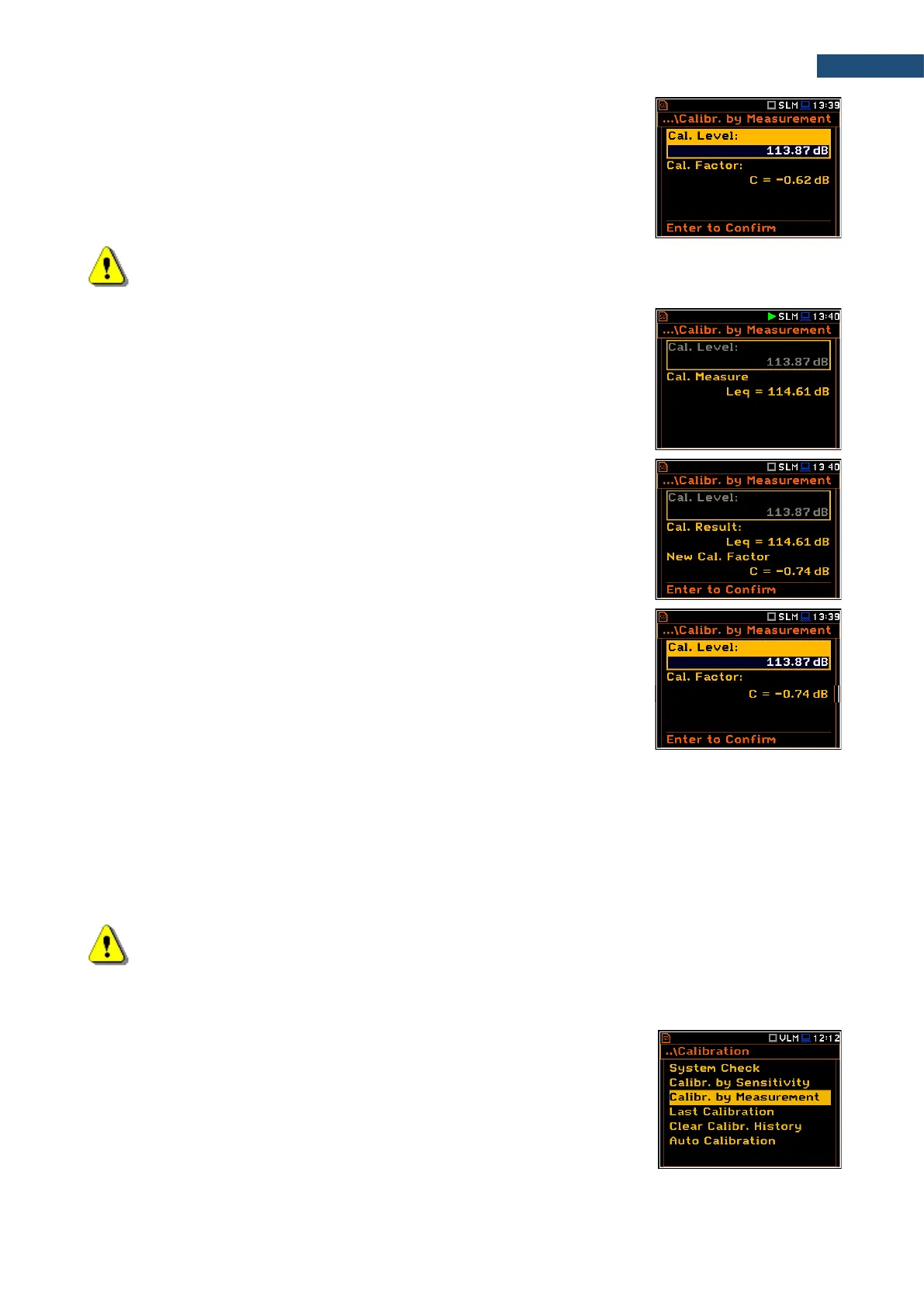
2. Set the reference calibration level (Cal. Level) – see Appendix C,
Chapter C.1, par. Calibration.
3. Attach the acoustic calibrator SV 36 (or equivalent 114 dB@1000 Hz)
carefully over the microphone of the instrument.
Note: It is also possible to use an electro-mechanical pistonphone, which generates a signal (ca
124 dB) or different type of acoustic calibrator dedicated for ½” microphones. It is also necessary to
switch the instrument Range to the High level.
4. Switch on the calibrator (if the used calibrator doesn’t have auto run function)
and wait approximately 30 seconds for the tone to stabilise before starting
the calibration measurement.
5. Start the calibration measurement by pressing the <Start> key.
The instrument performs series of 1-second consecutive measurements
displaying levels of the measured calibration signal.
If maximal difference between three 1-second consecutive results (Leq(C)) is
less than 0.05dB, the calibration measurement will be stopped, and the
calibration factor calculated. The measurement can be always stopped by the
<Start/Stop> key.
The Calibration Result (measured reference signal without calibration factor
correction) and the New Calibration Factor (difference between the Calibration
Level and the Calibration Result, calculated in dB) are displayed.
6. Press <ENTER> to save the new calibration factor (Enter to Confirm), or
press <ESC> to reject it.
7. Press <ENTER> to exits the Calibration by Measuement screen.
It is recommended to repeat the calibration measurement few times. Obtained results should be almost the
same (with 0.1 dB difference). Reasons for unstable results are as follows:
• the calibrator is not properly attached to the instrument,
• there are external acoustic disturbances such as high noise levels close by,
• the calibrator or the measurement channel (the microphone, the preamplifier or the instrument itself) are
damaged.
8. Detach the calibrator from the microphone.
Note: During the calibration measurement, any external disturbances (acoustic noise or vibrations)
should not exceed a value of 100 dB (when using a calibrator that generates a level of 114 dB).
3.3.5 Calibration by Measurement (Vibration signal)
Calibration by measurement of the vibration signal can be done in the following
way:
1. Select the Calibr. by Measurement position in the Calibration list and
press <ENTER>.



 To Next Page