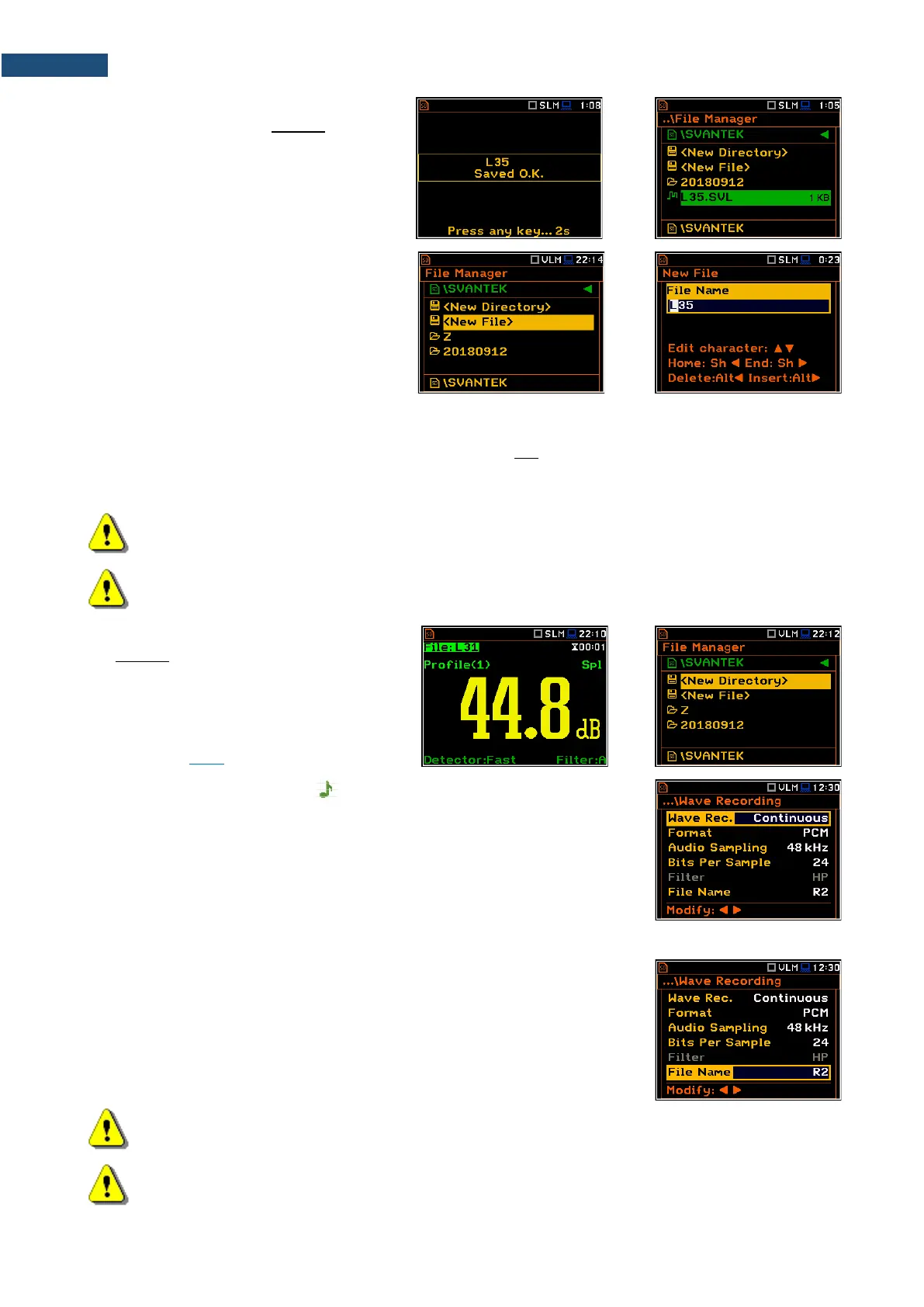
File with the proposed or created by you
name will be saved in the working directory
on the SD card or the USB disk.
There may be a naming conflict in the
working directory. In this case, the
instrument will save the file under the
proposed name.
Another option is to open the File Manager
screen (path: <Menu> / File / File Manger),
select New File and press <ENTER>.
After edition of the automatically proposed
name, press <ENTER> to confirm.
If Logger and Summary Results are both switched on in the Logger Setup list (path: <Menu> / Measurement
/ Logging / Logger Setup) the Logger results and Summary results will be saved automatically in the file with
their steps. At the same time, you can manually save only the last Summary Results.
For this, open the File Manager after the measurement stop, select New File and press <ENTER>. The
Summary results for the last cycle will be saved in the working directory.
Note: Manual saving is not possible during the running measurement. If you attempt to save results,
the message “Measurement in progress!” will be displayed for about 3 seconds.
Note: When no measurements were performed and there are no results to save, all the save
functions are disabled.
You can jump from the measurement view to
the working directory in the File Manager.
To do this, make the field with file name
active by means of ▲ / ▼ key and press
<ENTER>.
Here you can change the working directory
– see Chapter 6.1.1.
Automatic Wave files saving ( )
Wave files with an extension .WAV containing are also saved automatically in
the same measurement directory as logger files (hh-mm-ss). To enable
automatic saving next conditions should be fulfilled:
1. SD card or USB disc should be inserted and there should be enough
space for new files.
2. The wave recording should be switched on (path: <Menu> / Measurement
/ Logging / Wave Recording / Wave Rec.: Continuous or On Trigger).
The wave file name is defined automatically using the same rules as for the
logger files. The default prefix for the wave file is R.
Note: If the Logger is disabled, wave files will be saved in the measurement directory which will be
created after the <Start> keystroke.
Note: During the measurement run with recording of the time-domain signal to the wave file the
„wave” icon is displayed.



 To Next Page