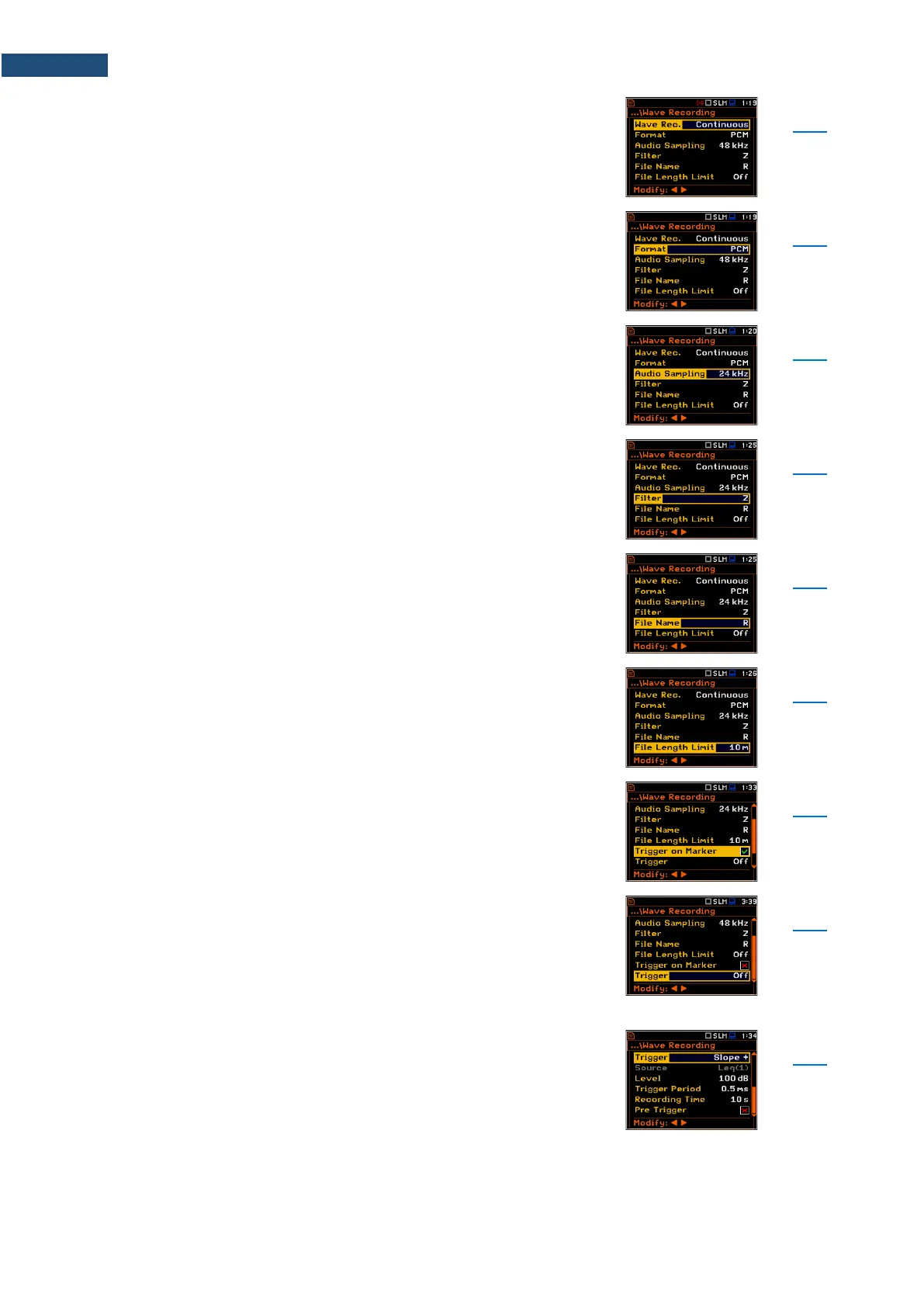
Switching on the wave recording by selecting its type:
Continuous or On Trigger. Continuous means that the
wave signal will be recorded continuously from the start
of the measurement till its end. On Trigger recording put
additional conditions for triggering and ending of the
recording.
WAV file format: PCM or Extensible. PCM is typical
supported by the audio players.
Sampling frequency of the wave recording: 12kHz,
24kHz or 48kHz. The higher sampling corresponds with
the better quality of the recorded signal but increases
size of the file.
Weighting filter during the wave signal recording: A, B, C
or Z for sound and HP for vibration. The Z filter is
recommended for audio listening.
Name of the WAV type file.
Limit of the length of the signal recorded to the WAV file.
Parameter that enables triggering the wave recording
when one of the Marker is initiated.
Parameter that enables switching Off or selecting the
trigger type for triggering wave recording: Slope +,
Slope –, Level +, Level –, External and Integr. Period.
If the instrument is waiting for the trigger condition, which
is checked with Trigger Period intervals, the appropriate
trigger icon is flashing on the display alternatively with the
„note” icon.
Type of trigger that starts the wave recording for
Recording Time on condition: rising value of the
Leq/RMS result (Source) integrated during
Trigger Period passes above the threshold value (Level).



 To Next Page