• select a parameter value in an active position (e.g. filter Z, A, B etc., Start Delay
period: 1s, 2s, 3s, … etc.);
• control a cursor in the Spectrum, Logger and Statistics mode of result
presentation;
• select a position of the character in the text editing screen;
• activate/deactivate markers no. 2 and 3
• speed up change numerical values of parameters when pressed and held.
The ◄ / ► keys pressed together with <Shift> allow to:
• change the parameter’s value with double step (e.g. Start Delay period: form 1s to
11s, 21s, … etc.);
• shift cursor from the first to the last position and back on the plot.
The ◄ / ► keys pressed together with <Alt> allow to:
• select a parameter’s value in an active position in the matrix parameter list;
• select a parameter’s value in an active position (e.g. filter Z, A, B,C etc., Start Delay
period: 1s, 2s, 3s … etc.);
• insert or delete a character in the text edition screen.
These keys allow to:
• select a position in the list;
• select an active field in the result view screen;
• select a character in the text edition screen;
• activate/deactivate markers no. 1 and 4.
The ▲ / ▼ keys pressed together with <Shift> allow to:
• shift a cursor from the first to the last position and back in the menu list;
• change relationship between the Y-axis and X-axis for plots.
The ▲ / ▼ keys pressed together with <Alt> allow to:
• change a mode of result presentation;
• programme the Real-Time Clock (RTC) and Timer.
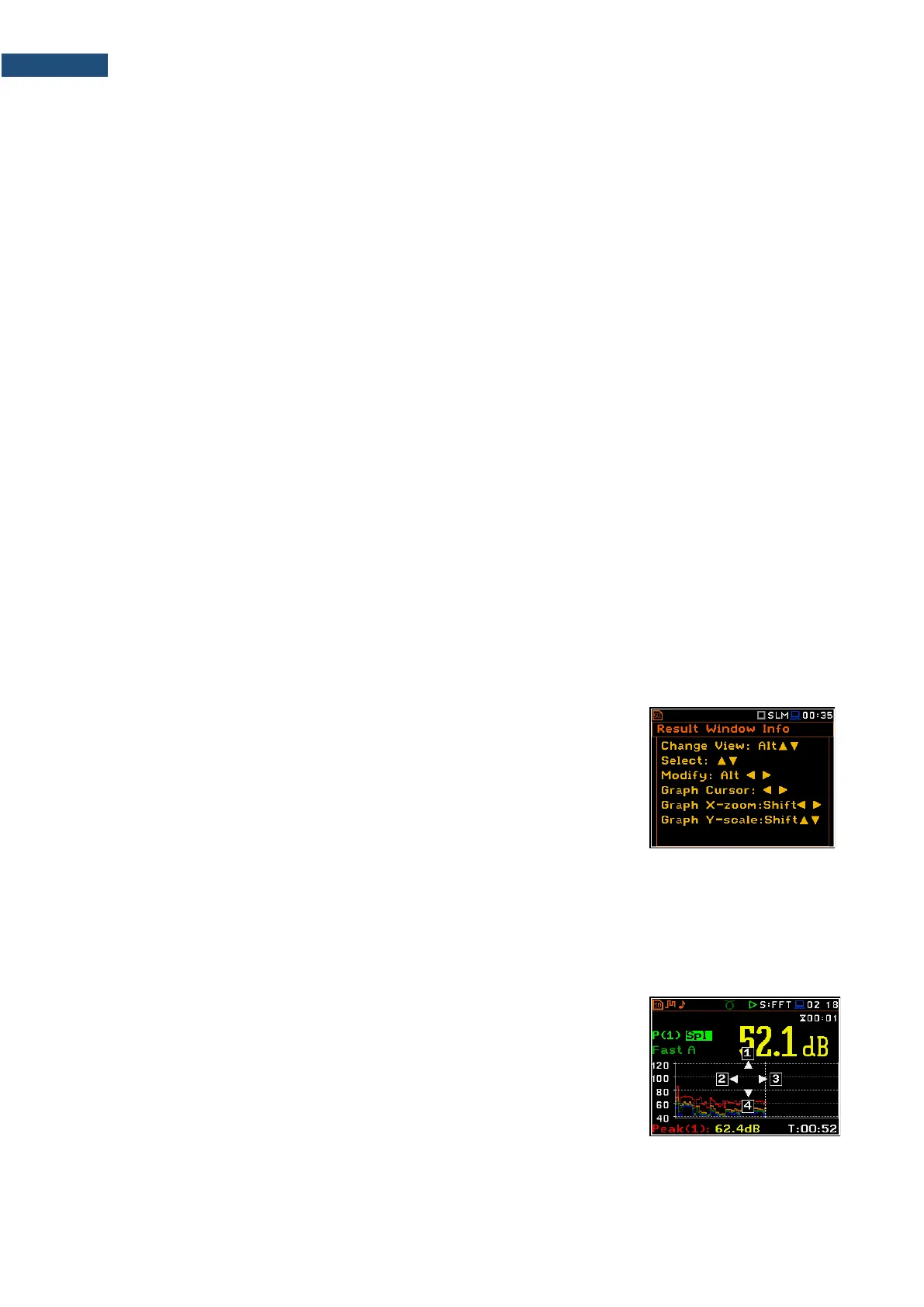
The <Info> key (simultaneous pressing the ◄ and ►
keys) opens the screen with the help information in the
measurement display modes. Press <ESC> or
<ENTER> to exit the Info screen.
The <Markers> key (<Alt> + <Shift>) enables marking the special events, occurring
during a measurement (for example, some sound or vibration disturbance). To activate
markers, the logger should be switched on (path: <Menu> / Measurement / Logging /
Logger Setup) and one or more logger results (Peak, Max, Min, Leq, LXY, LR1 or LR2
for sound measurements or Peak, P–P, Max, RMS for Vibration measurements) in
profiles should be active (path: <Menu> / Measurement / Logging / Logger Results).
To enter the marker mode, press the <Shift> and <Alt> keys simultaneously
during the measurement. Then four available markers will appear on the screen.
To switch on marker no. 1, press the ▲ key (no. 2 - ◄, no. 3 - ► and no. 4 - ▼).
Active marker number will be highlighted. To switch off the marker, press the
appropriate arrow-key second time.
Markers disappear from the screen after pressing <Shift> and <Alt>, but their
status doesn’t change. To continue working with markers, press <Shift> and
<Alt> again.
Markers are saved in the logger file (cf. App. B for details) and can be studied
with the help of the SvanPC++ software.



 To Next Page