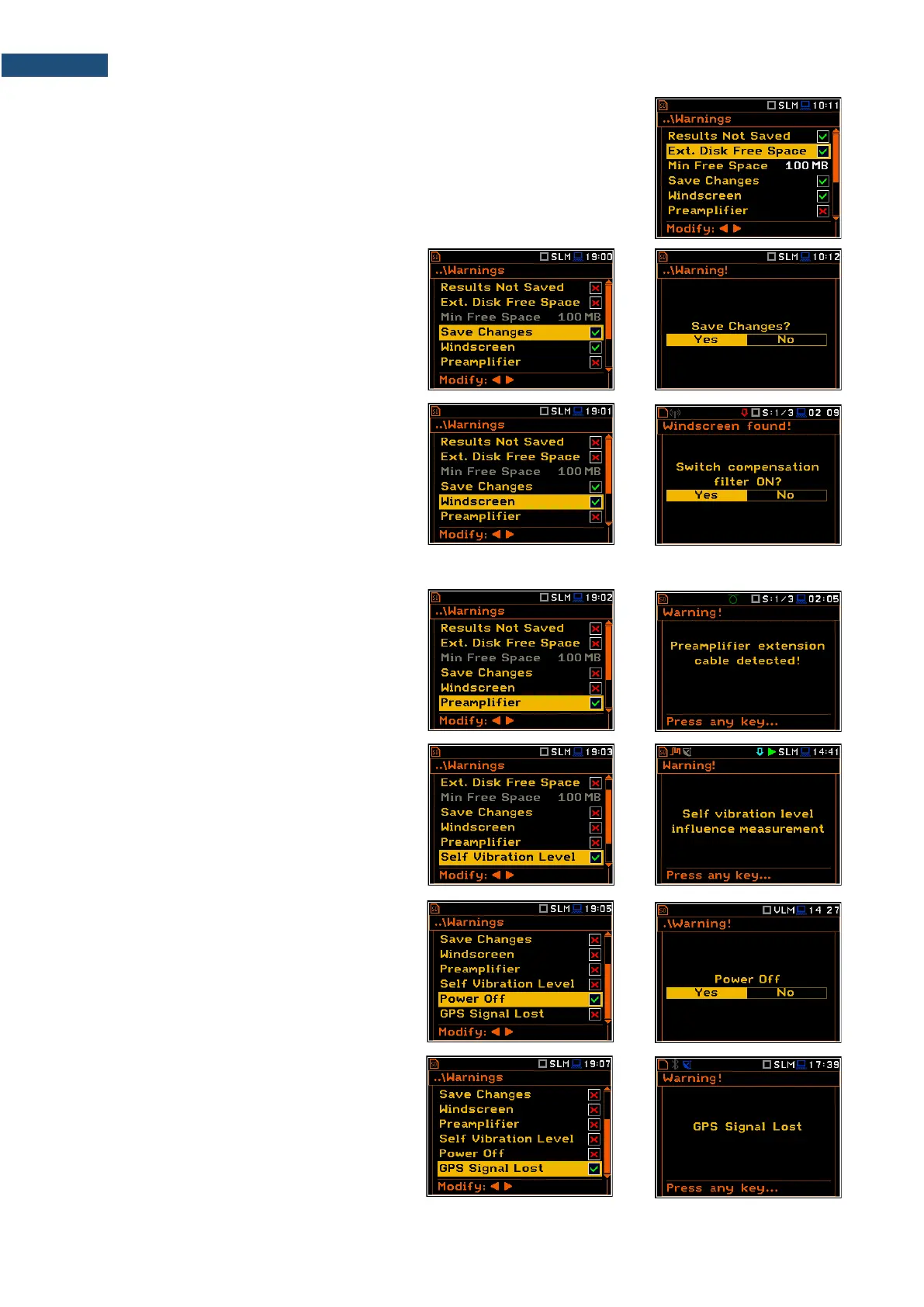
Checking free space of the memory
If the Ext. Disk Free Space warning is enabled the instrument will verify free
space on the SD-card and will generate the warning when the space is lower
than Min Free Space.
The selected limit should be within the range [1 MB, 1024 MB].
Confirmation of parameters changes
If the Save Changes warning is enabled,
the instrument asks to confirm whether you
want to save changes or not in cases you
changed some parameters in the list of
parameters but exiting the screen with the
<ESC> key.
Windscreen detection
If the Windscreen warning is enabled, the
instrument will ask whether to switch on or
off the compensation filter every time the
windscreen is removed or put on again? The
windscreen is detected automatically if the
Windscreen parameter is set to Auto (path:
<Menu> / Measurement / Compensation
Filter).
Preamplifier detection
If the Preamplifier warning is enabled, the
instrument will display the message if a
preamplifier is connected to the instrument
through the extension cable.
Self-vibration warning
If the Self Vibration Level warning is
enabled, the instrument will show the
message if a self-vibration level is high and
can lead to the loss of measurement
accuracy.
Confirmation of the instrument switching
off
If the Power Off warning is enabled, the
instrument will ask for confirmation before
switching off.
GPS signal lost warning
If the GPS Signal Lost warning is enabled,
the instrument will display the message in
the case the GPS signal was lost.



 To Next Page